

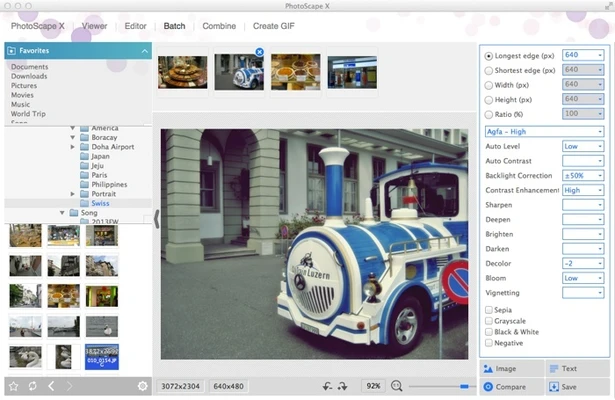
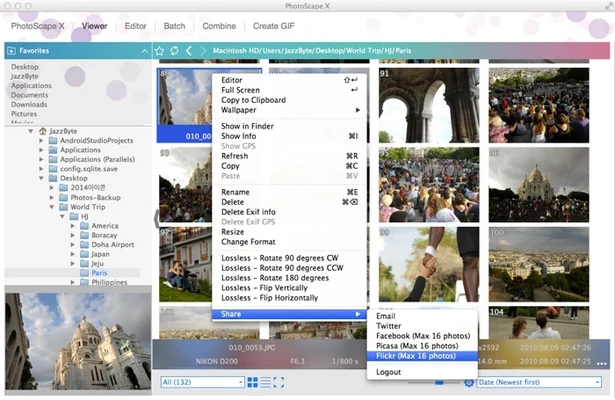
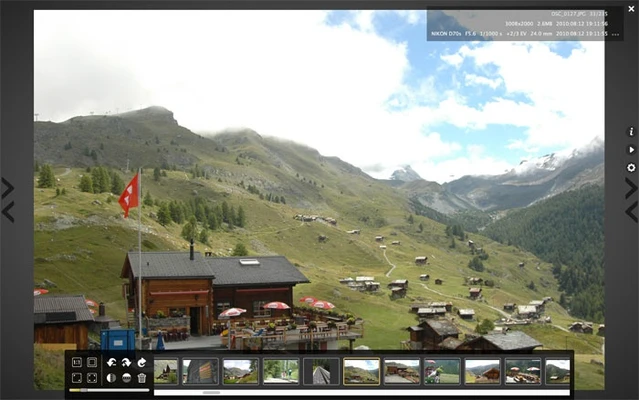
PhotoScape X for Mac is a versatile photo editing and image management application that combines a wide range of tools into a single package. Designed for both beginners and advanced users, it offers everything from basic image viewing and batch processing to photo enhancement, collage creation, animated GIF generation, and RAW image conversion.
Whether you need to edit photos, organize image collections, create social media graphics, or perform batch operations, PhotoScape X provides an easy-to-use interface packed with practical features for everyday image editing tasks.
Key Features
Photo Editor
Enhance and modify images using a comprehensive set of editing tools, including:
- Crop and resize photos
- Brightness and color adjustments
- White balance correction
- Filters and effects
- Red-eye removal
- Blur and sharpening tools
- Text and drawing tools
- Frames and borders
- Clone stamp and brush tools
Batch Processing
Apply edits, resize images, rename files, and convert formats across multiple photos simultaneously, saving time when working with large image collections.
Collage & Combine Tools
Create photo collages using customizable layouts or combine multiple images vertically and horizontally into a single image.
Animated GIF Creator
Turn a sequence of photos into animated GIFs with adjustable timing and transition settings.
RAW Image Converter
Convert RAW camera files into JPG and other popular formats for easier sharing and editing.
Image Viewer & Organizer
Browse photos quickly, create slideshows, and manage image collections through an intuitive file browser.
Screen Capture
Capture screenshots directly from your Mac and edit them immediately within the application.
Color Picker
Extract colors from images with precision, making it useful for designers and content creators.
Print Tools
Print photos, passport images, business cards, calendars, graph paper, music sheets, and other layouts directly from the application.
What's New
Recent updates include:
- New Object Effects: Inner Glow, Inner Shadow, and Emboss
- New Outline image effect
- Additional background, fill, color, and mask options
- Expanded masking tools for effects and objects
- Improved collage workflow and interface enhancements
Why Choose PhotoScape X?
PhotoScape X offers a balanced combination of simplicity and functionality. Unlike many professional photo editing applications that require extensive training, it provides powerful editing capabilities through a user-friendly interface that is accessible to users of all skill levels.
Best For
- Casual photo editing
- Social media content creation
- Batch image processing
- Creating collages and GIFs
- RAW image conversion
- Home and office users
- Photography enthusiasts
Pros
- Comprehensive set of photo editing tools
- Easy-to-use interface for beginners
- Powerful batch editing capabilities
- Built-in collage maker and GIF creator
- Supports RAW image conversion
- Lightweight and responsive performance
Cons
- Some advanced features require the Pro version
- Limited professional-grade editing tools
- RAW editing capabilities are basic compared to premium editors
- Performance may slow with very large image files
- Fewer export options than professional competitors
System Requirements
Minimum Requirements
- macOS 10.12 Sierra or later
- Intel or Apple Silicon Mac
- 64-bit processor
- Internet connection for updates and activation
Conclusion
PhotoScape X for Mac is an excellent all-in-one photo editing solution for users who need more than a basic image editor without the complexity of professional software. With support for photo editing, batch processing, GIF creation, collage design, screen capture, and RAW conversion, it provides exceptional value for photographers, designers, students, and everyday Mac users.
Note: The free version includes limited functionality and may display advertisements. Additional features are available through the Pro version.