

360 Total Security is a free antivirus and PC security suite designed to protect Windows computers from viruses, malware, ransomware, phishing, and other online threats. It combines antivirus scanning with real-time protection, system cleanup, performance optimization, privacy tools, and other security features.
The software is suitable for users who want basic antivirus protection together with tools for maintaining and optimizing their PC.
What's New
The latest version of 360 Total Security includes improvements to security, system optimization, and overall application performance.
-
Improved malware detection and real-time protection.
-
Updated antivirus engines and security databases.
-
Improved system cleanup and optimization tools.
-
Enhanced browser and privacy protection.
-
Improved compatibility with modern Windows versions.
-
Various bug fixes and performance improvements.
Key Features
Antivirus Protection – Scans files, applications, and the system for viruses, Trojans, ransomware, and other types of malware.
Real-Time Protection – Monitors system activity and helps block threats before they can affect your computer.
Multiple Antivirus Engines – Uses several security engines to improve malware detection and protection capabilities.
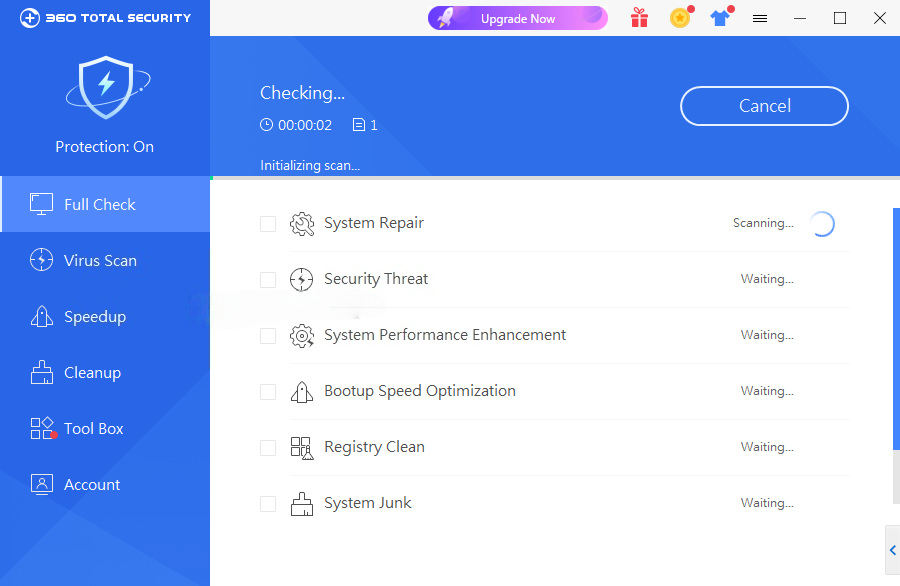
Full Check – Performs a comprehensive scan of the computer's security and system condition from a single interface.
System Cleanup – Finds temporary files, browser caches, junk files, and other unnecessary data that can be safely removed.
Speedup – Optimizes startup items, services, scheduled tasks, and other system components to improve boot and system performance.
Sandbox – Provides an isolated environment for running potentially untrusted applications without directly exposing the main system.
Browser Protection – Helps prevent unauthorized changes to browser settings, the homepage, and search engine.
Privacy Protection – Removes browser history, application activity, and other traces of local activity.
Data Shredder – Securely deletes selected files to make them more difficult to recover.
Patch Up – Checks for certain missing security updates and helps keep supported software and system components up to date.
Disk Analyzer – Shows which files and folders are using the most disk space to help users identify unnecessary data.
Game Booster – Optimizes selected system resources when launching supported games.
User Interface
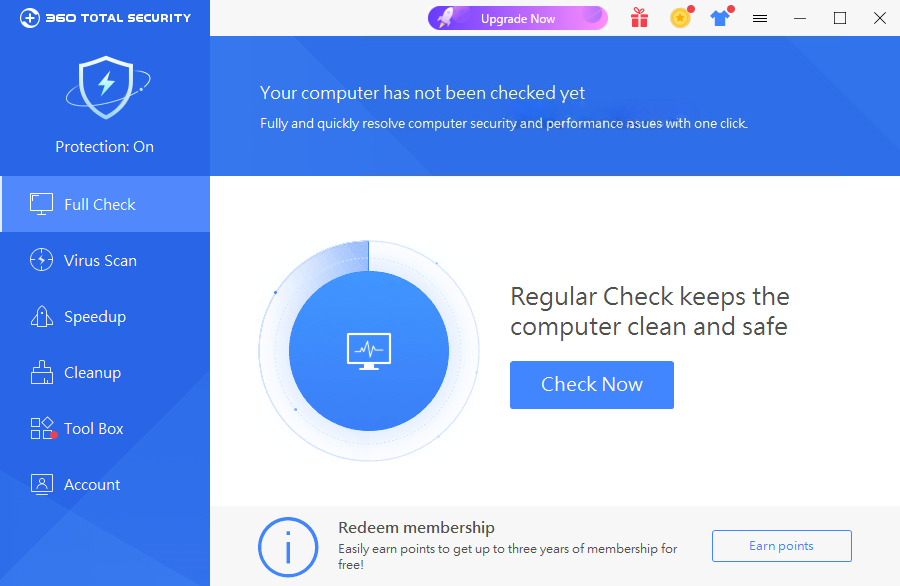
360 Total Security uses a dashboard-based interface that provides quick access to antivirus scans, system cleanup, optimization, and security tools.
The main screen allows users to perform a full system check and view the current security status. Additional tools are organized into separate sections, making it possible to access cleanup, speedup, privacy, and other utilities from the same application.
The large number of available tools may feel overwhelming at first, but the primary antivirus functions are relatively straightforward to use.
Installation and Setup
Download the appropriate version of 360 Total Security for Windows and run the installer.
After installation:
-
Launch the application.
-
Allow the software to update its security components.
-
Perform an initial Full Check or virus scan.
-
Review the real-time protection settings.
-
Configure scheduled scans and cleanup options if required.
Users should review optional settings during installation and disable any features they do not need.
How to Use
Run a Security Check
Open 360 Total Security and select Full Check to scan the system for security and performance issues.
Scan for Malware
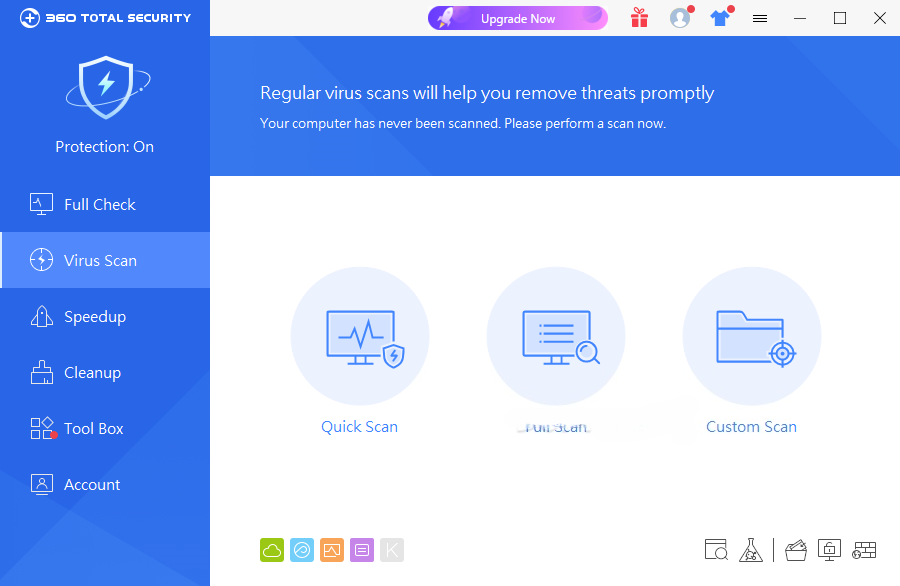
Use the Virus Scan feature to check files and system areas for malware. Different scan modes can be used depending on how thoroughly you want to check the PC.
Clean Up the System
Open Cleanup to find temporary files, caches, and other unnecessary data, then review the results before deleting them.
Improve Performance
Use Speedup to review startup programs, services, and other items that may affect system startup and performance.
Protect Your Browser
Enable Browser Protection to help prevent unauthorized changes to browser settings.
Use the Sandbox
Run suspicious or untrusted applications inside the Sandbox when you want to isolate them from the main Windows environment.
FAQ
Is 360 Total Security free?
Yes. 360 Total Security offers a free version with antivirus and system maintenance features. Premium features may require a paid subscription.
Does 360 Total Security support Windows 10 and Windows 11?
Yes. The software supports modern Windows versions, including Windows 10 and Windows 11.
Does 360 Total Security provide real-time protection?
Yes. Its real-time protection monitors system activity and helps detect and block malware and other threats.
Can 360 Total Security remove malware?
Yes. The antivirus scanner can detect and remove supported viruses, malware, Trojans, and other threats.
Does 360 Total Security improve PC performance?
It includes Speedup and Cleanup tools designed to remove unnecessary files and optimize startup items and system components. The actual performance improvement depends on the condition and configuration of the PC.
What is the Sandbox feature?
Sandbox provides an isolated environment where potentially untrusted programs can be executed with reduced access to the main system.
Can I customize 360 Total Security?
Yes. The application provides settings for protection, scanning, notifications, scheduled tasks, cleanup, and other functions.
Alternatives
Malwarebytes – Security software focused on malware detection, removal, and protection against various online threats.
Avast Premium Security – Antivirus software with malware protection, web security, ransomware protection, and additional security tools.
Bitdefender Total Security – Comprehensive security software offering malware protection, privacy features, and additional system security tools.
McAfee Total Protection – Security suite combining antivirus protection with web security and other privacy and security features.
Pricing
360 Total Security offers a free version. A Premium subscription is also available with additional features.
Pricing and included features may vary depending on the current subscription plan and region.
System Requirements
Operating System: Windows 7, Windows 8, Windows 10, and Windows 11
Processor: 1 GHz or faster
Memory: 1 GB RAM or more recommended
Storage: Sufficient free disk space for installation, updates, and security databases
An active internet connection is required for updates and certain online features.
Pros
-
Free antivirus version available
-
Real-time malware protection
-
Multiple antivirus engines
-
System cleanup and optimization tools
-
Browser and privacy protection
-
Sandbox support
-
Built-in disk analysis tools
-
Game optimization features
Cons
-
Large number of additional utilities can feel unnecessary
-
Some features are available only in the Premium version
-
Can consume noticeable system resources during scans
-
Users may need to review optional features and settings
Conclusion
360 Total Security combines antivirus protection with a broad collection of PC maintenance and security tools. Its core features include real-time malware protection, multiple scanning engines, system cleanup, performance optimization, browser protection, privacy tools, and sandboxing.
The free version makes it accessible to users looking for basic Windows security, while the additional maintenance tools provide more functionality than a traditional antivirus application. However, users who prefer a lightweight antivirus with fewer extras may find some of its additional utilities unnecessary.