


Adlice Diag is a Windows diagnostic and malware removal tool designed to help users detect, analyze, and remove suspicious software and other security threats. Powered by the same scanning technology used by RogueKiller, it combines signature-based detection with heuristic analysis to identify both known and potentially unknown threats.
The software can analyze processes, startup items, services, scheduled tasks, browser extensions, files, and registry entries. It also includes an anti-rootkit component for detecting threats that may be difficult to find with conventional malware scanners.
What's New
- Improved malware detection and removal capabilities.
- Updated malware signatures and detection rules.
- Enhanced anti-rootkit scanning.
- Improved system and process analysis.
- Better browser extension detection.
- Updated scanning and reporting features.
- Various performance, stability, and bug fixes.
Key Features
Malware Detection: Scans Windows systems for viruses, trojans, worms, adware, spyware, potentially unwanted programs, and other suspicious software.
Anti-Rootkit Scanning: Uses a dedicated anti-rootkit module to detect malicious software that attempts to hide deep within the operating system.
Heuristic Analysis: Combines traditional signature detection with heuristic techniques to help identify suspicious or previously unknown threats.
System Analysis: Examines running processes, startup entries, scheduled tasks, services, and other important system components.
Browser Extension Analysis: Checks installed browser extensions for potentially unwanted or suspicious components.
File and Registry Scanning: Searches files and Windows Registry entries for malicious or unwanted items and provides options for removal or quarantine.
Custom Scanning: Allows users to select specific areas and system components for more targeted analysis.
Detailed Reports: Generates scan reports containing detected threats, suspicious items, and system information for further analysis.
Portable Version: The portable edition can be run without a traditional installation, making it useful for troubleshooting and malware analysis.
User Interface
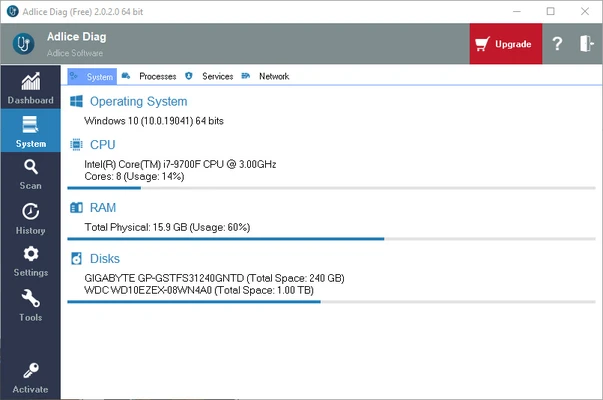
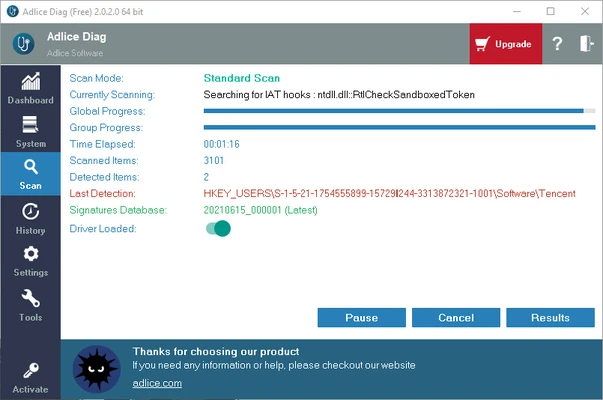
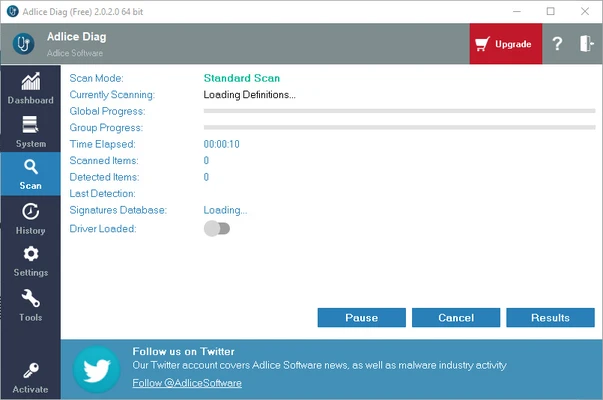
Adlice Diag uses a practical interface designed around system analysis and malware scanning. Scan results are presented in an organized format, making it possible to review detected and suspicious items before taking action.
The software also provides detailed information about system components, processes, startup entries, services, and other areas that may be relevant when troubleshooting security problems.
Installation and Setup
Download Adlice Diag and choose the installer or portable version depending on your needs.
The installer version can be installed normally on Windows and is suitable for users who want automatic updates and regular use. The portable version can be launched directly without installation and is useful for diagnostic work or situations where installing additional software is not desirable.
After launching the program, select the desired scan type and review the available scanning options before starting the scan.
How to Use
- Download and launch Adlice Diag.
- Choose the installer or portable version.
- Select the areas you want to scan.
- Start the malware or system scan.
- Review the detected and suspicious items.
- Select items that should be removed or quarantined.
- Restart the computer if required.
- Review the generated report for additional information.
FAQ
What is Adlice Diag used for?
Adlice Diag is used to analyze Windows systems, detect malware and suspicious components, and help users remove unwanted or malicious software.
Can Adlice Diag remove malware?
Yes. The software can detect suspicious and malicious items and provides options to quarantine or remove detected threats.
Does Adlice Diag detect rootkits?
Yes. It includes an anti-rootkit scanning module designed to identify threats that may attempt to hide within the operating system.
Is Adlice Diag free?
Adlice Diag is available in free and Premium editions. The free version provides basic malware scanning and removal capabilities, while Premium adds additional features and support options.
Does Adlice Diag have a portable version?
Yes. A portable version is available and can be launched without a traditional installation.
Is Adlice Diag an antivirus replacement?
Adlice Diag is primarily a diagnostic and malware removal tool. It can be useful for second-opinion scanning and system troubleshooting, but users should not assume that it provides the same continuous protection as a dedicated real-time antivirus solution.
Is Adlice Diag safe to use?
When downloaded from the official developer or a trusted software source, Adlice Diag is a legitimate security utility. Users should still review scan results carefully before removing system files or registry entries.
Alternatives
Malwarebytes – A popular malware detection and removal tool with support for viruses, spyware, adware, and other unwanted software.
Spybot Search & Destroy – A security utility focused on detecting and removing spyware, adware, and other potentially unwanted software.
Avast Free Antivirus – A full antivirus solution offering real-time protection against a wide range of malware and online threats.
Pricing
Adlice Diag is available in free and Premium editions.
Free – $0/year
- Malware scanning and removal
- Anti-rootkit scanning
- Personal use
- Community support
Premium – $12/year
- Malware scanning and removal
- Anti-rootkit scanning
- Commercial use
- Additional diagnostic tools
- Email support
A 30-day Premium trial may also be available.
System Requirements
- Operating System: Windows 7, 8, 10, and 11
- Processor: Compatible x86 or x64 processor
- Memory: 2 GB RAM or more recommended
- Storage: Available disk space for the application and scan reports
- Internet Connection: Recommended for malware database and software updates
Pros
- Comprehensive malware detection
- Dedicated anti-rootkit scanning
- Heuristic and signature-based detection
- Detailed system analysis
- Portable version available
- Custom scanning options
- Detailed scan reports
- Free version available
Cons
- Some advanced features require Premium
- Primarily designed for Windows
- Scan results may require technical knowledge to interpret
- Removing legitimate system components incorrectly can cause problems
- Not intended to replace a complete real-time antivirus solution
Conclusion
Adlice Diag is a useful diagnostic and malware removal tool for Windows users who need deeper insight into suspicious system activity. Its combination of malware scanning, anti-rootkit detection, system analysis, and customizable scan options makes it particularly useful for troubleshooting difficult security problems.
The portable version is convenient for on-demand diagnostics, while the Premium edition provides additional features for users who need more comprehensive capabilities. For users looking for a second-opinion malware scanner or a tool for investigating suspicious Windows components, Adlice Diag is a practical option.