


coconutBattery for Mac is a lightweight utility that provides real-time information about your Mac and iOS device battery health. It helps users monitor battery performance, track usage history, and understand battery aging over time.
The app supports macOS devices as well as connected iOS devices such as iPhone, iPad, and iPod touch.
Key Features and Highlights
- Battery Age Tracking – Displays the age of your Mac, iOS device, and battery
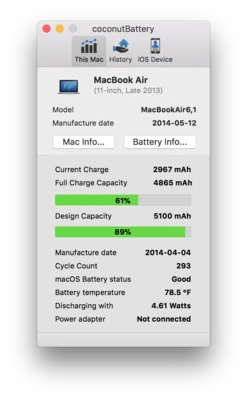
- Charge Cycle Count – Shows how often your battery has been charged (full cycles)
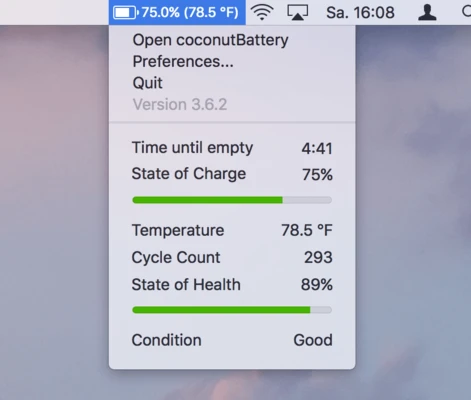
- Battery Health Monitoring – Compares current capacity with original factory capacity
- Real-Time Charge Information – Displays current charge level in mAh
- Maximum Capacity – Shows the highest charge your battery can currently hold
- Design Capacity – Indicates original factory battery capacity
- Device Information – Displays Apple model identifier and hardware details
- Manufacture Date Detection – Estimates production date from serial number data
- Battery Temperature Monitoring – Shows current internal battery temperature
- Power Usage Tracking – Displays current battery power consumption
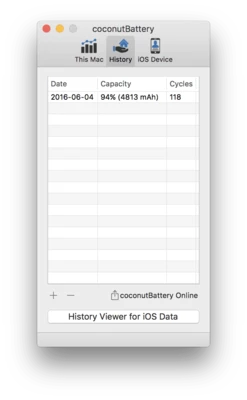
- Data History Saving – Save battery reports and track health changes over time
- coconutBattery Online – Compare battery statistics with other users online
How to Use
- Install coconutBattery on your Mac
- Launch the application
- View real-time battery health and system information
- Connect iOS devices via USB for detailed battery stats
- Save reports to track long-term battery condition
- Use online comparison feature if needed
System Requirements
- macOS 10.10 or later
- Intel or Apple Silicon Mac
- USB connection required for iOS device monitoring
- Minimal disk space required
Pros
- Simple and lightweight interface
- Accurate real-time battery monitoring
- Supports both Mac and iOS devices
- Useful battery health history tracking
- Free core functionality available
Cons
- Limited system diagnostics beyond battery
- No advanced optimization tools
- iOS features require USB connection
- Basic UI design compared to modern utilities
Conclusion
coconutBattery for Mac is a practical tool for users who want clear insights into battery health and performance. It provides essential diagnostics such as charge cycles, capacity, temperature, and device age, helping users extend battery lifespan and monitor long-term condition.