

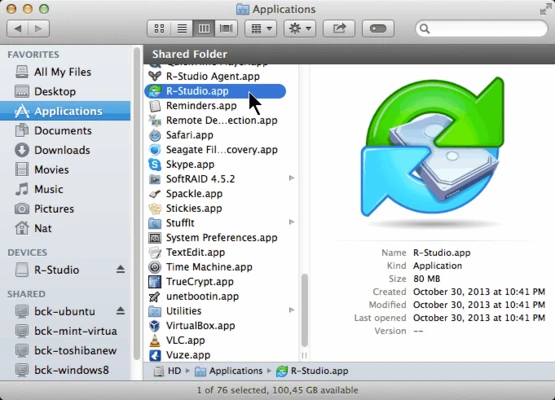
R-Studio for Mac is an advanced data recovery software designed to recover lost, deleted, formatted, or corrupted files from a wide range of file systems and storage devices.
It supports major file systems including APFS, HFS/HFS+, exFAT, FAT12/16/32, NTFS/NTFS5, Ext2/Ext3/Ext4, and UFS/UFS2, making it suitable for both Mac and cross-platform data recovery scenarios.
The software can recover data from local disks, external drives, network drives, and damaged or inaccessible partitions. It also includes advanced tools for RAID reconstruction, disk imaging, and low-level hex editing.
Features
- Recover deleted or lost files from multiple file systems
- Support for APFS, HFS+, NTFS, exFAT, FAT, Ext, and UFS formats
- Raw file recovery for damaged or unknown file systems
- Recover data from formatted, corrupted, or deleted partitions
- Network drive data recovery support
- RAID reconstruction module
- Disk imaging and cloning tools
- Built-in hexadecimal editor
- Advanced partition analysis tools
- Recover encrypted and damaged volumes (where possible)
Supported File Systems
- APFS (macOS)
- HFS / HFS+
- NTFS / NTFS5
- FAT12 / FAT16 / FAT32
- exFAT
- Ext2 / Ext3 / Ext4 (Linux)
- UFS1 / UFS2 (FreeBSD / OpenBSD / NetBSD / Solaris)
Recovery Capabilities
R-Studio for Mac can recover data from:
- Deleted partitions
- Formatted drives
- Damaged file systems
- Virus-infected disks
- Repartitioned drives
- Corrupted RAID arrays
- RAW or unrecognized disks
It also supports signature-based (raw) recovery for files when the file system structure is heavily damaged.
Advanced Tools
RAID Recovery
- Rebuild damaged or missing RAID configurations
- Virtual RAID assembly for reconstruction and analysis
Disk Imaging
- Create full or partial disk images
- Work on images instead of physical drives for safer recovery
Hex Editor
- View and edit disk or file data at sector level
- Analyze low-level file structures
Network Recovery
- Recover files from remote machines over LAN
- Supports Windows, Linux, and UNIX-based systems
- Remote disk scanning and recovery operations
User Interface
R-Studio uses a classic file-manager style interface similar to Windows Explorer.
Key areas include:
- Drive selection panel
- Scan results view
- File preview window
- Recovery output settings
While powerful, the interface is more technical and better suited for experienced users.
Pros
✔ Powerful deep recovery engine
✔ Supports many file systems
✔ RAID reconstruction capability
✔ Network recovery support
✔ Disk imaging and cloning tools
✔ Hex editor included
Cons
✖ Complex interface for beginners
✖ Paid software with limited trial
✖ High system resource usage during deep scans
✖ Advanced features require technical knowledge
System Requirements
- macOS (compatible versions depending on release)
- Intel / Apple Silicon (depending on version)
- Minimum 2 GB RAM (recommended higher)
- Sufficient disk space for scan and image storage
- Administrative privileges required
Alternatives
- Disk Drill
- Stellar Data Recovery
- EaseUS Data Recovery Wizard
- Recuva
Note
The demo version allows scanning and previewing recoverable files. Full data recovery functionality requires a paid license.