Apache Tomcat is an open-source web server and servlet container developed by the Apache Software Foundation. It provides support for Java Servlet, JavaServer Pages (JSP), and WebSocket technologies, allowing developers to deploy and run Java-based web applications.
Tomcat is lightweight, configurable, and widely used for Java web application development and deployment. It can run as a standalone server and can also work with other web servers and development tools.
Key Features
-
Java Servlet and JSP Support
-
WebSocket Support
-
Lightweight and Efficient
-
XML-Based Configuration
-
Built-in Authentication and Access Control
-
SSL/TLS Support
-
Automatic WAR Deployment
-
Web-Based Management Tools
-
Command-Line Administration
-
Support for Clustering and Load Balancing
-
Integration with Java Development Environments
-
Open Source and Free
User Interface
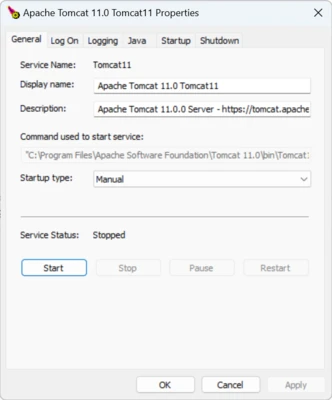
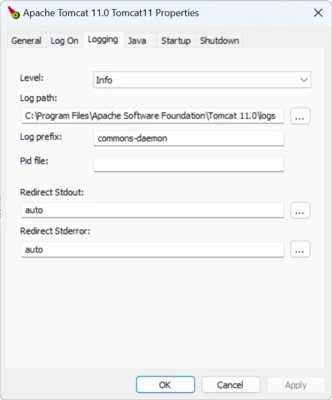
Apache Tomcat does not provide a traditional desktop graphical interface. Configuration is primarily handled through XML files and command-line tools.
Tomcat also includes a web-based Manager application that can be used to deploy, start, stop, and manage web applications when properly configured.
Installation and Setup
Install a compatible Java Development Kit (JDK) first and configure the JAVA_HOME environment variable.
Download and extract Apache Tomcat to a suitable directory, then open the bin folder and run startup.bat to start the server.
By default, Tomcat listens on port 8080. Open a web browser and visit http://localhost:8080 to verify that the server is running.
How to Use
Deploy Java web applications by placing their WAR files in the Tomcat webapps directory. Tomcat can automatically deploy applications placed in this folder.
Use startup.bat and shutdown.bat to start and stop the server. Configuration files such as server.xml can be edited to change server ports and other settings.
The Tomcat Manager application can also be used to manage deployed applications through a web browser.
Pros
-
Free and open source
-
Lightweight and efficient
-
Supports Servlets, JSP, and WebSockets
-
Flexible configuration options
-
Supports automatic WAR deployment
-
Works with common Java development tools
Cons
-
Requires Java to run
-
Advanced configuration can be complex
-
No traditional desktop GUI
-
Enterprise application server features are limited compared with full Java application servers
Conclusion
Apache Tomcat provides a lightweight and flexible environment for deploying Java web applications. With support for Servlets, JSP, WebSockets, WAR deployment, and configurable server settings, it is a practical choice for Java developers and server administrators who need a reliable servlet container.