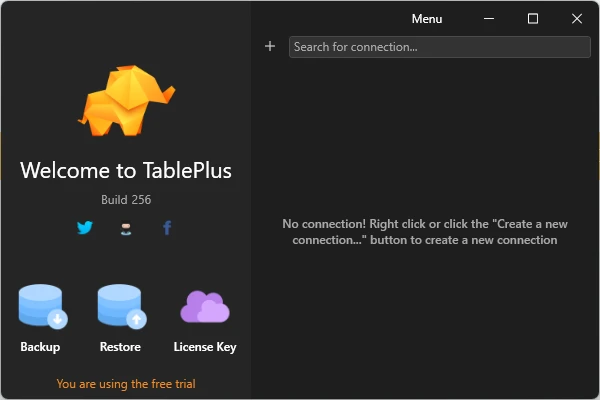
TablePlus is a modern database management tool for Windows that provides a graphical interface for working with relational and NoSQL databases.
It supports popular database systems including MySQL, PostgreSQL, SQLite, MariaDB, Microsoft SQL Server, Oracle, Redis, MongoDB, Snowflake, and others. It allows users to browse and edit data, run SQL queries, manage database structures, and import or export data from a single application.
What's New
Recent versions of TablePlus focus on improving database compatibility, performance, stability, the query editor, connection management, and the overall user interface.
Updates may also include improvements to supported database drivers, security, plugins, and data management tools.
Key Features
• Support for multiple database systems.
• Native graphical interface for database management.
• SQL query editor with syntax highlighting.
• Multiple tabs and windows for working with several connections.
• Inline editing of database records and structures.
• Advanced filtering for finding specific records.
• Built-in SSH support for secure remote connections.
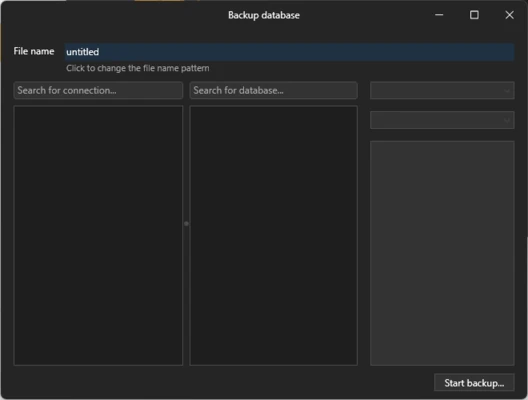
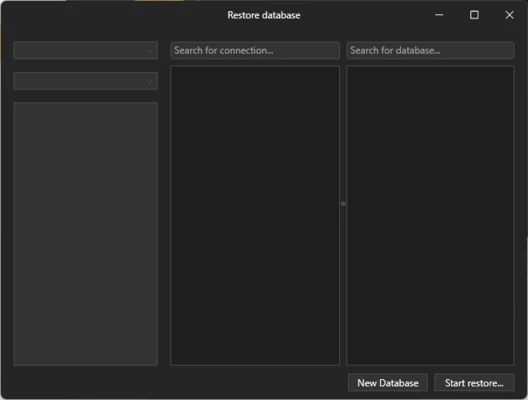
• Import and export tools for database migration and backups.
• Quick navigation for tables, schemas, databases, views, and functions.
• Keyboard shortcuts for frequently used operations.
• Code Review for tracking database changes.
• Plugin support for extending functionality.
• Spreadsheet-style data editor.
• Customizable interface and themes.
Supported Databases
TablePlus supports a wide range of database technologies, including:
• PostgreSQL
• MySQL
• MariaDB
• SQLite
• Microsoft SQL Server
• Amazon Redshift
• Oracle
• CockroachDB
• Snowflake
• Cassandra
• Redis
• Vertica
• MongoDB
Support and available features can vary depending on the database type and TablePlus version.
User Interface
TablePlus uses a clean, spreadsheet-style interface designed to make database management easier to navigate.
Users can open multiple connections in separate tabs or windows, browse database structures, edit records directly, apply filters, and run SQL queries without switching between separate applications.
Installation and Setup
Download and install TablePlus on a compatible Windows computer.
After installation, open the application and create a new database connection. Select the required database type and enter the server address, port, username, password, and other connection details.
For remote databases, the built-in SSH functionality can be configured when required.
How to Use
-
Launch TablePlus.
-
Create a new database connection.
-
Select the database type you want to use.
-
Enter the required connection details.
-
Connect to the database.
-
Browse databases, schemas, tables, and other objects.
-
Edit records directly in the data editor.
-
Use the SQL editor to write and execute queries.
-
Apply filters to find specific records.
-
Import or export data when needed.
-
Use multiple tabs or windows to work with several connections.
-
Customize the interface or install supported plugins if additional functionality is required.
FAQ
What is TablePlus used for?
TablePlus is used to manage databases through a graphical interface. It can be used to browse and edit data, execute SQL queries, manage database structures, and import or export data.
Does TablePlus support MySQL?
Yes. TablePlus supports MySQL along with PostgreSQL, SQLite, MariaDB, Microsoft SQL Server, Oracle, MongoDB, Redis, and other databases.
Can TablePlus connect to remote databases?
Yes. It can connect to remote databases using supported connection methods, including built-in SSH support for compatible servers.
Does TablePlus support SQL queries?
Yes. It includes a SQL editor for writing and executing database queries.
Can I edit database records with TablePlus?
Yes. Records can be edited directly through the graphical data editor.
Does TablePlus support multiple database connections?
Yes. You can work with multiple database connections using tabs and separate windows.
Is TablePlus free?
TablePlus offers a limited free version. Some advanced functionality requires a paid license.
What are the limitations of the free version?
The free version has limitations on the number of simultaneously opened tabs, windows, and advanced filters.
Alternatives
DBeaver – A powerful database management tool with broad database support and an extensive set of SQL features.
DataGrip – A professional database IDE with advanced SQL editing, navigation, and development tools.
HeidiSQL – A lightweight database management application suitable for working with several popular database systems.
MySQL Workbench – A database development and administration tool designed primarily for MySQL.
Azure Data Studio – A database tool focused on SQL Server and other Microsoft data services.
Pricing
TablePlus offers a limited free version, while additional features are available through paid licenses.
The free version is restricted in areas such as the number of simultaneously opened tabs, windows, and advanced filters.
System Requirements
• Operating System: Windows
• Architecture: 64-bit
• Additional Software: Microsoft .NET Framework may be required depending on the Windows version and TablePlus release
• Internet Connection: Required for some online services and database connections
Pros
• Supports many database systems.
• Clean and modern graphical interface.
• Fast database browsing and editing.
• Built-in SSH support.
• Multiple tabs and windows.
• Useful import and export tools.
• Advanced filtering and SQL editing.
• Keyboard shortcuts improve productivity.
• Plugin support.
Cons
• The free version has usage limitations.
• Some advanced features require a paid license.
• Feature availability can vary between database types.
• Advanced database operations may require SQL knowledge.
Conclusion
TablePlus is a versatile database management tool for Windows that provides a simple graphical interface for working with a wide range of databases.
Its support for multiple database systems, SQL editing, inline data editing, SSH connections, filtering, import and export tools, and multi-tab workflow makes it suitable for developers, database administrators, and other users who regularly work with databases.
The limited free version is useful for basic database management, while users who need more extensive functionality can upgrade to a paid version.