Vim for Windows is a powerful keyboard-based text editor designed for programmers, system administrators, and advanced users who need fast and efficient text editing.
Originally developed as an improved version of the classic UNIX Vi editor, Vim provides a highly customizable editing environment with powerful features such as syntax highlighting, macros, plugins, and advanced search tools.
Unlike traditional graphical editors, Vim uses a modal editing system, allowing users to perform complex editing operations quickly using keyboard commands.
Features
Modal Editing
- Multiple editing modes including Normal, Insert, Visual, and Command-line.
- Perform advanced operations without relying on a mouse.
- Efficient workflow for experienced users.
Powerful Text Editing
- Advanced search and replace with regular expressions.
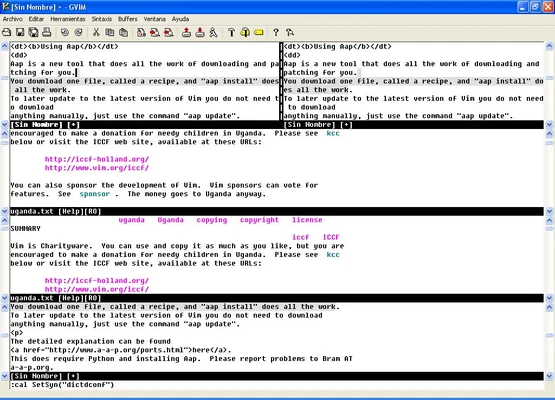
- Multi-file editing with tabs and split windows.
- Unlimited undo history with undo tree support.
- Fast navigation through large documents.
Programming Support
- Syntax highlighting for hundreds of programming languages.
- Code editing features for developers.
- Support for scripting and automation.
- Compatible with many programming environments.
Customization and Plugins
- Configure Vim using the
.vimrcsettings file. - Extend functionality with thousands of community plugins.
- Support for Vim scripts and plugin managers.
- Customize shortcuts, themes, and workflows.
Lightweight Performance
- Extremely small installation size.
- Starts quickly even on older hardware.
- Requires minimal system resources compared with full IDEs.
GVim Interface
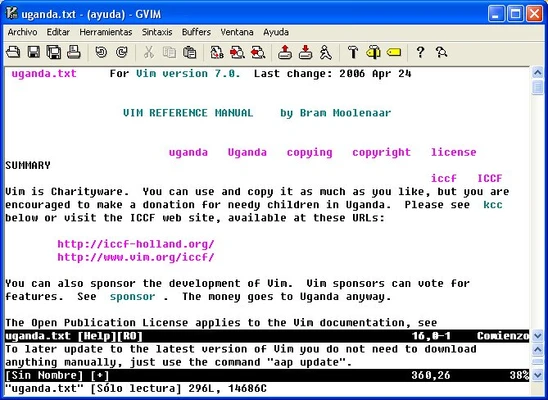
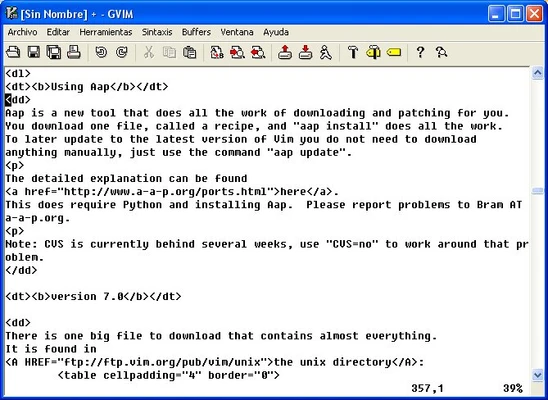
- Includes GVim, a graphical version of Vim.
- Provides menus, toolbars, and a more traditional Windows interface.
- Suitable for users who prefer GUI-based editing.
Installation and Setup
- Download the Windows installer.
- Run the setup wizard and choose installation options.
- Install GVim if a graphical interface is preferred.
- Configure Vim settings through the
.vimrcfile. - Add plugins to extend features.
How to Use
- Open Vim from the command prompt or desktop shortcut.
- Switch between editing modes using keyboard shortcuts.
- Use commands for saving, searching, and managing files.
- Customize the editor according to your workflow.
- Install plugins for additional functionality.
FAQ
Is Vim difficult to learn?
Yes. Vim has a steep learning curve because of its unique modal editing system, but experienced users can achieve very fast editing speeds.
Can Vim be used for programming?
Yes. Vim supports syntax highlighting, plugins, scripting, and many programming languages.
Does Vim have a graphical interface?
Yes. GVim provides a graphical version with menus and additional interface options.
Is Vim free?
Yes. Vim is free and open-source software.
Can Vim run on Windows?
Yes. Vim provides native Windows versions compatible with modern Windows systems.
Alternatives
- Emacs – Highly customizable text editor with extensive features.
- Sublime Text – Lightweight editor with a modern graphical interface.
- Visual Studio Code – Popular code editor with extensive extensions.
- Notepad++ – Simple and fast Windows text editor.
System Requirements
- Operating System: Windows 7 / Windows 8 / Windows 10 / Windows 11
- Processor: Any modern CPU
- RAM: 512 MB or more
- Storage: Less than 100 MB free space
- Additional Software: Optional plugins may require extra dependencies
PROS
- Extremely fast and lightweight
- Powerful keyboard-based workflow
- Highly customizable
- Large plugin ecosystem
- Supports many programming languages
- Free and open-source
CONS
- Steep learning curve for beginners
- Requires memorizing commands and shortcuts
- Configuration can be complex
- Less beginner-friendly than GUI editors
Conclusion
Vim is one of the most powerful text editors available for Windows users who value speed, efficiency, and customization.
Although it requires time to learn, its keyboard-driven workflow and extensive plugin ecosystem make it a popular choice among developers, programmers, and advanced users worldwide.