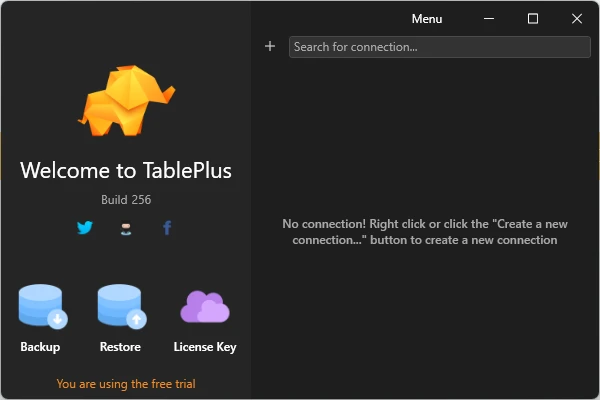
TablePlus is a modern and lightweight database management GUI tool for Windows that allows developers to connect, browse, edit, and manage multiple types of databases from a single application.
Designed with speed and simplicity in mind, TablePlus provides a clean native interface for working with relational and NoSQL databases, including MySQL, PostgreSQL, SQLite, Microsoft SQL Server, MongoDB, Redis, and more.
With features such as SQL editing, data browsing, secure connections, import/export tools, and plugin support, TablePlus helps developers manage databases faster and more efficiently.
Features
Multi-Database Support
TablePlus supports a wide range of database systems, including:
- MySQL
- PostgreSQL
- MariaDB
- SQLite
- Microsoft SQL Server
- MongoDB
- Redis
- Oracle
- Snowflake
- Cassandra
- CockroachDB
Fast Native Performance
Built as a native desktop application, TablePlus provides fast startup times and responsive performance when working with large databases.
Clean Database Editor
The spreadsheet-style interface makes it easy to:
- Browse database tables
- Edit records
- Filter data
- Manage database structures
- Execute SQL queries
SQL Query Editor
The built-in query editor allows developers to write and execute SQL commands with syntax support and keyboard shortcuts for faster workflow.
Secure Database Connections
TablePlus includes security features such as:
- SSH connections
- TLS encryption
- Secure authentication methods
Developers can safely connect to remote databases without additional SSH tools.
Multiple Tabs and Windows
Work with multiple database connections simultaneously using separate tabs and windows for improved productivity.
Import and Export Tools
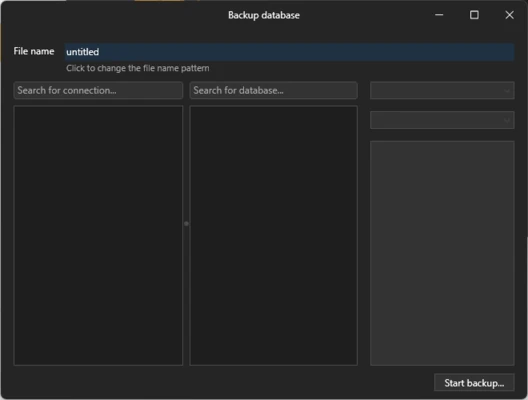
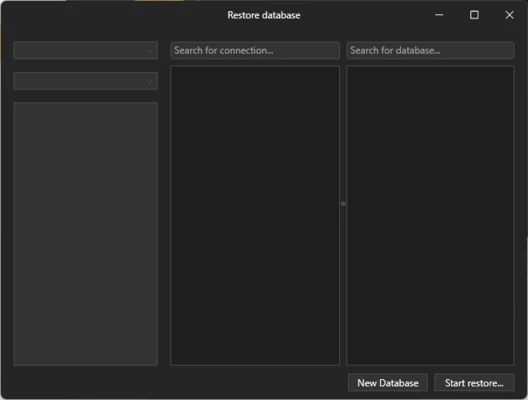
TablePlus provides database migration tools that allow users to export and import SQL data for backup, transfer, and migration tasks.
Advanced Filtering
Quickly locate required records using customizable filters and search options.
Plugin Support
Users can extend TablePlus functionality through JavaScript-based plugins and community extensions.
User Interface
TablePlus features a modern and minimal interface focused on productivity.
The clean layout allows developers to quickly access databases, tables, queries, and editing tools without unnecessary complexity.
FAQ
What databases does TablePlus support?
TablePlus supports many popular databases, including MySQL, PostgreSQL, SQLite, SQL Server, MariaDB, MongoDB, Redis, and others.
Is TablePlus free?
Yes. TablePlus provides a free version with limitations. The Pro version unlocks additional features and removes usage restrictions.
Is TablePlus available for Windows?
Yes. TablePlus supports Windows, as well as other platforms including macOS and mobile devices.
Can TablePlus connect to remote databases?
Yes. It supports remote database connections through secure protocols such as SSH.
Does TablePlus support SQL editing?
Yes. It includes a built-in SQL editor for writing and executing database queries.
System Requirements
- Operating System: Windows 10 / Windows 11
- .NET Framework required
- Internet connection for updates and activation
- Database connection credentials required
Pros
- Modern and easy-to-use interface
- Supports multiple database systems
- Fast native performance
- Secure database connections
- Useful keyboard shortcuts
- Plugin support
Cons
- Free version has feature limitations
- Advanced SQL features are limited compared with some enterprise tools
- Team collaboration features are limited
Conclusion
TablePlus is a powerful and user-friendly database management tool for Windows that provides developers with a simple way to manage multiple database systems.
With support for popular SQL and NoSQL databases, secure connections, fast performance, and an intuitive interface, TablePlus is a great choice for developers who need an efficient alternative to traditional database administration tools.