
Go to Windows platform Display platforms icon
Go to Windows platform Go to Mac platform Go to Android platform
Eclipse IDE icon

Eclipse IDE

2025-03
The Eclipse Foundation
5
157.2 MB size

The most popular development environment

Eclipse is an integrated development environment for open-source and multi-platform applications. It works mainly as a programming platform, and it can compile and debug for many different programming languages: while best known for programming in Java, its modularity lets you use it for programming in C, Python, and many others, as well.

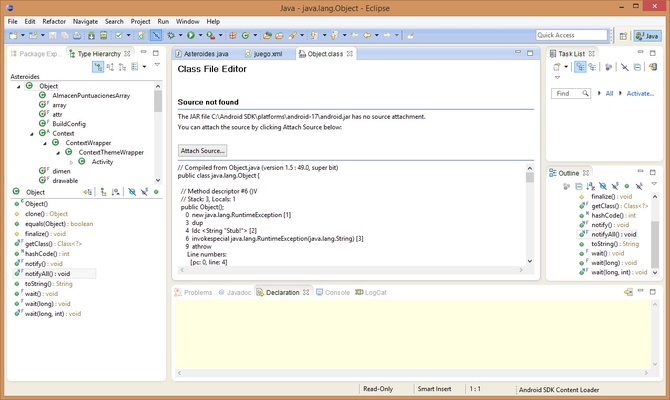
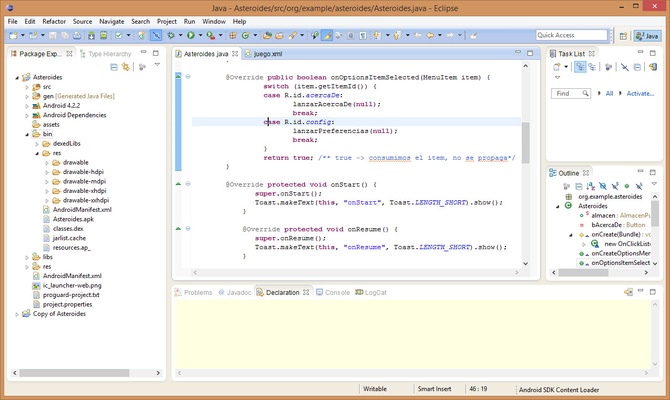
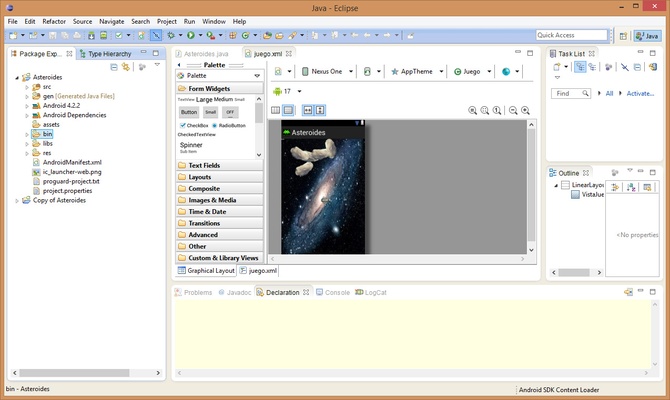
Its framework is clear and organized into several different windows with a high degree of customization. Besides that, although the editor has many integrated tools to debug and analyze errors, it also lets you work with previews of the projects, so you can see how the app would look in Java without having to compile and actually launch it.

Eclipse's Standard version includes the Java development IDE, as well as its development tools (JDT), which are necessary plugins for programming in this language.

Information about Eclipse IDE

License Free
Op. System Windows
Category Development
Language English
Author The Eclipse Foundation
permission icon Permissions Not applicable
Date 2026-06-02
Size 157.2 MB
File type EXE

Apps recommended for you

Insomnia Core 13.1.0 icon
Debug APIs like a human, not a robot! Cross-platform app for PC
JxBrowser icon
JxBrowse for Windows is a simple and fast file manager that allows users to easily browse, search, and organize files and folders on their computer.
FastReport.Net 2026.2.8 icon
Report generator for Windows Forms, ASP.NET, MVC and .NET Core
EmEditor Professional icon
Advanced text editor for programmers
MongoDB 8.3.9 icon
Building on the Best of Relational with the Innovations of NoSQL!
Anaconda icon
All the features you need to work on data science projects
Rapid PHP Editor icon
Specialised PHP editor
pgAdmin icon
pgAdmin for Windows is a feature-rich administration tool that allows users to manage and develop PostgreSQL databases efficiently.
Codex 26.1103.4239.0 icon
OpenAI's official companion for programming with ChatGPT
Beekeeper Studio 6.2.1 icon
A modern, elegant, and open source SQL client
InnoExtractor 12.2.0.187 icon
Complete GUI for Inno Setup.
Orca 1.4.246 icon
An environment for coordinating multiple AI agents
cc-switch 4.0.4 icon
Manage multiple AI models from one place
Twine 2.12.1 icon
A tool to create non-linear interactive stories
Codex 26.930.3930.0 icon
OpenAI's official companion for programming with ChatGPT
Python 3.14.8150.0 icon
Accessible multi-paradigmatic programming language
SQL Server Management Studio 22.10.0 icon
Easy-to-use graphical management tool for managing SQL Server
VirtualBox Extension Pack 7.2.16 icon
Extend VirtualBox capabilities with this extension pack
TortoiseSVN icon
TortoiseSVN for Windows is a Subversion (SVN) client that integrates with Windows Explorer, allowing easy version control and file management.
TRAE 3.5.104 icon
The most complete AI assistant for PC
Android Studio icon
The new programming environment for Android
Codex 26.1103.4239.0 icon
OpenAI's official companion for programming with ChatGPT
dbForge Studio for PostgreSQL icon
dbForge Studio for PostgreSQL for Windows is a powerful IDE that enables users to design, manage, and administer PostgreSQL databases efficiently.
GameMaker Studio icon
GameMaker Studio for Windows is a game development platform that lets users create 2D games quickly with drag-and-drop or code.