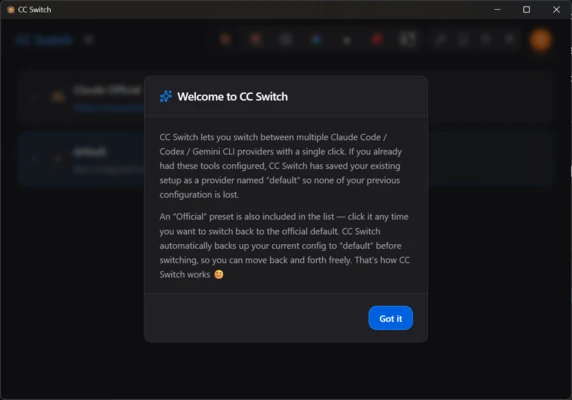
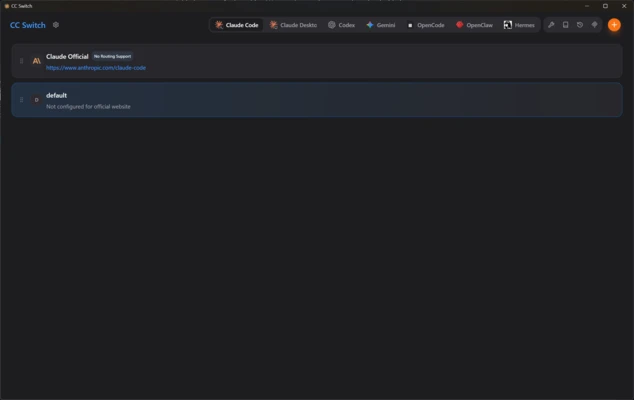
cc-switch is an open-source app designed to bring some order to the management of programming assistants. If you use tools such as Claude Code, Codex, Gemini CLI, or OpenClaw, this program allows you to configure them without manually editing hidden configuration files. Its graphical interface combines API key management, AI provider switching, and MCP (Model Context Protocol) server synchronization in one place.
Switch between artificial intelligence providers quickly
Using programming agents in the terminal can be inconvenient when you need to enter different commands to switch between providers such as Claude and Gemini. cc-switch provides a visual panel with more than 50 preconfigured profiles. You only need to enter your API keys once, then switch between different AI models with a single click. The program also includes a built-in server speed test, allowing you to check the response speed of the selected model and provider.
Management of MCP servers from one place
If you use MCP servers to provide additional context to your programming assistants, configuring them separately for each tool can be time-consuming. cc-switch provides a central panel for managing MCP servers. After adding a server, you can synchronize it with Claude, Codex, and Gemini. The program supports three common connection protocols: stdio, HTTP, and SSE. Each server can also be enabled or disabled individually when needed.
Prompt and system instructions editor
In addition to managing connections, cc-switch includes a dedicated section for managing instructions given to your agents. Its Markdown editor allows you to write and save behavioral rules. You can create multiple instruction profiles and switch between them depending on the programming project or workflow.
Quick installation via deep links
cc-switch supports deeplinks for importing configurations from compatible API management platforms. After opening a supported deeplink in your browser, you can choose to open cc-switch and import settings, API keys, and preferred models into the desktop client. This can simplify the process of setting up the application on a new computer.
My experience with cc-switch
I downloaded the app because I was using Claude Code and Gemini for personal projects, and frequently changing the terminal settings was inconvenient. The interface is built with Tauri and loads quickly. I entered my API keys in the providers tab, created a few profiles, and then tested the MCP server manager. After adding an MCP server and synchronizing it, I was able to use the server with both agents without manually editing JSON configuration files.
What I liked most about cc-switch and what could be improved
· What I liked the most: the combined MCP server panel saves time by avoiding the need to configure the same servers and paths separately for each terminal agent.
· What could be improved: although the desktop interface is easy to use, getting the most out of the application still requires