Vim for Windows is a fast and lightweight keyboard-driven text editor designed for programmers, system administrators, and advanced users.
Originally developed as an improved version of the classic Vi editor, Vim uses a modal editing system that allows users to navigate and modify text efficiently without relying heavily on a mouse.
It supports programming, configuration files, scripts, and general text editing, with extensive customization through configuration files and plugins.
Key Features
- Modal editing with Normal, Insert, Visual, and Command-line modes.
- Keyboard-driven navigation and editing.
- Syntax highlighting for many programming languages.
- Powerful search and replace with regular expressions.
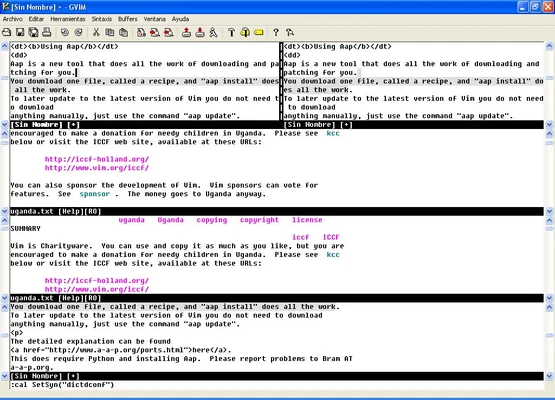
- Split windows and tabbed editing.
- Extensive plugin and scripting support.
- Customizable through
.vimrc. - Multiple undo and redo levels.
- Lightweight and fast performance.
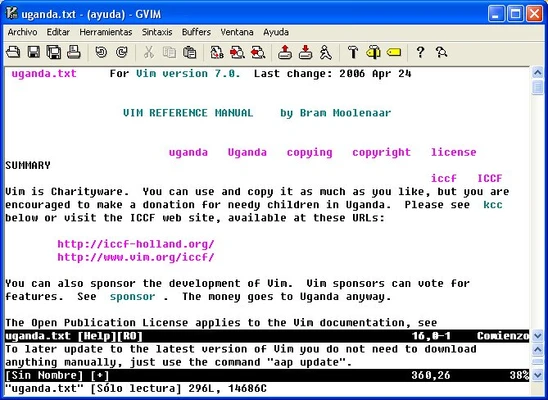
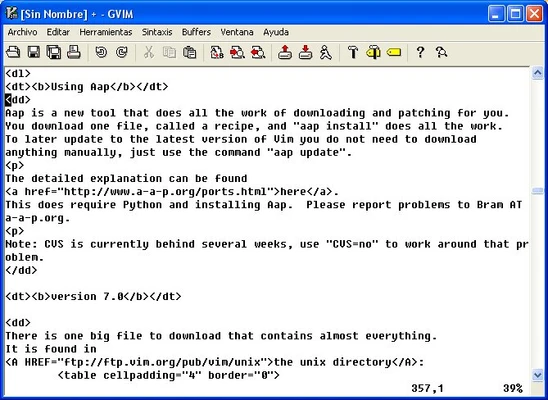
- Optional graphical interface through GVim.
User Interface
Vim primarily uses a terminal-based interface and relies on keyboard commands for navigation and editing.
For users who prefer a graphical interface, GVim provides menus, toolbars, and other traditional GUI elements while retaining Vim's editing features.
Installation and Setup
- Download the Windows installer.
- Run the installer and follow the setup wizard.
- Optionally enable the option to add Vim to the system PATH.
- Launch Vim from the Start menu or Command Prompt.
- Customize Vim by editing the
.vimrcconfiguration file. - Install plugins if additional functionality is required.
How to Use
- Open Vim and load a text file.
- Press
ito enter Insert mode. - Press
Escto return to Normal mode. - Use
h,j,k, andlfor keyboard navigation. - Press
vto select text. - Use
ddto delete a line. - Use
yyto copy a line. - Use
pto paste. - Use
:wto save a file. - Use
:qto quit. - Use
:wqto save and exit.
FAQ
Is Vim free?
Yes. Vim is free and open-source software.
Is Vim difficult to learn?
Vim has a steeper learning curve than most traditional text editors because of its modal editing system.
Can Vim be used for programming?
Yes. Syntax highlighting, plugins, scripting, search tools, and customization make Vim suitable for many programming tasks.
What is GVim?
GVim is the graphical version of Vim for users who prefer a traditional desktop interface.
How do I exit Vim?
Press Esc, then type :q and press Enter. Use :q! to exit without saving or :wq to save and exit.
Alternatives
Emacs – A highly customizable text editor with extensive scripting and development capabilities.
Sublime Text – A lightweight graphical editor with a simpler interface and powerful editing features.
Visual Studio Code – A full-featured code editor with extensions and Vim emulation support.
System Requirements
- Operating System: Windows 7, 8, 10, or 11
- Processor: Any modern processor
- RAM: 512 MB or more
- Storage: Less than 100 MB
- Additional Requirements: None for basic usage
PROS
- Free and open-source
- Extremely lightweight
- Fast startup and performance
- Powerful keyboard-based editing
- Extensive customization and plugin support
- Suitable for programming and general text editing
CONS
- Steep learning curve
- Modal editing can confuse beginners
- Command-based interface is less intuitive
- Advanced customization requires configuration
Conclusion
Vim for Windows is a powerful and lightweight text editor for users who prefer keyboard-driven editing and extensive customization. Its modal workflow takes time to learn, but it provides fast and efficient text editing once mastered.
It is particularly well suited to developers, system administrators, and experienced users who want a flexible editor without the resource requirements of a full IDE.