


Valentina Studio is a database management and development tool for Windows that provides visual editors for working with different database systems. It can be used to design database schemas, browse and edit data, create SQL queries, and manage database servers.
The Schema Editor lets you create and modify database objects such as tables, views, fields, indexes, constraints, triggers, stored procedures, and relationships. The Diagram Editor can be used to create database diagrams or visually explore existing database structures through reverse engineering.
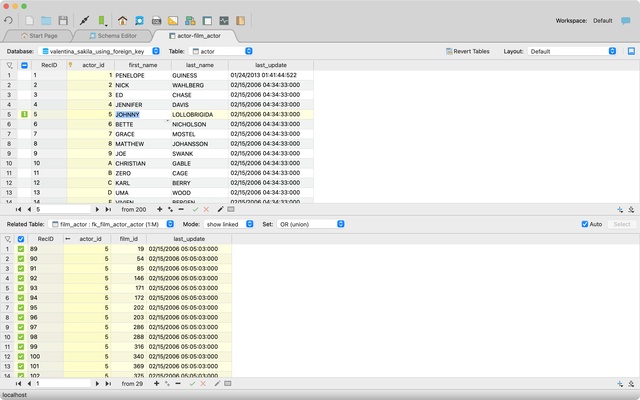
The Data Editor provides a grid-based interface for browsing, editing, sorting, and filtering table records. It also supports image previews and editing of binary data. The Related Data Editor makes it possible to view and manage linked records between tables.
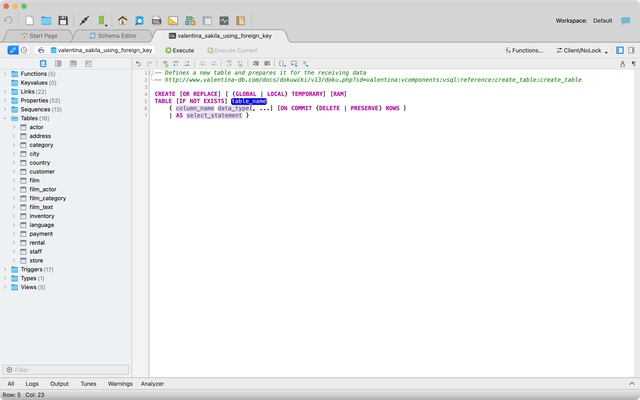
Valentina Studio includes an SQL Editor with syntax highlighting, code completion, query templates, saved queries, and error reporting. The Query Editor can also be used to build SQL queries visually. Additional database utilities include import and export tools, database dumps, diagnostics, cloning, and reindexing.
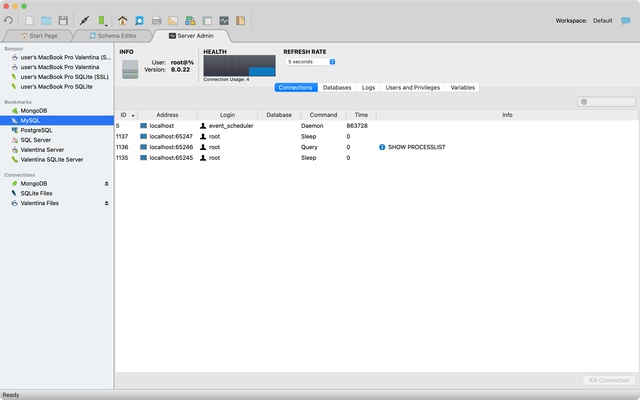
The Server Admin tools provide options for managing database users, viewing logs, and configuring server parameters. Multiple database connections and editors can be opened simultaneously using tabbed panels.
Valentina Studio Pro adds advanced database development features such as report and form editors, data transfer between databases, schema snapshots, source control integration, SQLDiff, SQL search, schema comparison, advanced query editing, and additional database design tools.