

Docker is a containerization platform that helps developers build, test, deploy, and manage applications using lightweight and portable containers.
By packaging an application together with its dependencies, Docker helps create consistent development and production environments and reduces compatibility problems between different systems.
Docker Desktop provides a convenient environment for building and running containers on Windows, while Docker Compose makes it easier to manage applications that use multiple interconnected services.
Key Features
Containerization: Package applications and their dependencies into isolated containers that can run consistently across different environments.
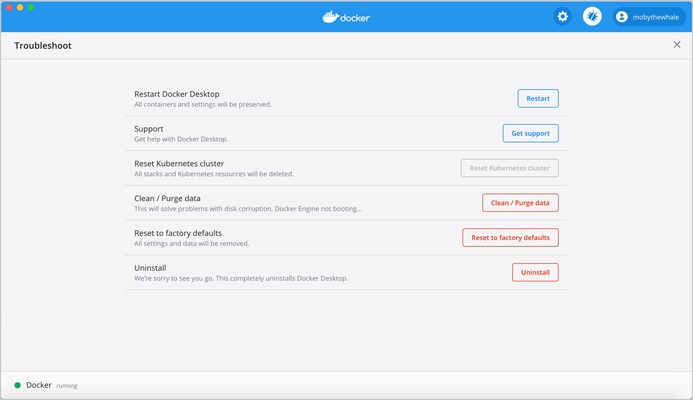
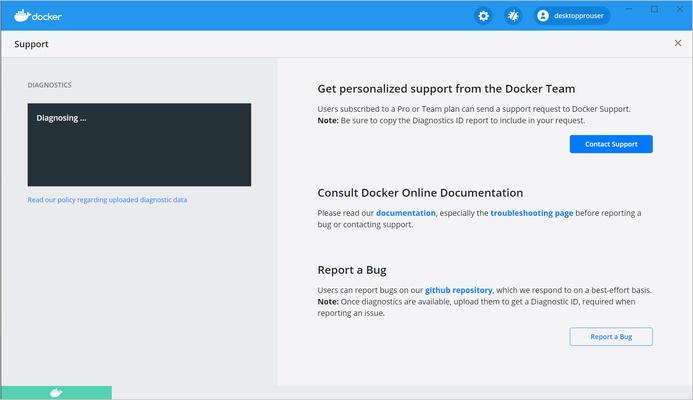
Docker Desktop: Build, run, test, and manage containers through an easy-to-use desktop application.
Docker Compose: Define and manage applications that consist of multiple containers, such as web servers, databases, and other services.
Container Images: Create custom images or download prebuilt images from container registries such as Docker Hub.
Portable Development Environments: Keep development environments consistent across local computers, servers, and supported cloud platforms.
Docker Hub Integration: Find, download, and share container images through the Docker Hub registry.
Development Tools Integration: Works with popular development tools and CI/CD platforms, including Visual Studio Code, GitHub, and CircleCI.
Security Analysis: Docker Scout can analyze container images and identify potential security vulnerabilities and dependency issues.
Automated Testing: Containers can be used to create isolated testing environments with real databases, message brokers, browsers, and other services.
Installation and Setup
-
Download Docker Desktop for Windows.
-
Run the installer and follow the setup instructions.
-
Enable the required Windows virtualization features if prompted.
-
Restart the computer if required.
-
Launch Docker Desktop.
-
Sign in with a Docker account if necessary.
-
Verify that Docker is running correctly.
How to Use
Run a Container: Download or create an image and use it to start a new container.
Build an Image: Create a Dockerfile containing the instructions required to build your application image.
Manage Containers: Start, stop, restart, inspect, and remove containers through Docker Desktop or the command line.
Use Docker Compose: Create a Compose configuration file to define multiple services and start them together.
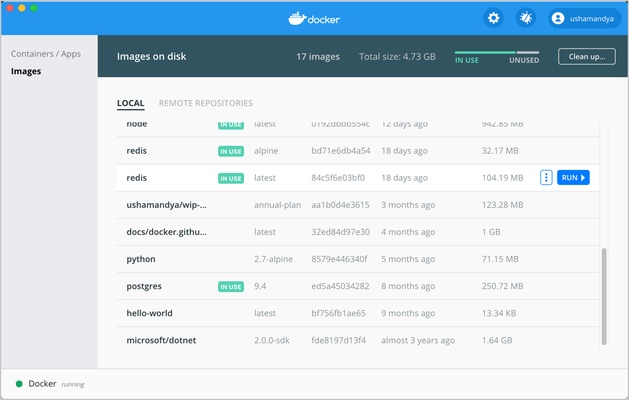
Manage Images: Download, build, update, and remove container images as needed.
Use Docker Hub: Search for existing images and pull them directly into your local Docker environment.
FAQ
What is Docker used for?
Docker is used to package applications and their dependencies into containers, making them easier to develop, test, deploy, and manage.
What is Docker Desktop?
Docker Desktop is a desktop application that provides the tools and environment needed to build and manage Docker containers on Windows and macOS.
What is Docker Compose?
Docker Compose is a tool for defining and running applications that use multiple containers. It is commonly used for applications that require services such as web servers, databases, and caches.
Is Docker free?
Docker provides free options for individual developers and certain small organizations. Paid subscriptions may be required for some commercial use cases.
Can Docker run on Windows?
Yes. Docker Desktop supports modern 64-bit versions of Windows and can run Linux containers using the virtualization features provided by the operating system.
What is a Docker image?
A Docker image is a packaged template containing an application and its required files and dependencies. Containers are created from these images.
Alternatives
Podman: An open-source container engine with Docker-compatible commands and support for rootless containers.
Rancher Desktop: A desktop application for running containers and Kubernetes environments on Windows, macOS, and Linux.
VirtualBox: A virtualization platform that can be used to create isolated virtual machines for software development and testing.
System Requirements
-
Operating System: Windows 10 64-bit or Windows 11
-
Processor: 64-bit processor with virtualization support
-
RAM: 4 GB or more recommended
-
Storage: Additional disk space required for images and containers
-
Virtualization: Hardware virtualization must be enabled
PROS
-
Makes application environments portable and consistent
-
Easy container management through Docker Desktop
-
Powerful Docker Compose support
-
Large ecosystem of container images
-
Useful for development, testing, and deployment
-
Integrates with popular development tools
-
Supports automated and isolated testing environments
CONS
-
Can consume significant RAM and CPU resources
-
Requires hardware virtualization
-
Containers and images can use considerable disk space
-
Docker Desktop may require a paid subscription for some commercial users
-
Can be difficult for beginners to learn at first
Conclusion
Docker is a powerful containerization platform that simplifies application development, testing, and deployment.
Docker Desktop provides an accessible way to work with containers on Windows, while Docker Compose makes multi-container applications easier to configure and manage. With its extensive ecosystem and strong developer-tool integration, Docker remains a practical choice for modern software development.