

Setup Factory – Professional Windows Installer Creator Software
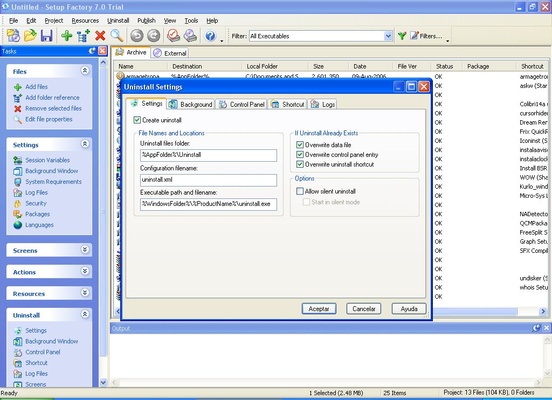
Setup Factory is a professional installer builder designed for developers who need to create reliable and customizable installation packages for Windows applications. With its drag-and-drop interface, advanced scripting support, and powerful deployment tools, Setup Factory simplifies the process of building professional software installers for businesses and independent developers.
Professional Windows Installer Builder
Setup Factory helps developers create compact, fast, and reliable installers without requiring extensive training or scripting knowledge. Unlike traditional setup creation tools that can be difficult to learn, Setup Factory focuses on speed, flexibility, and ease of use, making installer development faster and more efficient.
Whether you are distributing desktop applications, enterprise software, utilities, or commercial programs, Setup Factory provides the tools needed to package, deploy, and manage software installations on Windows systems.
Key Features
-
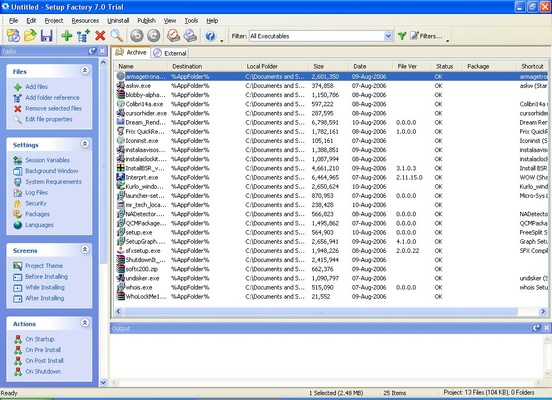
Drag-and-drop installer builder for quick setup creation
-
Create professional Setup.exe installers for Windows applications
-
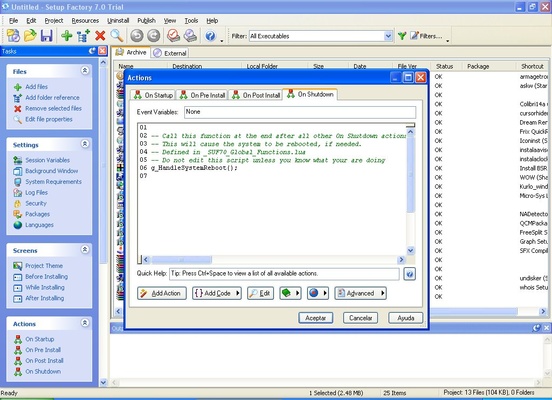
Advanced Lua-based scripting for custom installer logic
-
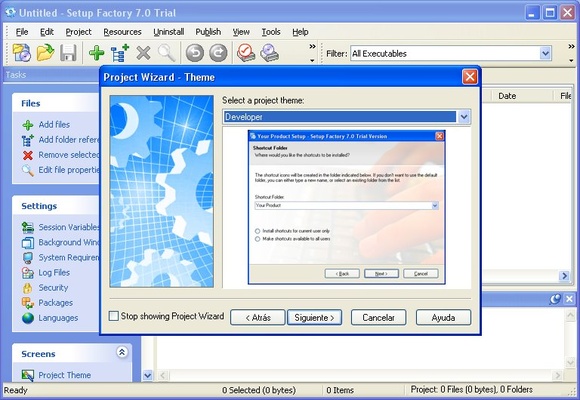
Customizable installation wizards, themes, and branding
-
Silent installation support for enterprise deployment
-
Registry editing and INI file modification tools
-
File compression for smaller installation packages
-
Digital signature support for improved security
-
Update and patch deployment management
-
Multi-language installer support
-
Build installers for web, USB, LAN, and offline distribution
-
Compatible with Windows XP through Windows 11
Fast and Flexible Deployment
Setup Factory allows developers to create lightweight installer packages optimized for fast downloads and quick installations. Support for custom actions, shortcut creation, file associations, registry entries, and system configuration makes deployment highly flexible.
The built-in scripting environment enables advanced users to create customized installation workflows while allowing beginners to create installers without coding experience.
How to Use
-
Install Setup Factory on your Windows PC
-
Create a new installer project
-
Add application files and folders
-
Customize installer appearance and branding
-
Configure installation actions and shortcuts
-
Add scripts or automation if required
-
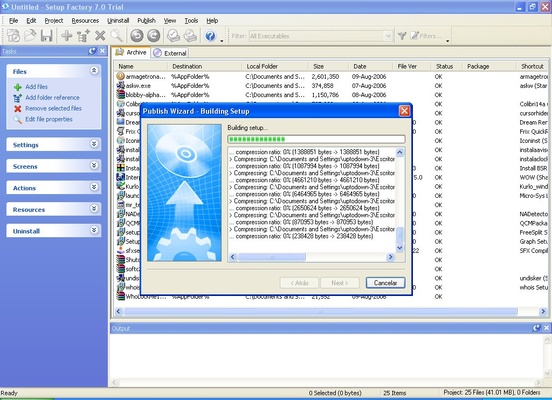
Build the installer package (EXE or other supported formats)
-
Test and distribute your installer
System Requirements
-
Operating System: Windows 10 / Windows 11 (64-bit)
-
Processor: 1 GHz or faster CPU
-
RAM: 2 GB minimum (4 GB recommended)
-
Storage: 500 MB free disk space
-
Display: 1280×720 or higher resolution
Pros
-
Easy drag-and-drop interface
-
Powerful customization options
-
Supports silent and automated installations
-
Lightweight installer output
-
Advanced scripting capabilities
-
Supports code signing and security features
Cons
-
Windows-only installer creation
-
Premium pricing for advanced editions
-
Large projects may require optimization
-
Trial limitations apply
Why Choose Setup Factory?
Setup Factory is suitable for software developers, IT teams, and companies looking for a fast and reliable Windows installer creator. Its balance of beginner-friendly tools and advanced scripting features makes it useful for both small projects and enterprise software deployment.
SEO Keywords:
Setup Factory download, Windows installer creator, setup builder software, installer maker for Windows, Setup.exe creator, software packaging tool, installer development software, installer builder free trial
Also Available: Download Setup Factory for Windows
Note: Trial version available for 30 days. Projects created in trial mode may have output limitations.