App Builder is a powerful visual development environment for Windows that allows users to create HTML5 apps, Progressive Web Apps (PWAs), WebExtensions, and hybrid mobile applications with minimal programming knowledge.
Developed by DecSoft, App Builder provides a drag-and-drop interface combined with JavaScript support, enabling developers to build cross-platform applications using a single code base.
With integration for Apache Cordova, projects can be deployed to platforms including Android, iOS, Windows, and modern web browsers.
Features
Visual App Designer
Create application interfaces using a drag-and-drop designer with built-in visual and non-visual components.
No-Code Development
Build basic applications using hundreds of built-in visual actions without writing JavaScript.
Cross-Platform Development
Create apps that run on desktop browsers, mobile browsers, and hybrid platforms using one project.
HTML5 and JavaScript Support
Extend applications with custom JavaScript code, plugins, and advanced functionality.
Progressive Web App Support
Generate modern PWAs that can run directly in supported browsers.
Apache Cordova Integration
Package applications for Android, iOS, and Windows with support for Cordova plugins.
WebExtension Support
Create browser extensions compatible with modern browsers.
Built-in Themes
Includes multiple interface themes that can be customized during design or runtime.
Sample Projects
Comes with more than 160 sample applications to help users learn controls, actions, and development techniques.
Command Line Compiler
Supports command-line compilation for faster automation and deployment.
Customizable IDE
Allows users to customize toolbars, panels, layouts, and editor settings.
User Interface
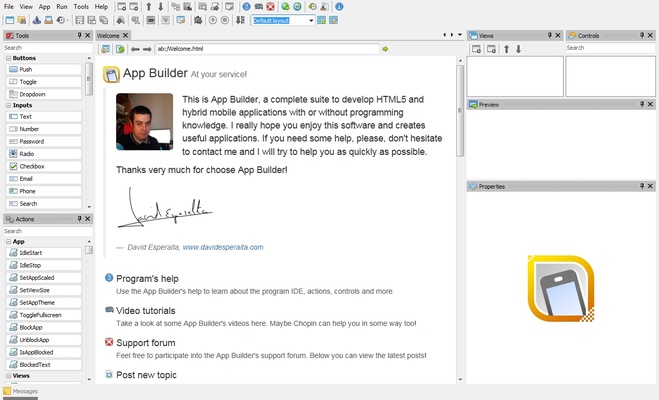
App Builder features a visual IDE designed for both beginners and experienced developers.
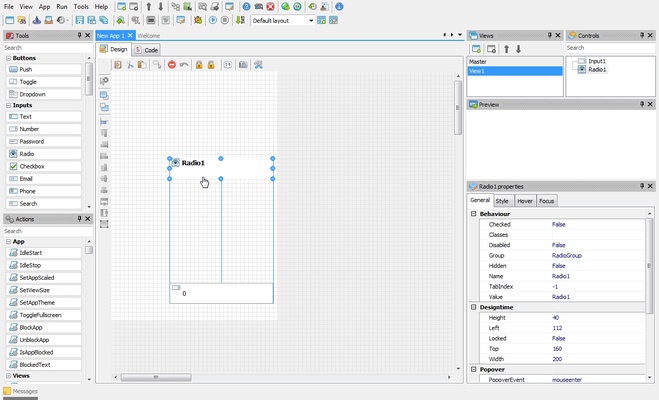
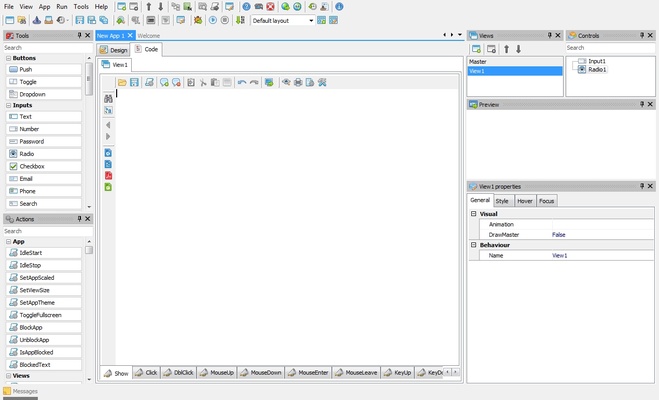
The interface includes a drag-and-drop designer, component library, property editor, script editor, and project management tools.
Users can quickly create application layouts without manually writing HTML or CSS code.
Installation and Setup
- Download and install App Builder on Windows.
- Create a new project.
- Design the interface using the visual editor.
- Add functions using visual actions or JavaScript.
- Test and compile the application.
- Export the project for web, desktop, or mobile deployment.
How to Use
- Create a new application project.
- Add interface components from the built-in library.
- Configure properties and application settings.
- Add logic using visual actions or JavaScript.
- Preview and debug the application.
- Export the final app package.
FAQ
Do I need programming experience to use App Builder?
No. Basic applications can be created using visual actions without coding.
What programming languages does App Builder support?
It mainly uses HTML5, CSS, and JavaScript.
Can App Builder create Android and iOS apps?
Yes. Through Apache Cordova integration, applications can be exported for mobile platforms.
Can I create Progressive Web Apps with App Builder?
Yes. It supports building and deploying PWAs.
Is there a free version available?
A demo version is available for testing without time limitations, but commercial licenses are required for full usage.
Alternatives
Visual Studio Code – A lightweight and powerful code editor for web and app development.
Flutter – Google's framework for building cross-platform applications.
Electron – A popular framework for creating desktop apps using web technologies.
Qt Creator – A professional development environment for native cross-platform applications.
Pricing
App Builder offers a demo version with full functionality for evaluation.
Commercial licenses are available for users who need professional development features.
System Requirements
- Operating System: Windows 7, 8, 10, or 11 (32-bit/64-bit)
- Processor: Intel or AMD 1.8 GHz or faster
- RAM: 2 GB minimum (4 GB recommended)
- Storage: 500 MB free disk space
- Display: 1024×768 or higher
- Additional: .NET Framework 4.5 or later
PROS
- Visual drag-and-drop development
- Supports HTML5, CSS, and JavaScript
- Cross-platform app deployment
- No-code development for basic projects
- Apache Cordova integration
- Includes many examples and templates
CONS
- Advanced projects may require JavaScript knowledge
- Not designed for fully native application development
- Large projects may require more system resources
- Commercial license required for professional use
Conclusion
App Builder is a flexible visual development tool for creating web-based and hybrid applications on Windows.
With support for HTML5, JavaScript, Progressive Web Apps, WebExtensions, and mobile deployment through Apache Cordova, it provides an efficient solution for developers who want to build cross-platform applications with a single code base.