Go to Windows platform Display platforms icon
Go to Windows platform Go to Mac platform Go to Android platform
Docker icon

Docker

4.73.1
Docker, Inc
5
617 MB size

Docker for Windows is a platform that enables developers to build, ship, and run applications inside lightweight containers for easier deployment and scaling.

Docker for Windows Download – Simplified Containerization for Developers

Docker for Windows is a powerful and user-friendly containerization platform designed to simplify the process of developing, shipping, and running applications inside lightweight, portable containers. With Docker, developers can create isolated environments for their applications, ensuring consistency across different stages of development, testing, and deployment.

Whether you’re working on microservices, developing web apps, or managing complex workflows, Docker provides the tools to build, share, and run your applications with ease on your Windows machine.


Simplified Development with Containers

Docker allows you to package your applications and dependencies into containers, ensuring that they run consistently on any system. This eliminates the “works on my machine” problem and streamlines the development workflow, making it easier to collaborate with teams and deploy apps to different environments.


Powerful Docker Engine & Virtualization Support

Docker for Windows uses the Docker Engine to run applications in containers on Windows. It integrates seamlessly with Windows Subsystem for Linux (WSL), enabling you to run Linux-based containers alongside native Windows applications, expanding your development possibilities. Docker also supports virtualization, allowing you to manage and run multiple containers at once.


Easy-to-Use Interface & Docker CLI

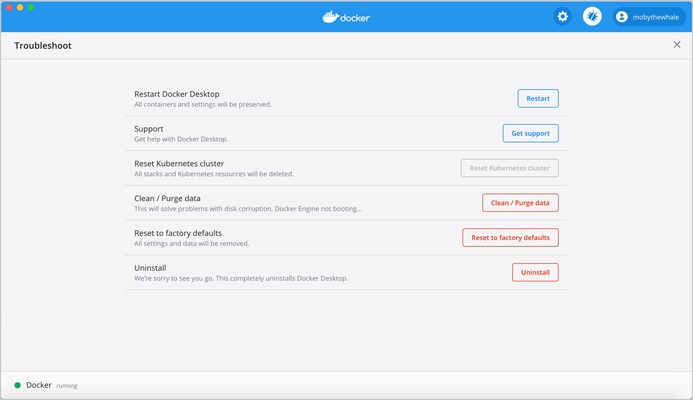
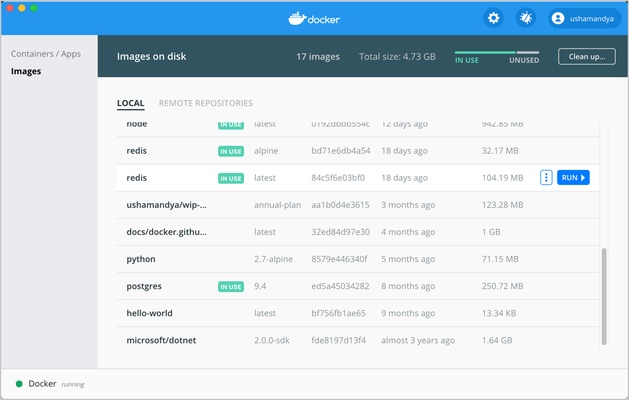
Docker for Windows includes a simple, graphical user interface (GUI) that allows users to manage containers, images, and Docker volumes with just a few clicks. For advanced users, the powerful Docker Command Line Interface (CLI) offers fine-grained control over container operations, enabling automation and integration with other tools.


Seamless Integration with Development Tools

Docker integrates with a variety of development environments and CI/CD tools, allowing for seamless collaboration and streamlined workflows. Whether you're using Visual Studio, IntelliJ, or Jenkins, Docker ensures that your applications are easy to build, test, and deploy across different stages of development.


Final Overview

Docker for Windows is an essential tool for developers looking to simplify application development and deployment. With its powerful containerization capabilities, seamless integration with Windows and Linux environments, and user-friendly interface, Docker makes it easy to build, test, and run applications consistently across multiple systems. Whether you’re building microservices or managing complex applications, Docker is the perfect solution for containerization on your Windows PC.

Information about Docker

License Free
Op. System Windows
Category Development
Language English
Author Docker, Inc
permission icon Permissions Not applicable
Date 2026-05-14
Size 617 MB
File type EXE

Apps recommended for you

LINQPad icon
LINQPad for Windows is an interactive coding environment that allows users to write, test, and query code in LINQ, C#, and other languages.
Aba Search and Replace icon
Peter Kankowski
Electerm icon
Electerm for Windows is a modern terminal emulator that supports SSH, SFTP, and various shells, offering a versatile interface for developers and system administrators.
Notepad++ icon
Notepad++ is a free and open-source text and code editor for Windows that supports multiple languages, syntax highlighting, and powerful editing features for developers.
OpenCV icon
Library of programming functions mainly aimed at real-time vision
opencode icon
opencode for Windows is a lightweight developer tool that provides an open-source environment for coding, building, and running projects efficiently.
CMake icon
KitWare
dbForge Data Compare for PostgreSQL icon
Compare Diffs and Sync Table Data in PostgreSQL
Secure Eraser 7.103 icon
Secure data deletion, shredders your files & folders
JProfiler 16.1.1 icon
The award-winning all-in-one Java profiler for Windows PC
Node.js 26.3.1 icon
Is a JavaScript runtime built on Chrome`s V8 JavaScript engine
Godot Engine 4.7 (64-bit) icon
Free and open source 2D and 3D game engine for Windows PC
dotConnect for MySQL Professional 10.1.123 icon
Development framework with a number of innovative technologies
SoftEther VPN Gate Client Plugin 2026.06.18 build 9807 icon
Create a high-performance Virtual Private Network and hide your IP address!
Vim 9.2.0670 icon
A highly configurable text editor built to creating and changing any text
Pinegrow Web Editor 9.3 icon
Build your own websites faster using drag and drop!
Firebird icon
Firebird for Windows is an open-source relational database management system that offers powerful features for managing and querying databases.
JProfiler 16.1.1 icon
The award-winning all-in-one Java profiler for Windows PC
Java Runtime Environment icon
Java Runtime Environment (JRE) is a software package that enables users to run Java applications and applets on their computers.
Flutter icon
Google Flutter – UI toolkit for building beautiful, natively compiled, cross-platform applications.
Visual Studio Insiders icon
Visual Studio Insiders for Windows is a preview version of Visual Studio that provides early access to new features and improvements for developers.
EditPlus icon
EditPlus for Windows is a powerful text editor that supports multiple programming languages, with features like syntax highlighting and code folding for efficient coding.
dotConnect for MySQL Professional 10.1.123 icon
Development framework with a number of innovative technologies
SoftEther VPN Gate Client Plugin icon
SoftEther VPN Gate Client Plugin for Windows is a VPN client that allows users to connect to VPN Gate servers for secure and anonymous internet browsing.