
Go to Windows platform Display platforms icon
Go to Windows platform Go to Mac platform Go to Android platform
dbForge Studio for SQL Server icon

dbForge Studio for SQL Server

2026.1.31
Devart
5
size

dbForge Studio for SQL Server for Windows is a database management tool that allows users to design, develop, and manage SQL Server databases efficiently.

dbForge Studio for SQL Server for Windows Download – Comprehensive SQL Server Management Tool

dbForge Studio for SQL Server for Windows is a professional and feature-rich IDE designed to help database developers, administrators, and analysts manage, develop, and optimize SQL Server databases efficiently. It provides an all-in-one solution for database design, querying, and administration.

Simplify SQL Server management and development with dbForge Studio for SQL Server!


Efficient Database Management

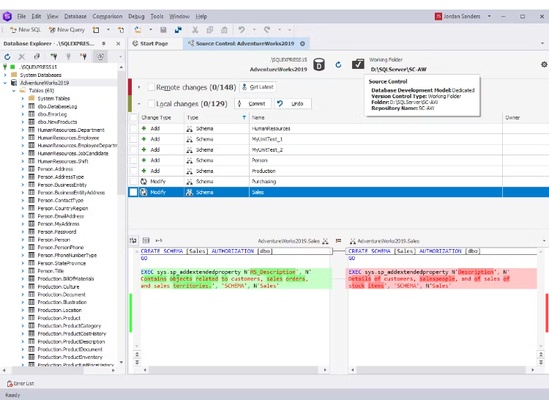
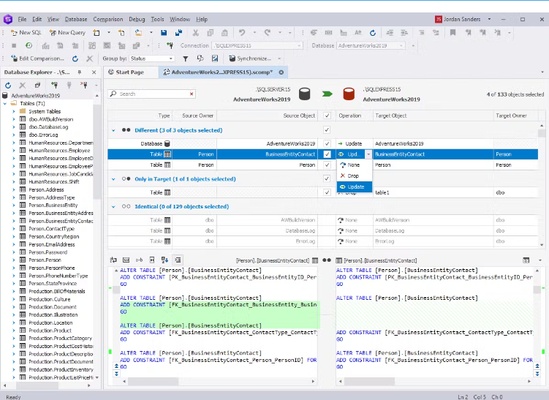
dbForge Studio allows users to create, edit, and manage SQL Server databases with ease. It provides tools for table design, data editing, and schema management, helping ensure databases are structured and maintained properly.


Advanced Query and Development Tools

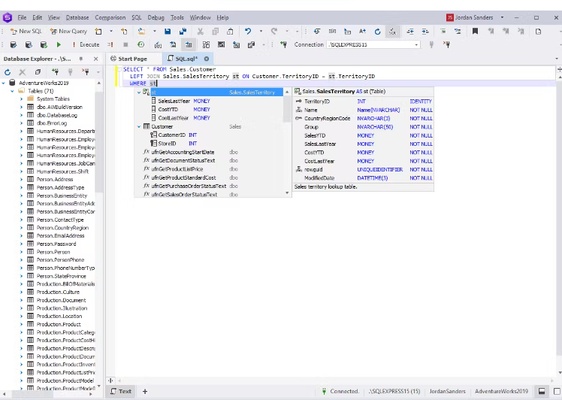
The software features a powerful SQL editor with code completion, syntax highlighting, and debugging capabilities, enabling users to write and optimize queries quickly and improve development efficiency.


Data Analysis and Reporting

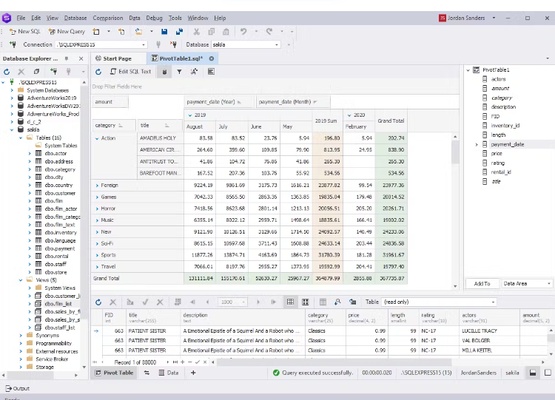
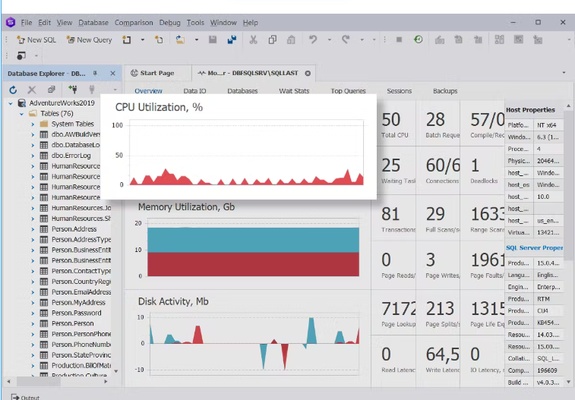
dbForge Studio includes visual data comparison, query profiling, and reporting tools, allowing users to analyze database content, generate reports, and identify performance issues effectively.


User-Friendly Interface

With a clean and intuitive interface, dbForge Studio helps users navigate objects, manage scripts, and monitor database activity efficiently. Both beginners and experienced developers can use it productively.


Backup, Restore, and Deployment Tools

The software provides options for data backup, restore, and deployment, ensuring that critical databases are protected and easily transferable between servers or environments.


Final Overview

dbForge Studio for SQL Server for Windows is a complete and reliable tool for anyone working with SQL Server databases. With features like advanced query tools, database management, data analysis, reporting, and backup/restore capabilities, dbForge Studio helps users develop, manage, and optimize SQL Server databases efficiently. Download dbForge Studio for SQL Server today and enhance your database productivity!

Information about dbForge Studio for SQL Server

License Trial
Op. System Windows
Category Development
Language English
Author Devart
permission icon Permissions Not applicable
Date 2026-05-12
Size
File type EXE

Apps recommended for you

Algodoo icon
Have fun creating, inventing and playing with physics
BYOND icon
Develop your own games and play games from others
Duva H2O icon
Cottongrass
Polaris Office icon
Create, edit, and manage Word, Excel, PowerPoint, and PDF files with Polaris Office for Windows, the all-in-one office productivity suite.
WYSIWYG Web Builder 21.2.1 icon
It has a huge set of AI tools for both beginners and professional
Vim 9.2.0992 icon
A highly configurable text editor built to creating and changing any text
Beyond Compare 5.2.5 Build 32528 icon
Windows utility that combines directory compare and file compare
Termius icon
Termius for Windows is a SSH and terminal client that allows users to securely connect, manage, and organize remote servers.
Codex 26.1103.4239.0 icon
OpenAI's official companion for programming with ChatGPT
Beekeeper Studio 6.2.1 icon
A modern, elegant, and open source SQL client
InnoExtractor 12.2.0.187 icon
Complete GUI for Inno Setup.
Orca 1.4.246 icon
An environment for coordinating multiple AI agents
cc-switch 4.0.4 icon
Manage multiple AI models from one place
Twine 2.12.1 icon
A tool to create non-linear interactive stories
Codex 26.930.3930.0 icon
OpenAI's official companion for programming with ChatGPT
Python 3.14.8150.0 icon
Accessible multi-paradigmatic programming language
Visual Paradigm Community Edition 18.1 icon
Create diagrams for Windows PC in order to analyze the data flow
Zotero icon
Zotero is a free, open-source reference manager that helps users collect, organize, and cite research materials efficiently.
Electerm icon
Electerm for Windows is a modern terminal emulator that supports SSH, SFTP, and various shells, offering a versatile interface for developers and system administrators.
NTLite icon
NTLite is a powerful Windows customization tool that allows users to customize, streamline, and automate the installation of Windows operating systems.
pgAdmin icon
pgAdmin for Windows is a feature-rich administration tool that allows users to manage and develop PostgreSQL databases efficiently.
dbForge Documenter for Oracle icon
Explore and Document Oracle Databases
Apache Tomcat 11.0.25 icon
Amazing comprehensive web development software for PC
Microsoft Windows SDK 10.0.28000.2705 (Windows 11) icon
Develop Windows 11 apps using cutting-edge native technologies!