dbForge Studio for PostgreSQL is a professional PostgreSQL database development and management tool designed for developers, database administrators, and data analysts.
It provides a graphical environment for creating and executing SQL queries, editing database objects and data, comparing and synchronizing schemas, generating test data, importing and exporting data, and analyzing query performance.
The software combines SQL development tools with database administration, reporting, and data analysis features, making it suitable for both everyday PostgreSQL development and more advanced database management tasks.
What’s New
Recent versions of dbForge Studio for PostgreSQL include improvements to SQL coding, query performance analysis, database comparison, data editing, reporting, and overall application stability. Updates also improve compatibility with newer PostgreSQL versions and refine the user interface and database management workflows.
Key Features
-
SQL Code Completion – Provides intelligent suggestions while writing PostgreSQL queries.
-
SQL Formatting – Automatically formats SQL code for improved readability.
-
Syntax Checking – Detects syntax problems while developing queries.
-
Query Profiler – Helps analyze query execution and identify performance bottlenecks.
-
Schema Comparison – Compares database structures and identifies differences.
-
Schema Synchronization – Synchronizes database objects between PostgreSQL environments.
-
Data Comparison – Compares table data between databases.
-
Data Synchronization – Synchronizes data between PostgreSQL databases.
-
Test Data Generator – Creates realistic test data for development and testing.
-
Data Import and Export – Provides tools for transferring table data between supported formats and databases.
-
Data Editor – Allows users to view and modify database records through a graphical interface.
-
Pivot Tables – Helps summarize and analyze database data.
-
Report Designer – Creates customized reports from PostgreSQL data.
-
Chart Designer – Generates charts for visualizing database information.
-
Master-Detail Browser – Makes it easier to explore related records.
-
Query Execution Plans – Helps developers understand how PostgreSQL executes queries.
-
Database Object Management – Provides tools for working with tables, views, procedures, functions, and other database objects.
User Interface
dbForge Studio for PostgreSQL uses a graphical interface designed around database navigation, SQL development, data editing, and administration.
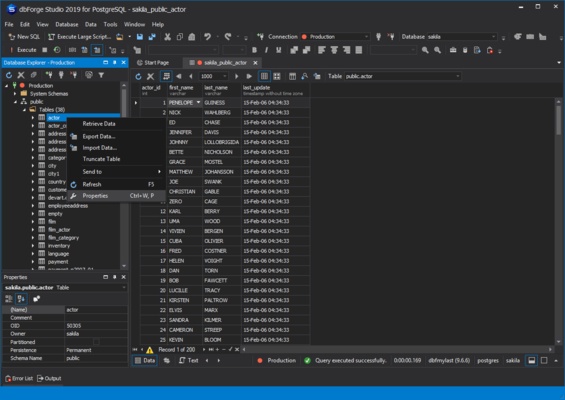
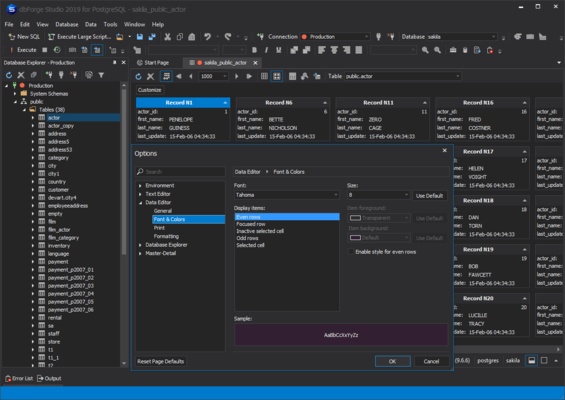
The main workspace provides access to database objects, SQL editors, query results, data editors, and comparison tools. Developers can switch between different database connections and workspaces while keeping commonly used tools readily accessible.
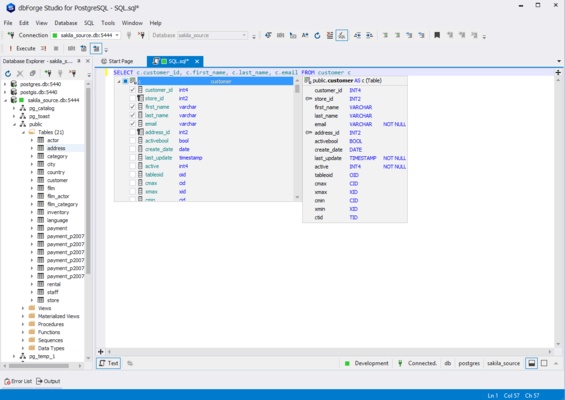
The SQL editor includes code completion, syntax highlighting, formatting, and other development features designed to make PostgreSQL query development easier.
Installation and Setup
-
Download the installer for your operating system.
-
Run the installation package and follow the setup instructions.
-
Select the installation location and required components.
-
Complete the installation and launch dbForge Studio.
-
Create a new PostgreSQL connection.
-
Enter the server address, port, database, username, and authentication details.
-
Test the connection and save the configuration.
The software is available for Windows, macOS, and Linux, although supported features and installation methods may vary by platform and release.
How to Use
Connect to PostgreSQL
Launch dbForge Studio and create a new database connection using your PostgreSQL server credentials.
Create and Run Queries
Open the SQL editor and enter PostgreSQL statements. Use code completion, syntax checking, and formatting tools while developing queries, then execute them to view the results.
Manage Database Objects
Browse databases and schemas from the database explorer and create, modify, or manage supported database objects.
Edit Data
Open a table in the Data Editor to browse and modify records without manually writing update statements.
Compare Databases
Use schema or data comparison tools to identify differences between PostgreSQL databases and synchronize the required changes.
Generate Test Data
Use the test data generator to create realistic sample records for development, testing, and performance evaluation.
Analyze Query Performance
Use the Query Profiler and execution plan tools to investigate slow queries and identify potential performance bottlenecks.
Create Reports
Use the reporting and chart tools to organize database information into reports and visualizations.
FAQ
What is dbForge Studio for PostgreSQL?
dbForge Studio for PostgreSQL is a graphical database development and management environment designed specifically for PostgreSQL.
Is dbForge Studio for PostgreSQL free?
No. It is commercial software, but a free trial is available so users can evaluate its features before purchasing.
How long is the free trial?
The standard trial period is 30 days.
Does it support Windows, macOS, and Linux?
Yes. dbForge Studio for PostgreSQL is available for multiple desktop operating systems, including Windows, macOS, and Linux. Availability of specific features can vary by platform.
Can it compare PostgreSQL databases?
Yes. The software includes tools for comparing and synchronizing database schemas and table data.
Can it generate test data?
Yes. The built-in data generator can create sample data for development and testing purposes.
Can it help optimize slow PostgreSQL queries?
Yes. Query profiling and execution plan tools can help developers analyze query performance and identify potential bottlenecks.
Can I edit PostgreSQL data without using SQL commands?
Yes. The graphical Data Editor allows users to browse and modify table records through the interface, provided their database permissions allow the required operations.
Is dbForge Studio suitable for database administrators?
Yes. It includes database comparison, synchronization, data management, reporting, and other administration-oriented features that can be useful for DBAs.
Alternatives
DBeaver: A cross-platform database management tool supporting PostgreSQL and many other database systems.
pgAdmin: The official open-source administration and development platform for PostgreSQL.
DataGrip: A professional database IDE from JetBrains with support for PostgreSQL and many other database systems.
TablePlus: A lightweight database management application with a clean interface and support for PostgreSQL and other databases.
Pricing
dbForge Studio for PostgreSQL is commercial software and requires a paid license after the trial period.
A 30-day free trial is available for users who want to test the software before purchasing. Pricing and available license options may vary depending on the edition, platform, and current offerings.
System Requirements
-
Operating System: Windows, macOS, or Linux
-
Processor: 64-bit Intel or AMD processor
-
Memory: 4 GB RAM minimum; 8 GB or more recommended
-
Storage: At least 1 GB of available disk space
-
Display: 1280 × 800 resolution or higher recommended
-
PostgreSQL: A compatible PostgreSQL server or database connection
Pros
-
Comprehensive PostgreSQL development and management tools.
-
Advanced SQL editing and code completion.
-
Schema and data comparison and synchronization.
-
Query profiling and performance analysis.
-
Built-in test data generation.
-
Data editing, import, and export tools.
-
Reporting, charts, and pivot tables.
-
Supports multiple desktop platforms.
Cons
-
Commercial software with a relatively high cost.
-
May be more complex than lightweight PostgreSQL clients.
-
Primarily designed for PostgreSQL rather than general-purpose database management.
-
Some features may vary between supported operating systems.
-
Can be resource-intensive when working with large databases.
Conclusion
dbForge Studio for PostgreSQL is a comprehensive database development and management tool for PostgreSQL users. It combines SQL development, database administration, data editing, comparison and synchronization, performance analysis, test data generation, and reporting in a single application.
Its extensive feature set makes it suitable for developers and database administrators who need more than a basic PostgreSQL client. The interface also provides useful visual tools for common database tasks, reducing the need to rely entirely on command-line utilities.
The software is commercial, but the 30-day free trial gives users an opportunity to evaluate its features before purchasing a license.