
Go to Windows platform Display platforms icon
Go to Windows platform Go to Mac platform Go to Android platform
lessmsi icon

lessmsi

2.7.0
Scott Willeke
0
668 KB size

View and extract content from MSI files

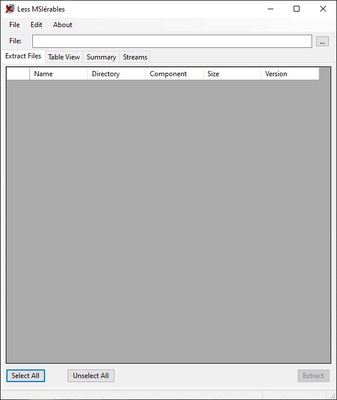
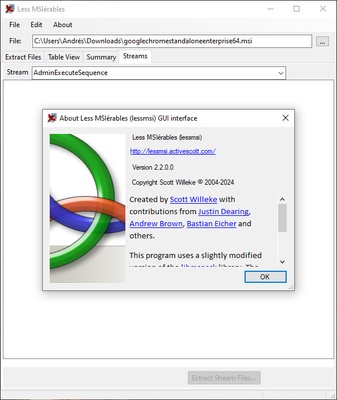
lessmsi is a program that allows you to view and extract the contents of any MSI file without having to install it first. For all intents and purposes, this software allows you to treat any MSI installer as if it were any other compressed file. You can take a detailed look at all the information inside and, if you like, extract its contents into a folder.

Review all the information

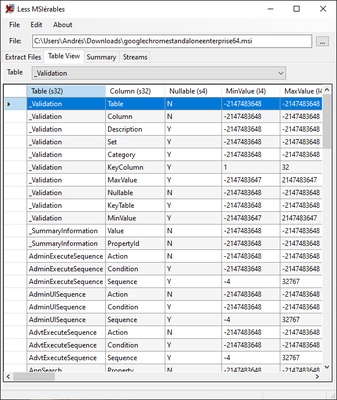
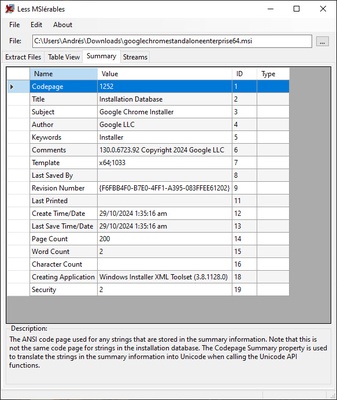
There are times when it might be interesting to see more information about an MSI file before you install it. It is the same reason why you would normally open a ZIP file to see what it contains before unzipping it. Thanks to Less MSIerables you can do just that. Just open the program, select the MSI file you want to look into, and you will instantly see a summary of all the information inside it.

Integration with Windows Explorer

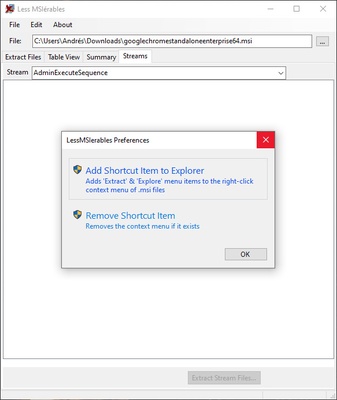
An interesting aspect of lessmsi is that its functionalities can be integrated into Windows Explorer. To do so, simply activate this option from the Options menu. Once you do this, a shortcut to the program will appear when you right-click on an MSI file. This will save you a lot of time when dealing with these installers.

The best way to work with MSI files

Download Less MSIerables if you regularly install software via MSI files. MSI files are usually reliable and should not cause any problems, but it never hurts to take a look at them before proceeding with the installation. Thanks to this lightweight software you can do this in the simplest possible way.

Information about lessmsi

License Free
Op. System Windows
Category Development
Language English 47 more
Author Scott Willeke
permission icon Permissions Not applicable
Date 2026-06-02
Size 668 KB
File type ZIP

Apps recommended for you

GitKraken 12.4.1 icon
After GitHub, the most popular Git GUI for Windows PC
HeidiSQL icon
Manage MySQL, MariaDB, PostgreSQL, and SQL Server databases efficiently with HeidiSQL for Windows, the lightweight database management and SQL editing tool.
MySQL 8.0.46.0 icon
The world's most popular open-source relational database management system
Spyder Python 6.1.6 icon
Awesome scientific environment written in Python, for Python!
Unity 6000.5.10 icon
Powerful 3D and 2D gaming development software for Windows
GIT 2.56.0 icon
Collaborative project management
OpenSSL 4.0.2 icon
Embed SSL and TLS protocols support into your great projects
dotConnect for PostgreSQL Professional 9.2.192 icon
High performance connectivity to the PostgreSQL database
Codex 26.1103.4239.0 icon
OpenAI's official companion for programming with ChatGPT
Beekeeper Studio 6.2.1 icon
A modern, elegant, and open source SQL client
InnoExtractor 12.2.0.187 icon
Complete GUI for Inno Setup.
Orca 1.4.246 icon
An environment for coordinating multiple AI agents
cc-switch 4.0.4 icon
Manage multiple AI models from one place
Twine 2.12.1 icon
A tool to create non-linear interactive stories
Codex 26.930.3930.0 icon
OpenAI's official companion for programming with ChatGPT
Python 3.14.8150.0 icon
Accessible multi-paradigmatic programming language
Anaconda icon
All the features you need to work on data science projects
Wing IDE 101 12.0.3.0 icon
Full-featured Python IDE with intelligent editor and powerful debugger!
cc-switch 4.0.4 icon
Manage multiple AI models from one place
Docker 4.91.0 icon
Designed to help developers build, share, and run container apps
Apktool icon
Modify, compile and decompile APK files in Windows
install4j icon
ej-technologies GmbH
Advanced Installer icon
The easiest way to create Windows installers
YuHex icon
YuHex for Windows is a simple hex editor that allows users to view and edit binary files efficiently.