


CMake is a free and open-source cross-platform build system designed to help developers build, test, and package software projects.
Developed by Kitware, CMake manages the software compilation process using simple configuration files called CMakeLists.txt. It can generate native build files for different platforms and development environments, including Makefiles, Ninja build files, and Visual Studio project files.
CMake is widely used in modern C++ development and supports large-scale projects that require flexible, portable, and automated build systems.
Features
Cross-Platform Build Support
CMake works across multiple operating systems, including:
- Windows
- Linux
- macOS
It can generate native build environments for different compilers and development tools.
Compiler Independent Configuration
Instead of using platform-specific project files, developers define build settings through CMakeLists.txt files.
CMake then creates the required build files automatically for the selected compiler or IDE.
Support for Multiple Build Systems
CMake can generate files for popular build tools, including:
- Visual Studio
- Makefiles
- Ninja
- Xcode
This allows developers to use their preferred development environment.
Large Project Support
CMake is designed for complex software projects with:
- Multiple source directories
- External libraries
- Multiple targets
- Static and dynamic libraries
- Automated testing
Flexible Build Options
Supports:
- In-source and out-of-source builds
- Custom build configurations
- Conditional compilation
- Dependency detection
- External command execution
IDE Integration
CMake integrates with many popular development environments, including:
- Visual Studio
- Visual Studio Code
- CLion
- Xcode
CMake Cache and GUI Tools
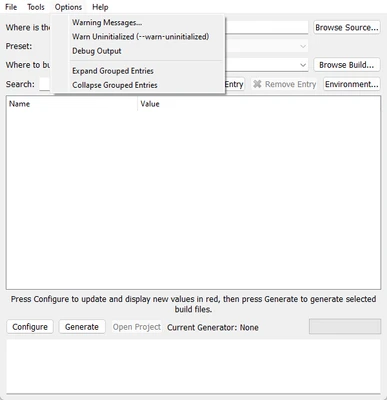
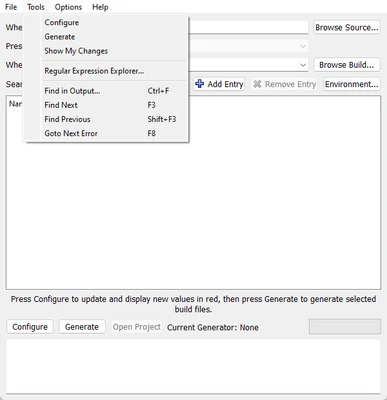
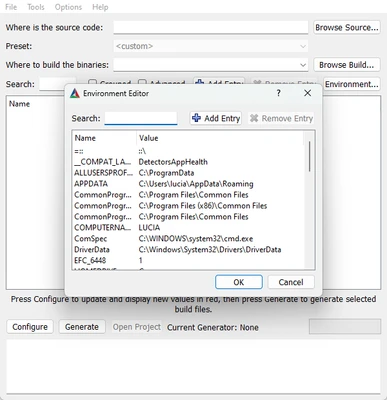
CMake stores configuration settings in a cache file, allowing developers to adjust build options through command-line tools or graphical configuration utilities.
How CMake Works
A typical CMake workflow includes:
- Create a project configuration using CMakeLists.txt
- Generate build files for your selected compiler or IDE
- Compile the project using the generated build system
- Run tests and package the final application
FAQ
Is CMake free?
Yes. CMake is completely free and open-source software.
What is CMake used for?
CMake is mainly used to configure and manage the build process of software projects, especially C and C++ applications.
Does CMake include a compiler?
No. CMake does not compile code directly. It generates build files that are used by compilers and build tools.
Which programming languages does CMake support?
CMake is commonly used with C and C++, but it can also manage projects involving other programming languages.
Is CMake available for Windows?
Yes. CMake provides official Windows 64-bit versions and supports major Windows development environments.
System Requirements
- Operating System:
- Windows 10 / Windows 11
- Linux
- macOS
- Processor: Intel or AMD processor
- RAM: 2 GB minimum
- Storage: Around 200 MB free space
Pros
- Free and open-source
- Cross-platform support
- Works with many compilers and IDEs
- Excellent for large projects
- Flexible build configuration
- Strong community support
Cons
- Learning CMake syntax can be difficult
- Debugging build configuration issues may require experience
- Project setup can become complex for beginners
Conclusion
CMake is one of the most widely used cross-platform build tools for software development, especially for C and C++ projects.
With its flexible configuration system, support for multiple compilers, and integration with popular IDEs, CMake provides developers with a reliable way to manage complex software builds across different platforms.