
Go to Windows platform Display platforms icon
Go to Windows platform Go to Mac platform Go to Android platform
Resource Hacker icon

Resource Hacker

5.2.8
Angus Johnson
5
4.09 MB size

A powerful resource editor for Windows

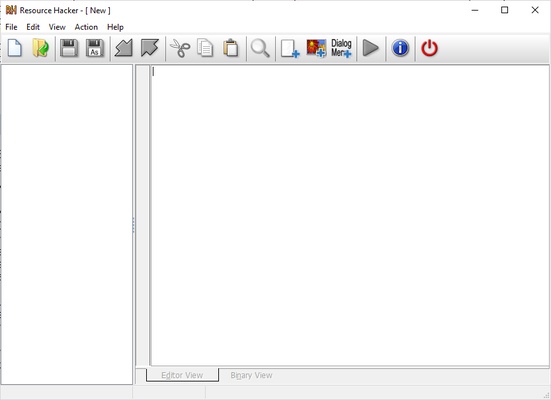
Resource Hacker is a resource-editing and compilation tool designed for Windows apps that acts as an editor for viewing and modifying resources within executables (*.exe; *.dll; .scr, etc.) and compiled resource libraries (.res, *.mui). It offers options for both graphic editing and command-line compilation.

Viewing and editing resources

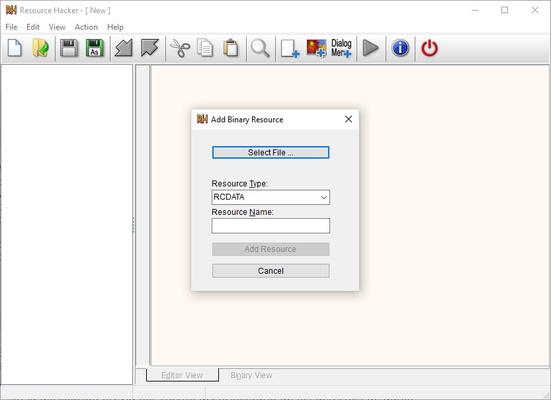
Resource Hacker presents these elements as images or decompiled text. Although binary resources cannot be edited directly, Resource Hacker offers the ability to export or import them with ease after modifications are made with an external photo editor. In addition, items with unknown formats will be displayed as read-only binary text, although you can use this feature to display any option.

Powerful command line syntax

Almost all of Resource Hacker's features are accessible from the command line without opening the GUI. On the other hand, you can use all the instructions and scripts to end the monotony of performing repetitive tasks. In addition, the compiler includes special features such as the #INCLUDE directive for accessing definition statements in header files, as well as the #DEFINE, #UNDEF, #IF, and #ELIF directives. Strings may also contain escape characters and support script comments.

In short, Resource Hacker is a powerful resource compiler and editor for Windows apps with graphic and command line features, both of which can help you view, edit, and compile these elements in executable files and compiled resource libraries in an easy and convenient way. Download Resource Hacker for free to work with your resources in a comprehensive and detailed way.

Information about Resource Hacker

License Free
Op. System Windows
Category Development
Language English
Author Angus Johnson
permission icon Permissions Not applicable
Date 2026-06-02
Size 4.09 MB
File type EXE

Apps recommended for you

NativeRest icon
NativeRest for Windows is a lightweight REST client that allows developers to test and interact with APIs efficiently.
PyCharm Community icon
The free version of PyCharm
PHP icon
PHP
Develop dynamic websites and web applications with PHP for Windows, the popular open-source scripting language for fast and flexible development.
GNU Prolog icon
GNU Prolog for Windows is an open-source Prolog compiler that enables logical programming and problem-solving with an efficient execution engine.
Insomnia icon
Kong Inc.
WordPress for Desktop icon
Create, manage, and publish websites easily with WordPress for Desktop on Windows, the powerful platform for building blogs, business sites, and online content.
Quest icon
Create your own video games in the blink of an eye
Hoodie Survivor icon
Auto shooter survival game
Codex 26.917.6896.0 icon
OpenAI's official companion for programming with ChatGPT
TRAE 3.5.104 icon
The most complete AI assistant for PC
cc-switch 3.20.4 icon
Manage multiple AI models from one place
Orca 1.4.209 icon
An environment for coordinating multiple AI agents
WebStorm 2026.2.3 icon
An IDE for creating web apps faster
WeBuilder 2025 18.9 icon
Create and edit web page code faster and easier!
HTMLPad 2025 18.9 icon
Intelligent HTML, CSS, JavaScript editor for Windows PC
Visual Paradigm Community Edition 18.1 icon
Create diagrams for Windows PC in order to analyze the data flow
WebStorm 2026.2.3 icon
An IDE for creating web apps faster
wsltty icon
mintty
Vim 9.2.1001 icon
A highly configurable text editor built to creating and changing any text
Notepad4 icon
Notepad4 is a fast and lightweight text editor for Windows that offers syntax highlighting, code folding, and advanced editing features while maintaining a minimal footprint.
Python 3.14.7 (64-bit) icon
A remarkably powerful dynamic programming language
Go 1.27.0 icon
An open-source programming language supported by Google
Eclipse SDK 4.41 icon
An open-source Java IDE and platform for rich client applications
Java Runtime Environment icon
Java Runtime Environment (JRE) is a software package that enables users to run Java applications and applets on their computers.