TablePlus is a modern and lightweight database management tool for Windows that provides a graphical interface for working with relational and NoSQL databases. It allows developers, database administrators, and other users to browse, edit, query, and manage databases from a single application.
TablePlus supports popular database systems including MySQL, PostgreSQL, SQLite, MariaDB, Microsoft SQL Server, Oracle, Redis, MongoDB, and more.
Its native interface is designed for speed and simplicity, with keyboard shortcuts, multiple tabs and windows, built-in SSH connections, advanced filtering, and database import and export tools.
Key Features
Multi-Database Support – Connect to MySQL, PostgreSQL, SQLite, MariaDB, Microsoft SQL Server, Oracle, Redis, MongoDB, and other supported databases.
Native and Fast – Provides a lightweight desktop interface designed for quick startup and responsive database operations.
Visual Database Editor – Browse and edit tables, records, schemas, and database structures through a spreadsheet-style interface.
SQL Query Editor – Write and execute SQL queries directly within the application.
Inline Editing – Modify database records and table structures directly from the interface.
Advanced Filters – Apply multiple filters to quickly find specific records.
Built-in SSH – Connect to remote databases through SSH without requiring a separate SSH client.
Multiple Tabs and Windows – Work with multiple connections, databases, queries, and tables simultaneously.
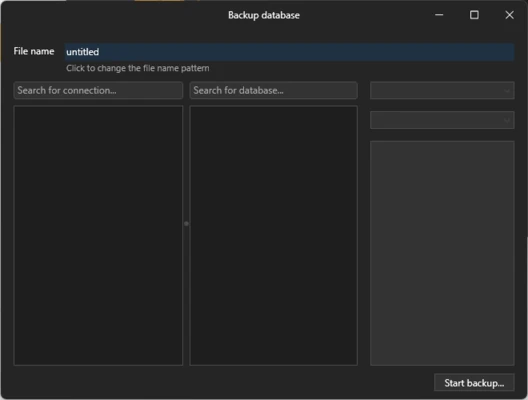
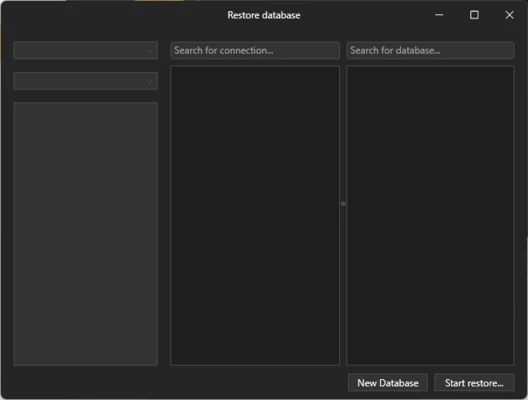
Import and Export – Import and export SQL dumps and database data for migration and backup tasks.
Keyboard Shortcuts – Use keyboard shortcuts to speed up common database operations.
Plugin Support – Extend functionality through JavaScript-based plugins and community extensions.
Supported Databases
TablePlus supports a wide range of database systems, including:
- PostgreSQL
- MySQL
- MariaDB
- SQLite
- Microsoft SQL Server
- Amazon Redshift
- Oracle
- CockroachDB
- Snowflake
- Cassandra
- Redis
- Vertica
- MongoDB
User Interface
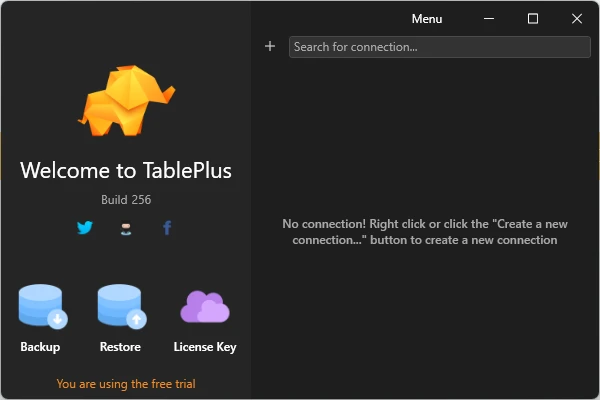
TablePlus features a clean, modern, and spreadsheet-style interface designed to make database management easier.
The main workspace provides quick access to database objects, tables, records, SQL queries, filters, and connection settings. Multiple tabs and windows allow users to work with several databases at the same time.
The interface also emphasizes keyboard shortcuts, making it convenient for experienced developers and database administrators who prefer keyboard-driven workflows.
Installation and Setup
- Download TablePlus for Windows.
- Run the installer and follow the on-screen instructions.
- Launch TablePlus after installation.
- Select the database type you want to connect to.
- Enter the server address, port, username, password, and other required information.
- Test the connection and click Connect.
- Start browsing and managing your database.
How to Use
Create a Connection – Open TablePlus and create a new database connection.
Connect to a Database – Enter the required connection credentials and establish the connection.
Browse Data – Select a database and table to view its records.
Edit Records – Modify database records directly using the table editor.
Run SQL Queries – Open the SQL editor, enter your query, and execute it.
Filter Data – Use advanced filters to locate specific records.
Manage Database Structure – Create or modify tables, columns, indexes, and other database objects.
Import and Export Data – Use the built-in tools to migrate or back up database data.
Use Multiple Connections – Open multiple tabs or windows to work with different databases simultaneously.
FAQ
What is TablePlus used for?
TablePlus is a database management application used to connect to, browse, query, edit, and manage different types of databases.
Which databases does TablePlus support?
It supports many popular databases, including MySQL, PostgreSQL, SQLite, MariaDB, SQL Server, Oracle, Redis, and MongoDB.
Can TablePlus connect to remote databases?
Yes. TablePlus can connect to remote databases and includes built-in SSH support for SSH-based connections.
Can I edit database records with TablePlus?
Yes. You can browse tables and edit records directly through the graphical interface.
Can I run SQL queries?
Yes. TablePlus includes a built-in SQL query editor for writing and executing database queries.
Is TablePlus free?
TablePlus offers a free version with limitations, while the paid version unlocks additional functionality.
Does TablePlus support Windows?
Yes. TablePlus is available for Windows, as well as other desktop platforms.
Alternatives
DBeaver – A powerful cross-platform database management tool with support for a large number of database systems.
MySQL Workbench – A comprehensive database management and development tool designed primarily for MySQL.
DataGrip – A professional database IDE from JetBrains with advanced SQL editing and database development features.
HeidiSQL – A lightweight Windows database client that supports several popular database systems.
Pricing
TablePlus offers both free and paid versions.
The free version has limitations, including restrictions on the number of simultaneously opened tabs, windows, and advanced filters.
A paid license removes these restrictions and provides access to additional features.
System Requirements
- Operating System: Windows 10 or later
- Processor: 1 GHz or faster
- RAM: 2GB or more
- Storage: Approximately 100MB of free disk space
- Internet Connection: Required for downloading and updating the software
- Additional Software: .NET Framework may be required depending on the Windows version
PROS
- Modern and intuitive interface
- Supports many database systems
- Fast and lightweight
- Built-in SSH support
- Multiple tabs and windows
- Advanced filtering
- Inline database editing
- Useful keyboard shortcuts
- Import and export tools
- Plugin support
CONS
- Free version has usage limitations
- Advanced features require a paid license
- Some database-specific features may vary
- Limited built-in collaboration features
- Advanced SQL functionality may be less extensive than specialized database tools
Conclusion
TablePlus is a fast and user-friendly database management tool for developers, database administrators, and other users who need to work with multiple database systems.
Its clean interface, broad database support, built-in SSH, SQL editor, inline editing, advanced filters, and multi-tab workflow make everyday database management convenient and efficient.
The free version is suitable for basic database tasks, while users who regularly work with multiple connections and advanced features may benefit from the paid version.
Note: The free version has limitations on tabs, windows, and advanced filters.