

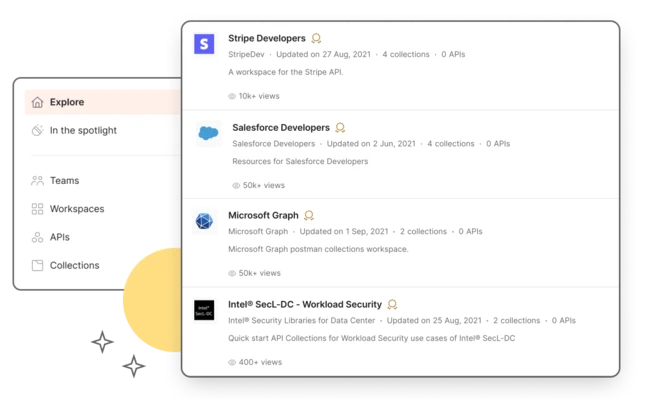
Postman is one of the world's most popular API development and testing platforms for Windows. It enables developers to design, test, document, and monitor APIs through an intuitive graphical interface, eliminating the need for complex command-line tools.
Supporting REST, GraphQL, WebSocket, SOAP, and gRPC APIs, Postman helps developers quickly build requests, inspect responses, automate testing, and collaborate with team members throughout the entire API development lifecycle.
Whether you're building a new API, debugging backend services, or integrating APIs into CI/CD pipelines, Postman provides a complete toolkit for modern API development.
Key Features
API Testing
Create and send HTTP requests using GET, POST, PUT, DELETE, PATCH, and other methods while inspecting headers, parameters, cookies, and response data.
Collections
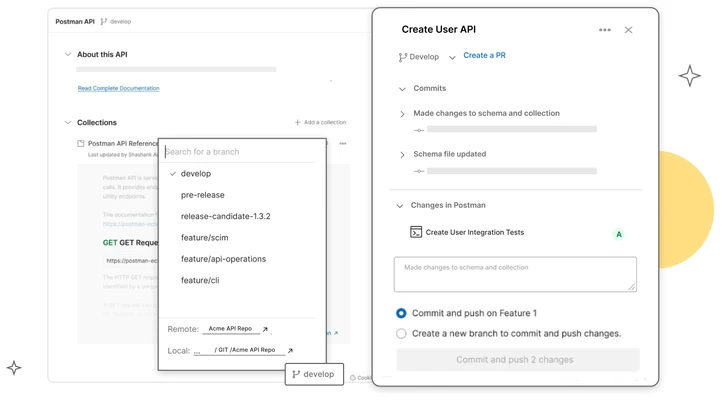
Organize API requests into reusable collections that can be shared across projects and team members.
Environment Variables
Switch between development, staging, and production environments without modifying request configurations.
Automated Testing
Write JavaScript test scripts to automatically validate API responses and ensure endpoint reliability.
Mock Servers
Create mock API endpoints for frontend development and testing before backend services are available.
API Documentation
Automatically generate interactive API documentation from your collections.
Postman CLI
Run collections from the command line and integrate API testing into CI/CD workflows.
GraphQL & WebSocket Support
Test GraphQL queries, subscriptions, WebSocket connections, and traditional REST APIs from a single application.
Authentication Support
Supports multiple authentication methods, including:
- API Key
- Bearer Token
- Basic Authentication
- OAuth 1.0
- OAuth 2.0
- JWT
- AWS Signature
Team Collaboration
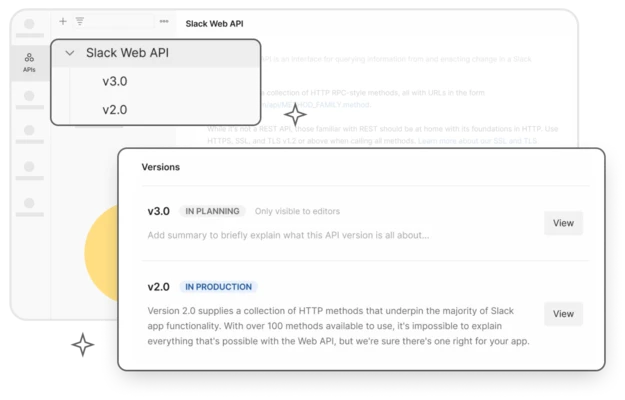
Share collections, environments, documentation, and workspaces with team members.
Integrations
Works with popular developer platforms, including:
- GitHub
- GitLab
- Jenkins
- Slack
- Azure DevOps
- Bitbucket
What's New
- AI-powered API development tools.
- Improved AI Agent Builder for LLM workflows.
- Enhanced prompt testing and evaluation.
- Better GraphQL and API discovery features.
- Visual workflow builder for API automation.
- Improved performance and stability.
- Updated collaboration and workspace management.
How to Use
- Install and launch Postman.
- Create a new HTTP request.
- Enter the API endpoint URL.
- Select the request method.
- Configure headers, parameters, or authentication.
- Send the request and inspect the response.
- Save requests into collections.
- Add test scripts for automated validation.
- Export or share collections with your team.
Pricing
Free
- Core API client
- Up to 3 collaborators
- Collections
- Environment variables
- Basic cloud features
Basic
Designed for small teams with additional collaboration features, larger request limits, and extended collection recovery.
Professional
Adds private workspaces, role-based permissions, longer history retention, and advanced collaboration tools.
Enterprise
Includes SSO, audit logs, advanced security controls, analytics, user management, and enterprise-scale API governance.
System Requirements
- Windows 11 or Windows 10 (64-bit)
- Intel Core i3 or later
- 4 GB RAM minimum (8 GB recommended)
- 500 MB available disk space
- Internet connection required for cloud collaboration features
Pros
- Industry-standard API development platform
- Clean and intuitive user interface
- Supports REST, GraphQL, WebSocket, SOAP, and gRPC
- Powerful automation and scripting
- Excellent team collaboration features
- Extensive authentication support
- Free version available
Cons
- High memory usage with large workspaces
- Advanced collaboration features require paid plans
- Cloud features require a Postman account
- Can be overwhelming for beginners
Conclusion
Postman is a comprehensive API development platform that combines request testing, automation, documentation, collaboration, and monitoring into a single application. Its broad protocol support, automation capabilities, and developer-friendly interface make it an essential tool for backend developers, QA engineers, DevOps teams, and API designers. Whether you're testing a simple REST endpoint or managing enterprise-scale API workflows, Postman remains one of the best solutions available for Windows.