


UltraEdit is a professional text editor and code editing software for Windows designed for developers, system administrators, and advanced users who work with large files, source code, and structured data. Developed by IDM Computer Solutions, it provides a highly customizable editing environment with support for multiple programming languages, advanced search tools, and file management capabilities.
It is widely used for software development, server file editing, and complex text processing tasks, especially where performance and reliability are required.
Key Features
Advanced Text and Code Editing
Supports syntax highlighting for many programming languages, code folding, and structured editing tools for clean and efficient coding.
Multi-Caret Editing
Allows editing multiple lines or locations simultaneously, improving productivity during repetitive code changes.
Large File Support
Handles extremely large files efficiently, including files exceeding several gigabytes in size.
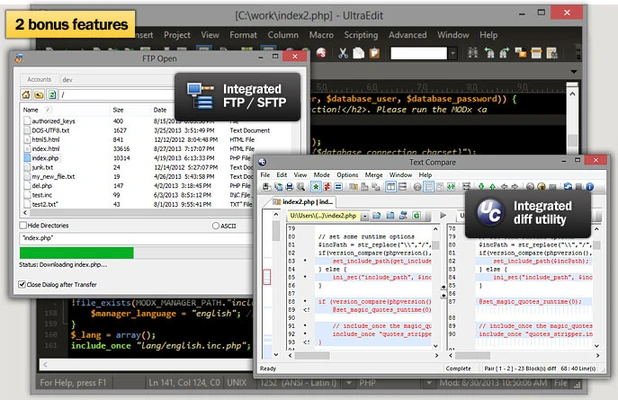
File Compare and Merge
Provides side-by-side comparison tools to detect differences and merge changes between files.
Macros and Automation
Supports macro recording and scripting to automate repetitive editing tasks and workflows.
Integrated FTP/SFTP Access
Enables direct editing and management of remote files on servers through FTP, SFTP, and FTPS connections.
Search and Replace Tools
Offers powerful search functions including regular expressions, multi-file search, and advanced replace options.
Column and Block Editing
Supports column-based editing for structured data manipulation and tabular text editing.
Syntax Highlighting and Code Tools
Includes support for numerous programming languages with customizable syntax highlighting and code formatting tools.
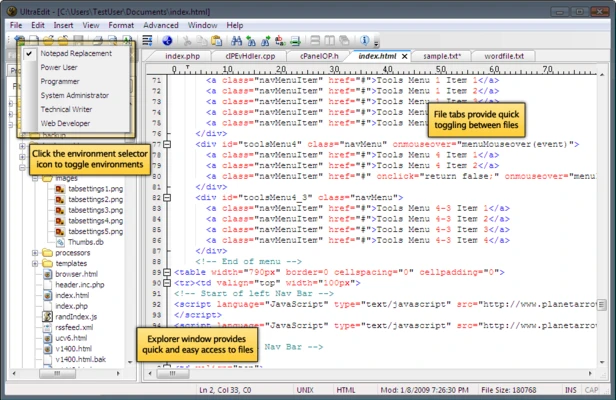
Project and File Management
Helps organize multiple files and projects within a unified workspace for better workflow control.
Why Choose UltraEdit
UltraEdit is designed for users who need more than a basic text editor. Its ability to handle large files, support multiple programming languages, and provide advanced automation tools makes it suitable for professional development and system-level text processing. It is especially useful in environments where performance, precision, and flexibility are important.
Best For
- Software developers
- System administrators
- Large file editing and processing
- Server-side file management
- Code comparison and debugging tasks
- Technical text processing
Pros
- Handles very large files efficiently
- Powerful search and replace tools
- Supports many programming languages
- Built-in FTP/SFTP editing
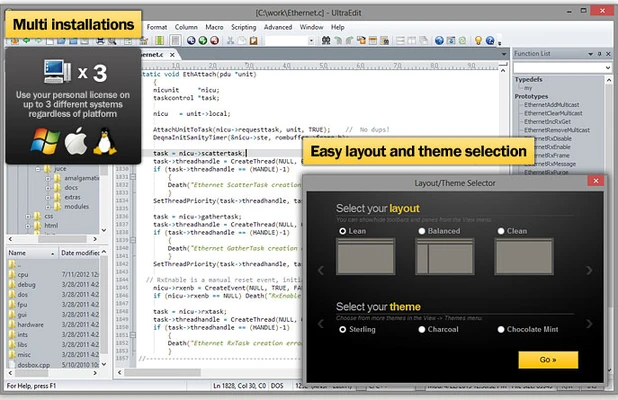
- Highly customizable interface
- Automation via macros and scripting
Cons
- Paid software with limited free trial
- Interface can feel complex for beginners
- Resource-heavy compared to simple editors
- Requires configuration for advanced workflows
System Requirements
- Operating System: Windows 10 or Windows 11 (64-bit recommended)
- Processor: 1 GHz or faster
- Memory: 2 GB RAM minimum (4 GB recommended)
- Storage: At least 200 MB available disk space
- Internet connection required for activation and updates
Conclusion
UltraEdit is a powerful professional-grade text and code editor that combines performance, flexibility, and advanced editing capabilities. With support for large files, remote editing, and automation tools, it is a strong choice for developers and technical users who require a reliable and feature-rich editing environment.