

Docker is an open-source platform for building, running, and managing applications in containers. It packages applications together with their dependencies into isolated environments, helping developers create consistent workflows across development, testing, and production systems.
Docker is widely used for software development, application deployment, testing, automation, and running services locally. Docker Desktop provides a graphical interface and command-line tools for managing containers and images on Windows and macOS.
What's New
Recent Docker releases include improvements to Docker Desktop, container management, Docker Compose, security, networking, performance, and developer workflows.
Key Features
Containerization: Package applications and their dependencies into lightweight, isolated containers.
Docker Images: Build, download, manage, and share reusable images for applications and services.
Dockerfile: Define the instructions required to build a customized container image.
Docker Compose: Configure and run multi-container applications using a single Compose file.
Container Management: Create, start, stop, restart, inspect, and remove containers from the command line or graphical interface.
Networking: Connect containers with each other and external networks using configurable networking options.
Persistent Storage: Use volumes and other storage mechanisms to preserve application data outside individual containers.
Docker Hub: Access a large collection of container images and share images with other developers and teams.
Cross-Platform Development: Docker Desktop provides a consistent container development environment across supported operating systems.
User Interface
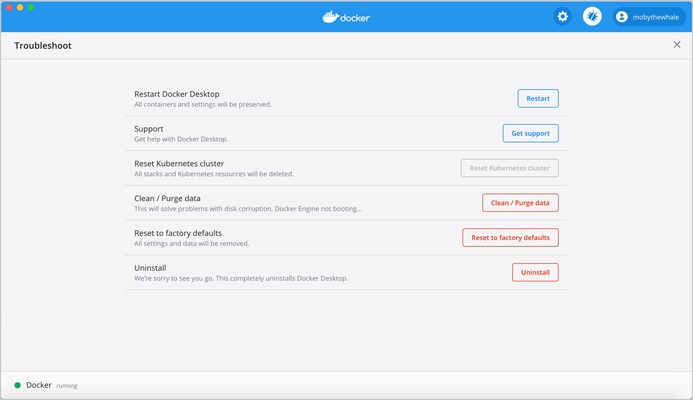
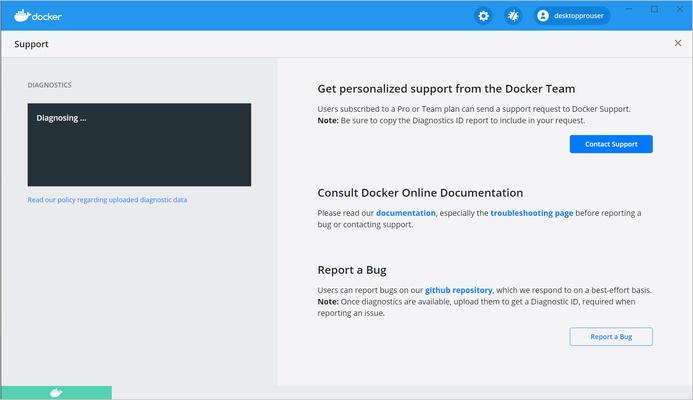
Docker provides both a command-line interface and a graphical interface through Docker Desktop. The command line offers detailed control over containers, images, networks, volumes, and other resources.
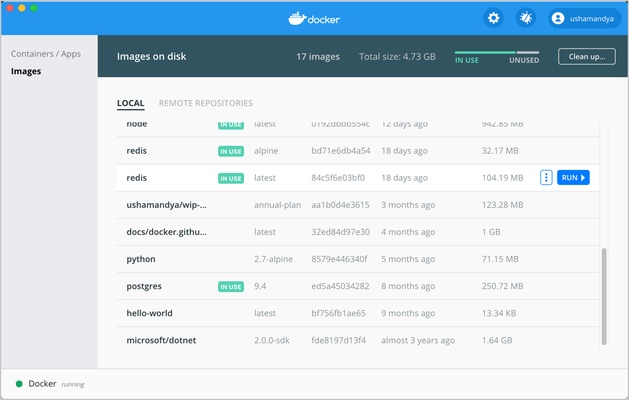
Docker Desktop provides a more visual way to manage containers and images, making common tasks easier for users who prefer a graphical interface.
Installation and Setup
-
Download and install Docker Desktop for your operating system.
-
Run the installer and follow the on-screen instructions.
-
Make sure hardware virtualization is enabled if required.
-
Start Docker Desktop after installation.
-
Open a terminal and verify that Docker is working correctly.
-
Pull or create a container image to begin using Docker.
How to Use
-
Create a Dockerfile describing your application environment.
-
Build an image from the Dockerfile.
-
Run the image as a container.
-
Use Docker commands to manage the running container.
-
Create a Compose file when your application requires multiple services.
-
Start and manage multiple containers with Docker Compose.
-
Use volumes when application data needs to persist.
-
Push images to a registry when you need to share them with other systems or developers.
FAQ
What is Docker used for?
Docker is used to package, run, test, and deploy applications in isolated containers.
Is Docker free?
Docker provides free and paid offerings. Docker Desktop has different licensing terms depending on the type and size of the organization using it.
What is Docker Desktop?
Docker Desktop is a desktop application that provides an environment for building and running containers, along with graphical management tools and Docker command-line utilities.
What is a Docker image?
A Docker image is a packaged template containing an application and the files and dependencies needed to run it in a container.
What is the difference between a container and an image?
An image is a packaged template, while a container is a running or created instance of an image.
Can Docker run on Windows?
Yes. Docker Desktop supports Windows and provides a convenient environment for running Linux containers. Specific features depend on the Windows edition and system configuration.
Alternatives
Podman: An open-source container engine that provides a Docker-compatible workflow without requiring a central daemon.
VirtualBox: Virtualization software for running complete virtual machines on a desktop computer.
Vagrant: A development environment management tool designed for creating and configuring reproducible virtual machine environments.
Kubernetes: A container orchestration platform designed to manage containerized applications across clusters of machines.
Pricing
Docker provides free and paid plans. Docker Personal is available for individual developers, students, educators, and qualifying small businesses, while paid plans provide additional features for professional teams and organizations.
Pricing and licensing terms may change, so users should check the current Docker offering before purchasing a subscription.
System Requirements
For Docker Desktop on Windows:
-
64-bit Windows 10 or Windows 11
-
4 GB of RAM or more
-
Hardware virtualization enabled
-
WSL 2 or Hyper-V, depending on the configuration
-
A supported 64-bit processor
-
Sufficient disk space for Docker Desktop, images, containers, and application data
Pros
-
Lightweight container-based development environment
-
Consistent application environments
-
Excellent support for development and deployment workflows
-
Docker Compose for multi-container applications
-
Large ecosystem of container images
-
Powerful command-line tools
-
Docker Desktop provides a graphical management interface
-
Available across multiple operating systems
Cons
-
Can be difficult for beginners
-
Requires knowledge of command-line tools for advanced usage
-
Containers and images can consume significant disk space
-
Some Docker Desktop features have licensing restrictions for larger organizations
Conclusion
Docker is one of the most widely used platforms for container-based application development and deployment. It provides developers with tools for building images, running isolated containers, managing multi-container applications, and creating consistent development environments.
Its combination of Docker Desktop, command-line tools, Dockerfiles, Compose, and container image management makes it suitable for everything from local development and testing to production application workflows.