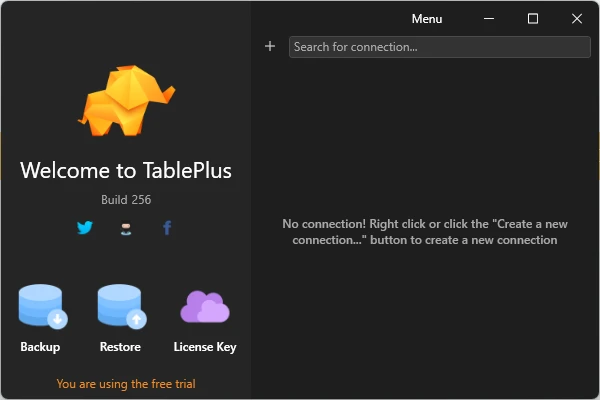
TablePlus is a modern database management and GUI client for Windows that provides a clean interface for working with relational and NoSQL databases. It allows users to connect to databases, browse and edit records, run SQL queries, manage database structures, and import or export data from a single application.
TablePlus supports a wide range of database systems, making it useful for developers, database administrators, and other users who regularly work with multiple database servers. Its native interface and keyboard shortcuts are designed to keep common database operations quick and efficient.
What’s New
Recent versions of TablePlus focus on improving database compatibility, application performance, stability, and the overall user experience. Updates may also add support for newer database versions and improve existing database drivers and tools.
Because supported databases and features can change between releases, check the release notes for the latest version for specific changes.
Key Features
-
Multi-Database Support – Connect to PostgreSQL, MySQL, MariaDB, SQLite, Microsoft SQL Server, Redis, MongoDB, and other supported databases.
-
Database Browser – Browse databases, schemas, tables, views, functions, and other database objects through a graphical interface.
-
SQL Query Editor – Write and execute SQL queries using the built-in editor.
-
Inline Editing – Modify table records and supported database structures directly from the interface.
-
Advanced Filters – Filter database records to quickly find the information you need.
-
Multiple Tabs and Windows – Work with multiple queries, tables, and database connections simultaneously.
-
Built-in SSH – Connect to databases through SSH without requiring a separate SSH client.
-
Import and Export – Import and export database data for migration, backup, or other database management tasks.
-
Quick Search – Quickly locate tables, schemas, databases, views, functions, and other objects within a connection.
-
Keyboard Shortcuts – Use shortcuts for frequently performed operations, including running queries and navigating the application.
-
Code Review – Review changes made to database records and structures before committing them.
-
Plugin Support – Extend the application with available plugins and integrations.
Supported Databases
TablePlus supports a broad selection of database systems, including:
-
PostgreSQL
-
MySQL
-
MariaDB
-
SQLite
-
Microsoft SQL Server
-
Amazon Redshift
-
Oracle
-
CockroachDB
-
Snowflake
-
Cassandra
-
Redis
-
Vertica
-
MongoDB
Support and available features can vary depending on the database type and TablePlus version.
User Interface
TablePlus uses a clean, spreadsheet-style interface for browsing and editing database records. Database objects are organized within the connection interface, while tabs and multiple windows make it possible to work with several databases or queries at the same time.
The interface also provides keyboard shortcuts for many common operations, which can be useful for developers who prefer keyboard-based workflows.
Installation and Setup
-
Download and install TablePlus for Windows.
-
Launch the application.
-
Select Create a new connection.
-
Choose the database type you want to connect to.
-
Enter the required connection information, such as host, port, username, and password.
-
Configure additional connection options if necessary.
-
Click Connect to open the database.
-
Browse tables, run queries, or manage database objects from the main interface.
For remote databases, SSH connection settings can also be configured when required.
How to Use
After creating a database connection, you can use TablePlus to browse and manage your database through the graphical interface.
Typical tasks include:
-
Browse tables and database objects
-
View and edit records
-
Create and execute SQL queries
-
Filter and search records
-
Add or modify tables and columns
-
Manage indexes and other database objects
-
Export database data
-
Import supported data
-
Open multiple queries in separate tabs
-
Review database changes
-
Configure connection and application settings
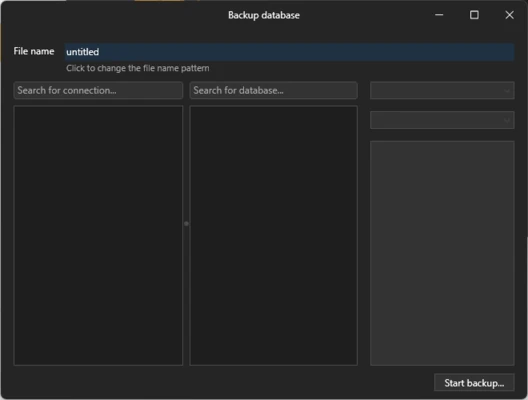
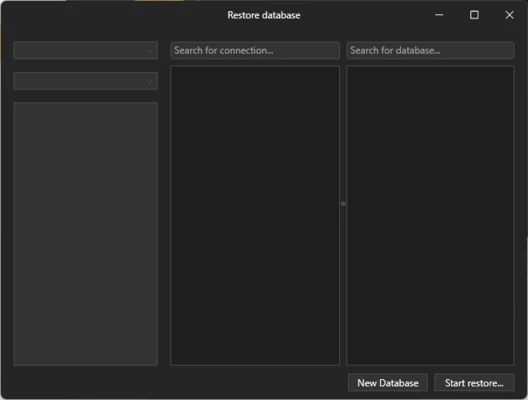
TablePlus is primarily a database client, so database-specific backup and restore operations may depend on the database system and its native tools.
FAQ
Is TablePlus free?
TablePlus offers a free version with limitations. Additional features and higher usage limits require a paid license.
What databases does TablePlus support?
It supports many popular databases, including MySQL, PostgreSQL, MariaDB, SQLite, Microsoft SQL Server, Oracle, Redis, MongoDB, Snowflake, and others.
Can TablePlus connect to remote databases?
Yes. TablePlus can connect to remote database servers and supports SSH connections for supported configurations.
Can I edit database records with TablePlus?
Yes. TablePlus provides an inline editing interface that allows users to modify supported database records directly.
Is TablePlus a database server?
No. TablePlus is a database client. You still need an existing database server or local database to connect to.
Alternatives
-
DBeaver – A powerful cross-platform database client with extensive database support and advanced tools.
-
DataGrip – JetBrains' professional database IDE with advanced SQL editing and database development features.
-
HeidiSQL – A lightweight Windows database client particularly useful for MySQL, MariaDB, PostgreSQL, and related database systems.
Pricing
TablePlus provides a free version with usage limitations. The free version is limited to 2 opened tabs, 2 opened windows, and 2 advanced filters at a time. A paid license removes these restrictions and provides access to additional features.
System Requirements
-
Operating System: Windows
-
Processor: Modern 64-bit processor recommended
-
Memory: 2 GB RAM or more recommended
-
Storage: Sufficient free disk space for the application and temporary database data
-
Internet: Required for remote database connections and downloading updates
Exact requirements may vary depending on the TablePlus version and the database systems being used.
PROS
-
Clean and modern interface
-
Supports many database systems
-
Fast database browsing and editing
-
Built-in SSH support
-
Multiple tabs and windows
-
Useful keyboard shortcuts
-
Import and export tools
-
Plugin support
CONS
-
Free version has usage limitations
-
Some advanced features require a paid license
-
Database-specific operations may require external tools
-
Advanced database administration features may be less extensive than those in dedicated database IDEs
Conclusion
TablePlus is a versatile database client for Windows that combines support for multiple database systems with a clean graphical interface. It provides the essential tools needed to browse and edit data, execute SQL queries, manage database objects, and work with multiple connections.
It is particularly well suited to developers and database users who want a lightweight alternative to larger database management suites. The free version is useful for basic work, while users who need more tabs, windows, filters, and advanced functionality can upgrade to a paid license.