


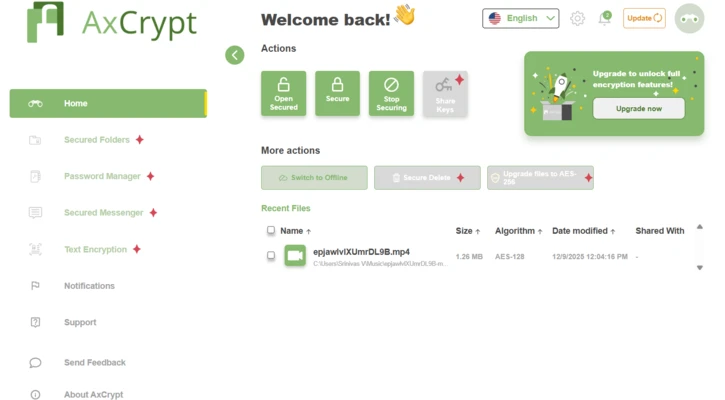

AxCrypt is a file encryption software for Windows designed to protect, compress, and manage individual files with minimal setup. It integrates directly into Windows Explorer, allowing users to encrypt or decrypt files via right-click.
The software uses strong AES encryption (128-bit or 256-bit) to secure files and supports easy sharing through secure links or invitations. Encrypted files can be opened and edited with a simple double-click, making everyday use fast and convenient.
A key feature is the Master Key system, available for business users, which allows administrators to recover files if employees lose access. This helps reduce the risk of data loss caused by forgotten passwords or staff changes.
AxCrypt also supports secure file sharing within teams. Users can invite others via email, and recipients only need a free account to access shared files. The software can also automatically protect files placed in designated folders, reducing manual operations.
In addition, AxCrypt includes a built-in password manager, allowing users to securely store and manage login credentials.
Key Features
- AES-128 / AES-256 encryption
- Windows Explorer right-click integration
- Secure file sharing with invitations
- Master Key recovery (business accounts)
- Built-in password manager
- Secure folders with auto-encryption
- Cloud storage integration support
- Android and iOS mobile support
What’s New
- Group management for business users
- Role-based access control
- Group Master Key system
- Password manager feature expansion
Installation
Installation is straightforward. Download the setup file, follow the on-screen instructions, and optionally enable Windows Explorer integration. After installation, create an account and set a strong passphrase to start encrypting files.
Best for
Users who need simple and secure file encryption, quick sharing, and seamless Windows integration without complex configuration.