

Balabolka for Windows – Free Text-to-Speech (TTS) Software
Balabolka is a versatile and powerful Text-to-Speech (TTS) desktop tool for Windows that converts written text into spoken audio. Utilizing all installed voices on your computer, Balabolka allows users to listen to documents, e-books, and on-screen text with ease.
This free TTS software supports multiple audio formats, including MP3, WAV, WMA, OGG, and MP4, making it ideal for creating audiobooks, podcasts, or voiceovers from text files.
Key Features
- Clipboard Reading – Instantly read any text copied to the clipboard.
- Document Support – Open and speak a wide range of file formats: AZW, CHM, DjVu, DOC, EPUB, FB2, HTML, MOBI, PDF, PPT, RTF, XLS, and more.
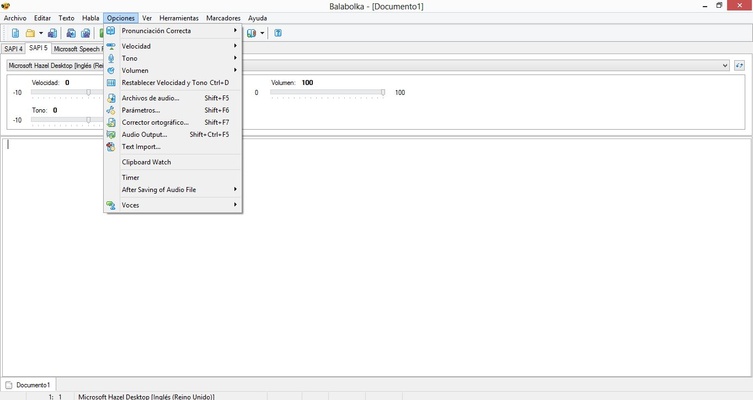
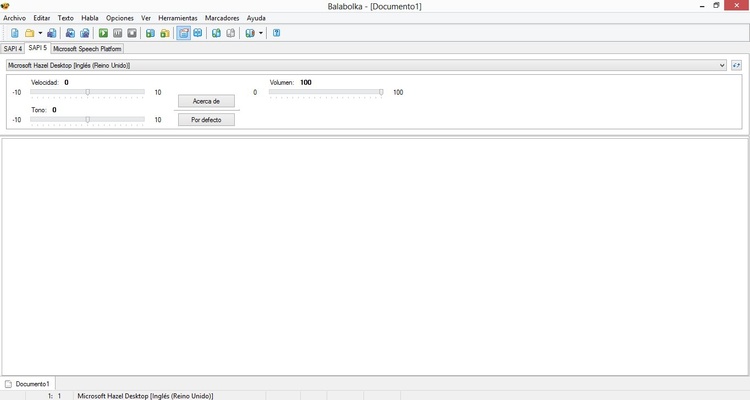
- Voice Customization – Adjust speech pitch, speed, and volume for natural listening.
- Hotkeys & Tray Control – Quickly read text using global hotkeys or system tray commands.
- SAPI Integration – Uses Microsoft Speech API to access installed voices and modify parameters.
- Pronunciation Correction – Customize pronunciation with a substitution list or regular expressions.
- Synchronized Text – Export synchronized text to LRC files or embed in MP3 tags for audio-text sync.
- Bookmarks & Navigation – Easily navigate through large documents with bookmarks.
- Audio Export – Save spoken text as MP3, WAV, WMA, OGG, or MP4 files.
Frequently Asked Questions (FAQ)
What is SAPI?
Microsoft Speech API (SAPI) allows Windows applications to convert text to speech using installed voices.
Does Balabolka support Google TTS?
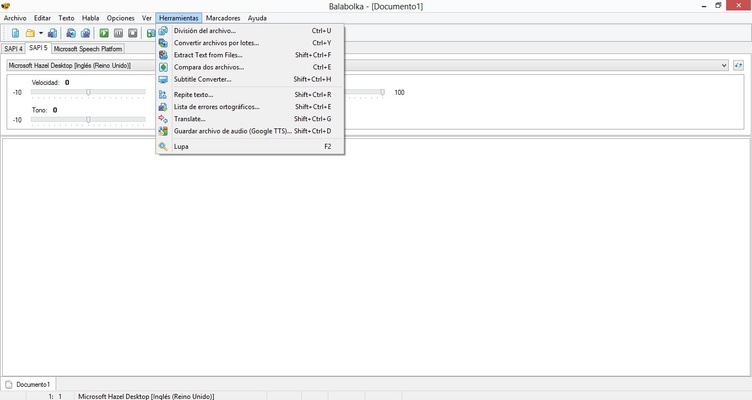
Yes. By splitting large text into smaller segments, you can convert it into MP3, WAV, or OGG using Google Translate or other online TTS services.
How do I install Balabolka silently?
Use the command-line switch -silent for a silent installation without prompts.
Why can’t Balabolka read my DjVu file?
DjVu often stores scanned images instead of text. OCR software, like FineReader, is needed to extract text before using Balabolka.
Can I convert each line of text into a separate audio file?
Yes. Use the “Split and Convert to Audio Files” feature with line breaks to generate individual audio clips.
What is Spritz-Reader?
Spritz technology allows speed reading by displaying words in a fixed position, increasing reading speeds while minimizing eye movement.
How to Use
- Launch Balabolka and open a text file or paste text.
- Select a voice from your installed speech engines.
- Adjust speech speed, pitch, and volume as needed.
- Click “Play” to listen to the text.
- Save the audio as MP3, WAV, WMA, OGG, or MP4.
- Use bookmarks and synchronized text features for efficient navigation.
- Enable clipboard monitoring for instant text-to-speech playback.
System Requirements
- Operating System: Windows 7, 8, 10, 11
- Processor: 1 GHz or faster
- RAM: 512 MB minimum (1 GB recommended)
- Disk Space: 50 MB free
Pros
- Supports multiple text file formats
- Free to use with no hidden costs
- Export audio in multiple formats (MP3, WAV, OGG, WMA)
- Customizable voice and speech settings
- Clipboard monitoring for quick access
Cons
- Outdated user interface design
- Limited built-in voice options
- Some features require manual configuration
- Can lag with very large documents
- No cloud-based synchronization
Conclusion
Balabolka for Windows is a reliable, free, and fully-featured Text-to-Speech tool for personal and professional use. Whether creating audiobooks, listening to documents, or converting e-books into audio, Balabolka offers unmatched flexibility and voice customization.
For Windows users seeking high-quality TTS software, Balabolka is a must-download tool. Its support for multiple formats, SAPI integration, and clipboard reading make it perfect for productivity, learning, and accessibility needs.