
Go to Windows platform Display platforms icon
Go to Windows platform Go to Mac platform Go to Android platform
Replay Music icon

Replay Music

2025.2.23.30
Applian Technologies, Inc.
0
13.12 MB size

Record what you listen to as mp3 file on the fly

If you can take screenshots or there are some programs to record as video file what you see on your screen,... Why can't you record the audio you listen to while using your PC?

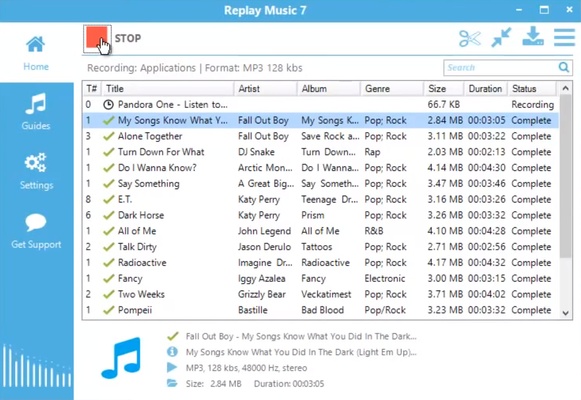
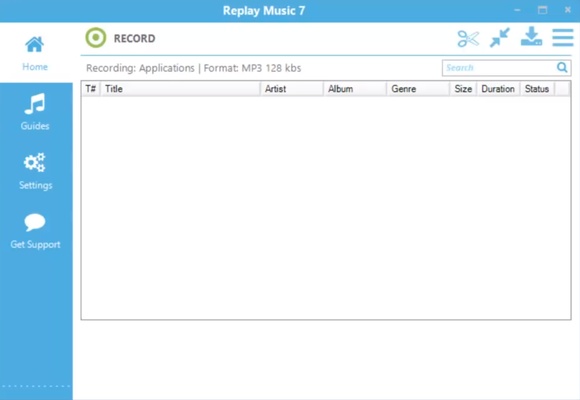
Replay Music is a very easy-to-use program that allows us to capture and record on the fly as mp3 files any sound played by our computer. From now on you will be able to record, save and tag the songs you will listen by using internet radio stations, streaming or while we access trendy webstes like MySpace, Musicovery, last.fm or even youTube.

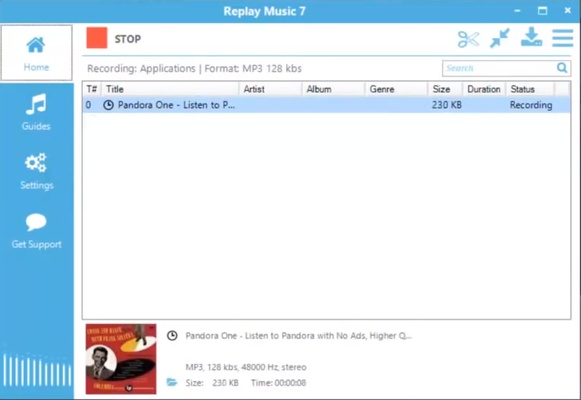
You only have to install and run Replay Music, then listen to your favorite music and just press the 'record' button. Once you have then recorded, you will be able to tag the songs by adding them the name of the artist, the radio or the year when it has been recorded.

If you are an advanced user you will be able to personalize the records: choose audio drivers, input lines, microphone,... the name of the output files and even record them to a CD on the fly.

Information about Replay Music

License Demo
Op. System Windows
Category Audio
Language English
Author Applian Technologies, Inc.
permission icon Permissions Not applicable
Date 2026-06-02
Size 13.12 MB
File type EXE

Apps recommended for you

AnyMusic – Download Any Music icon
Download any song or music video online
KaraFun icon
Convert your PC into a funny karaoke
Bitwig Studio icon
An innovative music production program
AIMP Skin Editor icon
Artem Izmaylov
ASIO4ALL icon
ASIO4ALL for Windows is a universal audio driver that improves sound quality and reduces latency for audio applications on systems without native ASIO support.
Krisp icon
Improve the sound in your calls and video conferences
MusicBee icon
Manage and play your entire music collection
iTunes (64-bit) icon
The perfect partner for your new iPod or iPhone
Ocenaudio icon
Ocenaudio is a user-friendly audio editing software that offers powerful features for recording, editing, and analyzing audio files with ease.
TIDAL Desktop icon
Listen to high-fidelity music and manage your playlists with TIDAL Desktop for Windows, the premium streaming service offering lossless audio and exclusive content.
MP4 Player icon
MP4 Player is a simple media player that allows users to play MP4 video files with ease and high-quality playback.
ProgDVB icon
ProgDVB for Windows is a versatile software that allows users to watch and record satellite, cable, and IPTV broadcasts on their PC.
ASIO4ALL icon
ASIO4ALL for Windows is a universal audio driver that improves sound quality and reduces latency for audio applications on systems without native ASIO support.
Pianoteq icon
Create realistic piano sounds and virtual instruments with Pianoteq for Windows, the advanced physically modeled piano software for musicians and producers.
Balabolka Portable icon
Convert text to speech effortlessly with Balabolka Portable for Windows, the lightweight text-to-speech software with support for multiple voice engines and audio formats.
Deezer Desktop icon
Deezer Desktop for Windows is a music streaming app that lets users listen to millions of tracks, create playlists, and enjoy personalized music recommendations.
muffon icon
Listen to your favorite music from any source
OpenAudible icon
An open source client for Audible
WishPlayer icon
Audio player that plays songs based on keywords
QQ Music icon
Play hundreds of songs on your PC
EZ CD Audio Converter icon
Convert your music into any format
iTop Easy Desktop icon
Organize and optimize your Windows desktop
Apple Music icon
The music streaming platform for your PC
Replay icon
Transform your music with AI