Go to Windows platform Display platforms icon
Go to Windows platform Go to Mac platform Go to Android platform
Equalizer APO icon

Equalizer APO

1.4.2
jthedering
5
11.43 MB size

Equalizer for Windows speakers and headphones

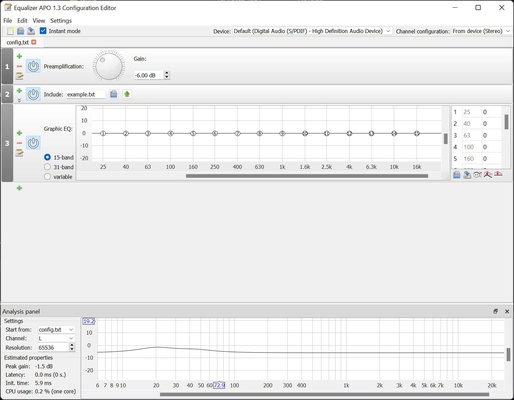
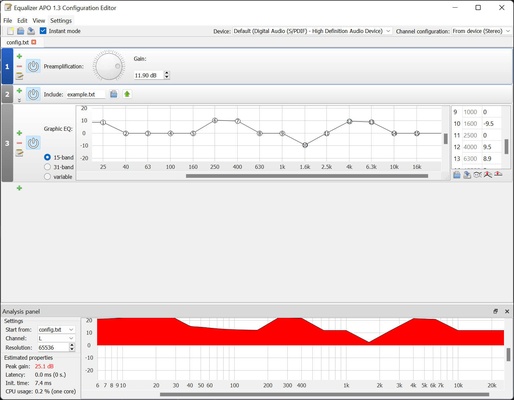
Equalizer APO is powerful and easy-to-use audio processing software for Windows. This parametric open-source audio equalizer offers a wide range of tools to customize and enhance the sound of your systems, providing full control over audio settings in real-time. If you want to improve your computer's sound for free, download Equalizer APO.

Powerful real-time audio processing

One of the main benefits of Equalizer APO is its ability to make real-time adjustments without affecting system performance. It utilizes low-latency audio processing architecture, meaning any changes made will be applied instantly with no perceptible delay. This is ideal for situations that require rapid responses, such as gaming or live music production.

Support for multiple channels and speaker configurations

Equalizer APO supports multi-channel audio configurations, making it perfect for surround sound systems, stereo speakers, and complex audio setups. This allows you to adjust each channel individually, enabling precise customization and sound optimization for any listening environment, whether a home theater system or a set of professional speakers.

Wide range of filters and effects

Equalizer APO includes a variety of audio filters and effects that allow users to adapt the sound to their liking. These include high- and low-pass filters, band-pass filters, parametric equalizers, compressors, limiters, and many more. Each filter can be fine-tuned to adjust specific frequencies and improve sound quality.

Overall, Equalizer APO is an extremely powerful and flexible audio equalization tool for Windows that offers precise real-time control over sound settings. Download Equalizer APO for free and take control of your sound.

Information about Equalizer APO

License Free
Op. System Windows
Category Audio
Language English 47 more
Author jthedering
permission icon Permissions Not applicable
Date 2026-06-02
Size 11.43 MB
File type EXE

Apps recommended for you

iTop Easy Desktop icon
Organize and optimize your Windows desktop
Metatogger icon
Recognise and tag your music collection
X Radio Stream Finder icon
X Radio Stream Finder for Windows is a tool that allows users to discover, play, and record online radio streams from around the world.
Dopamine icon
Listen to music with this minimalist player
Audials One icon
Download and play music, videos, podcasts,...
TapinRadio icon
TapinRadio for Windows is an internet radio player that lets users listen to and record live radio stations from around the world.
muffon icon
Listen to your favorite music from any source
Guitar Pro icon
Do you like playing the guitar, compose your own
Ableton Live 12.4.6 icon
A software music sequencer and digital audio workstation for Windows
Dolby Access 3.27.12250 icon
Spectacular sound for all your entertainment!
VoiceMeeter Standard 1.1.3.0 icon
To mix your voice and video game audio on Skype and more!
JRiver Media Center 36.0.38 (64-bit) icon
Allows the user to play and organize various types of media!
Deezer Desktop 7.1.340 icon
Introducing the new Deezer desktop app for Windows PC!
REAPER 7.80 (64-bit) icon
Multitrack audio and MIDI recorder for your Windows PC
XRECODE 1.189 (64-bit) icon
Great audio converter which supports most of the common audio formats!
Bitwig Studio 6.1.1 icon
Multi-platform music creation system for production, performance and DJing!
KaraFun icon
Convert your PC into a funny karaoke
EZ CD Audio Converter icon
Convert your music into any format
Serato DJ Pro 4.0.8 icon
Professional DJ software for professional DJs
Universal Media Server icon
Turn your PC into a multimedia center
Deezer icon
Listen to all your music with the best quality
Apple Music icon
The music streaming platform for your PC
iTop Easy Desktop icon
Organize and optimize your Windows desktop
Serato DJ icon
A professional tool for creating your own mixes