

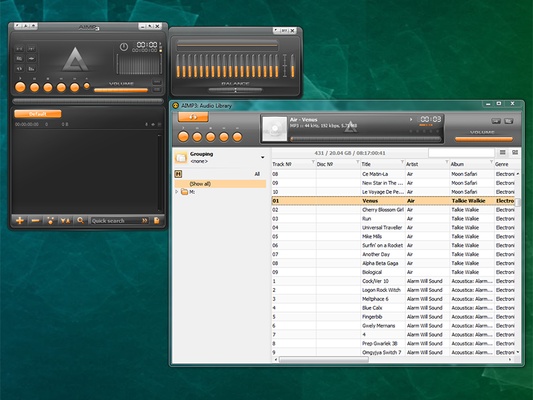
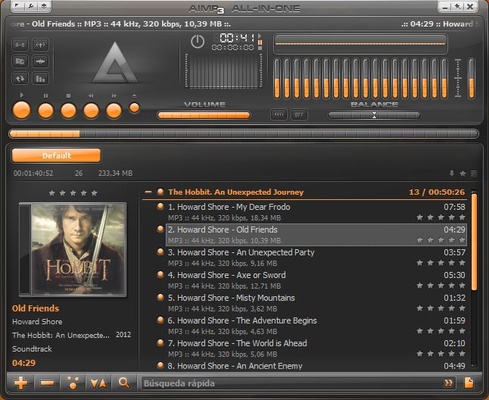
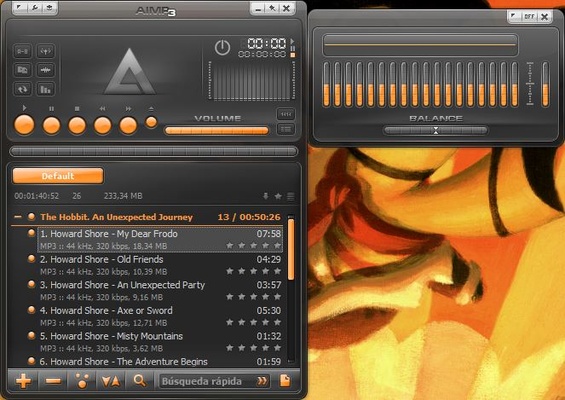
AIMP is a free and lightweight music player for Windows that focuses on high-quality audio playback and extensive customization. It supports a wide range of audio formats and includes an 18-band equalizer, sound effects, playlist management, audio conversion, tag editing, and Internet radio.
The player uses 32-bit audio processing and supports DirectSound, ASIO, and WASAPI output. Its interface can be customized with skins, layouts, and configurable hotkeys.
Key Features
- Supports a wide range of audio formats
- 32-bit and 64-bit audio processing
- 18-band graphic equalizer
- Built-in audio effects
- DirectSound, ASIO, and WASAPI support
- Multiple playlist management
- Playlist bookmarks and playback queue
- CUE sheet support
- Audio converter
- Audio CD ripping
- Tag editor and batch file renaming
- Internet radio support
- Last.fm scrobbling
- Plugin support
- Customizable local and global hotkeys
- Search across playlists
- Alarm clock and scheduled playback
- Automatic computer shutdown
- Multilingual interface
- Customizable skins and interface
How to Use
- Launch AIMP and add your music files or folders to the library.
- Create playlists and organize tracks as needed.
- Use the equalizer and sound effects to adjust audio playback.
- Edit music tags using the built-in tag editor.
- Use the Audio Converter to convert files between supported formats.
- Access Internet Radio to listen to online stations.
- Configure hotkeys, skins, playback options, and other settings according to your preferences.
FAQ
Is AIMP free to use?
Yes. AIMP is free for non-commercial use.
Does AIMP support multiple audio formats?
Yes. It supports many popular formats, including MP3, AAC, FLAC, OGG, WAV, WMA, APE, M4A, and others.
Does AIMP support Internet radio?
Yes. AIMP can play Internet radio stations and supports recording streams in several formats.
Can AIMP convert audio files?
Yes. It includes a built-in audio converter for converting supported audio files between different formats.
Does AIMP support plugins?
Yes. Plugins can be used to extend the functionality of the player.
Can I customize the interface?
Yes. AIMP supports skins, customizable layouts, and configurable keyboard shortcuts.
Alternatives
Winamp – A classic music player with extensive customization and plugin support.
foobar2000 – A lightweight and highly customizable audio player.
MusicBee – A feature-rich music player and music library manager.
VLC Media Player – A versatile media player supporting a wide range of audio and video formats.
MediaMonkey – A music management application with advanced library and tagging features.
System Requirements
- Operating System: Windows 7, 8, 10, or 11
- Processor: 1 GHz or higher
- RAM: 256 MB
- Free Disk Space: 20 MB
- Sound Card: DirectX-compatible
PROS
- Lightweight and resource-efficient
- Wide audio format support
- High-quality audio processing
- Extensive customization options
- Advanced playlist management
- Built-in audio converter
- Internet radio support
- Plugin support
CONS
- Primarily designed for Windows
- No built-in cloud synchronization
- Advanced features may take some time to learn
Conclusion
AIMP is a feature-rich and lightweight music player for Windows that combines high-quality audio playback with extensive customization options. Its broad format support, equalizer, audio converter, playlist tools, tag editor, Internet radio, and plugin support make it a versatile choice for both casual listeners and music enthusiasts.