


Krisp is an AI-powered noise cancellation app for Windows that removes unwanted background noise from your microphone and incoming audio during online calls. It works as an audio layer between your microphone, speakers, and communication applications, allowing you to reduce background sounds without changing your existing meeting or calling software.
Krisp can filter sounds such as keyboard typing, background conversations, traffic, barking dogs, and other unwanted noise in real time. Audio processing is performed on the device, making it suitable for online meetings, remote work, customer calls, gaming, and other situations where clear communication is important.
What’s New
Recent versions of Krisp focus on improving AI-based noise cancellation, voice processing, application compatibility, and overall performance. Depending on the version and subscription plan, newer releases may also include additional AI-powered meeting and productivity features.
Specific features and availability can vary between versions and plans.
Key Features
-
AI Noise Cancellation – Removes common background noises from incoming and outgoing calls.
-
Microphone Noise Removal – Filters unwanted sounds picked up by your microphone before they reach other participants.
-
Speaker Noise Cancellation – Reduces unwanted background noise from other participants on incoming audio.
-
Real-Time Processing – Processes audio in real time during calls without requiring manual editing.
-
Two-Way Noise Cancellation – Helps clean both your outgoing microphone audio and incoming call audio.
-
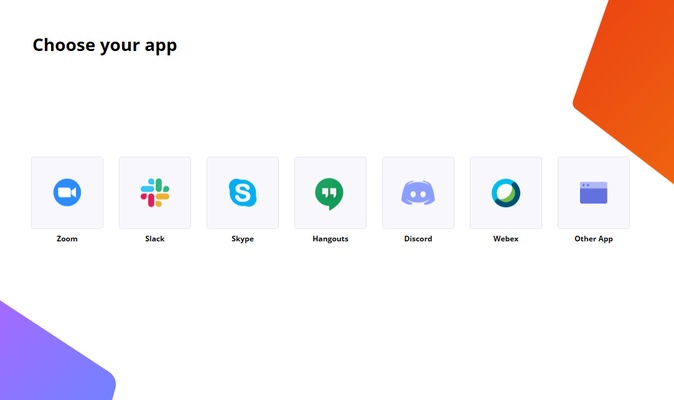
Easy App Integration – Works with supported conferencing, calling, and communication applications.
-
Virtual Microphone and Speaker – Provides Krisp audio devices that can be selected inside compatible applications.
-
Local Audio Processing – Audio processing for noise cancellation is performed on the device rather than requiring the call audio to be uploaded for this function.
-
AI Meeting Features – Depending on the plan, Krisp also offers features such as transcription, meeting summaries, recording, and AI-assisted meeting notes.
-
Cross-Application Support – Configure Krisp as the microphone or speaker in supported communication applications.
User Interface
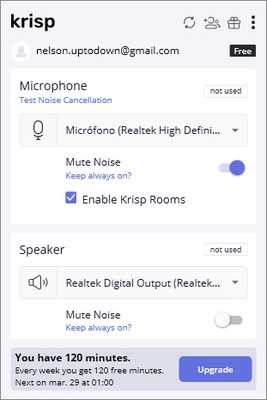
Krisp runs in the background and provides a simple control interface for enabling or disabling noise cancellation and managing audio settings. Users can select their microphone and speaker devices and monitor Krisp's audio processing status.
The interface is designed to require minimal configuration once the application has been connected to a supported calling or conferencing application.
Installation and Setup
-
Download and install Krisp for Windows.
-
Launch the application and sign in or create an account if required.
-
Select your physical microphone and speakers in Krisp.
-
Open your preferred meeting or calling application.
-
Open its audio settings.
-
Select Krisp Microphone as the microphone.
-
Select Krisp Speaker as the speaker.
-
Start a call and enable the desired noise cancellation features.
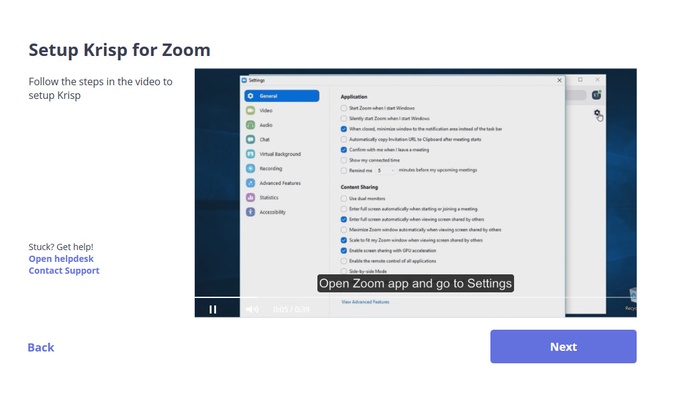
The exact setup process may vary depending on the communication application being used.
How to Use
Once Krisp is configured, it can process audio automatically during supported calls.
Typical usage includes:
-
Select your physical microphone and speakers in Krisp.
-
Choose Krisp Microphone and Krisp Speaker in your calling application.
-
Enable microphone noise cancellation to reduce sounds around you.
-
Enable speaker noise cancellation to reduce unwanted incoming noise.
-
Adjust Krisp settings according to your environment.
-
Disable Krisp when direct microphone and speaker input is preferred.
Krisp can be particularly useful in shared offices, homes, cafés, and other environments where controlling background noise is difficult.
FAQ
What is Krisp used for?
Krisp is used to remove unwanted background noise from microphone and speaker audio during online calls and meetings.
Does Krisp work with Zoom and other meeting applications?
Krisp is designed to work with many popular communication and conferencing applications. Compatibility can vary by operating system and application version.
Does Krisp remove noise from both sides of a call?
Yes. Krisp can process outgoing microphone audio and incoming speaker audio, allowing users to reduce unwanted noise in both directions.
Does Krisp record my calls?
Noise cancellation itself does not require Krisp to record the call audio. However, separate meeting recording and transcription features may be available depending on the product and subscription plan.
Is Krisp free?
Krisp offers a free plan with usage limitations as well as paid plans with additional features and higher usage limits.
Alternatives
-
NVIDIA Broadcast – Provides AI-powered noise removal and other audio and video effects for supported NVIDIA hardware.
-
SteelSeries Sonar – An audio software suite with noise reduction, microphone processing, and virtual audio routing features.
-
RNNoise – An open-source noise suppression technology used by various audio applications and projects.
Pricing
Krisp offers free and paid subscription plans. The free version provides access to basic noise cancellation with usage limitations, while paid plans provide higher limits and additional AI meeting and productivity features.
Because pricing, limits, and included features can change, check the current Krisp plan information before purchasing a subscription.
System Requirements
-
Operating System: Windows 10 or later
-
Processor: Modern 64-bit processor recommended
-
Memory: 4 GB RAM or more recommended
-
Storage: Sufficient free disk space for installation
-
Internet: Internet connection required for account-related services and supported online features
-
Audio Hardware: Compatible microphone and speakers or headphones
Actual requirements may vary depending on the Krisp version and enabled features.
PROS
-
Effective real-time noise cancellation
-
Works with microphone and speaker audio
-
Easy to integrate with communication applications
-
Simple interface
-
Useful for remote work and online meetings
-
Includes additional AI meeting features
-
Supports multiple use cases beyond video conferencing
CONS
-
Free plan has usage limitations
-
Some AI features require a paid subscription
-
Noise cancellation can occasionally affect voice quality
-
Performance can vary depending on hardware and background noise
Conclusion
Krisp is a practical Windows audio utility for reducing unwanted background noise during online calls and meetings. Its two-way noise cancellation can clean both microphone input and incoming audio, while its virtual microphone and speaker devices make integration with supported communication applications straightforward.
For users who frequently work or communicate in noisy environments, Krisp provides an easy way to improve call clarity without requiring specialized audio equipment.