
Go to Windows platform Display platforms icon
Go to Windows platform Go to Mac platform Go to Android platform
Buzz Captions icon

Buzz Captions

1.2.0
Chidi Williams
5
1.51 GB size

Transcribe audio to text using AI

Buzz Captions is the perfect Windows program for intuitively transcribing audio to text. Using the powerful open-source tool Whisper, this software will help you transform the words of any sound recording in a matter of minutes.

Transcribe audio to text AI for free

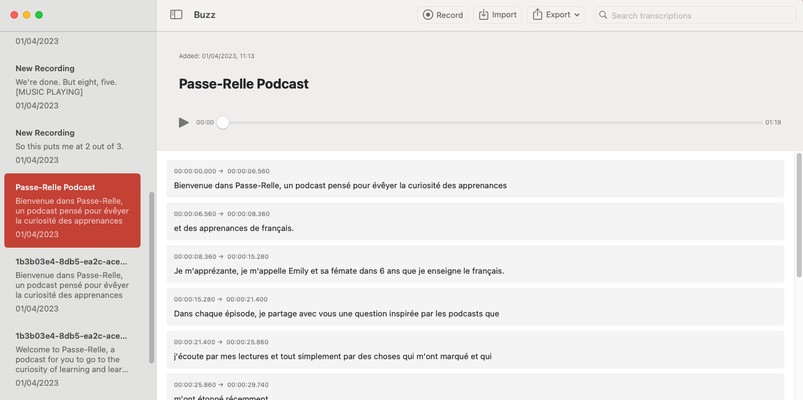
The Buzz Captions interface allows you to easily import any audio file you want to transcribe. Just select any sound file on your PC, and the program will accurately identify any speech. This is where the power of the Whisper learning model comes into play when automatically identifying each language to convert audio into text.

Export transcripts in multiple formats

Buzz Captions carries out a fully customized export of each of the transcripts you generate. More specifically, the tool supports CSV, SRT, TXT and VTT formats. This means that you can always use the resulting text to produce subtitles effortlessly.

Real-time transcription

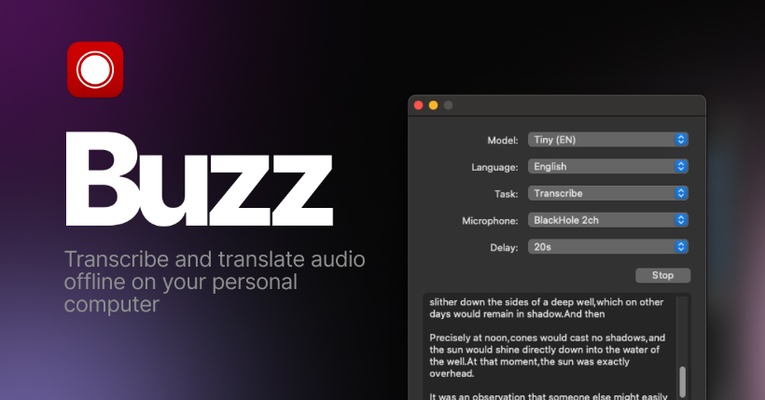
Additionally, Buzz Captions can also provide you with real-time transcriptions. Using your PC's microphone, the tool will identify any speech and convert each word into text.

Download Buzz Captions for Windows and enjoy this powerful transcription program that will help you generate texts and subtitles from any audio file. All of this comes under a really simple interface that will make your work with each transcription much easier.

Information about Buzz Captions

License Free
Op. System Windows
Category Audio
Language English 47 more
Author Chidi Williams
permission icon Permissions Not applicable
Date 2026-06-02
Size 1.51 GB
File type EXE

Apps recommended for you

VUPlayer icon
VUPlayer for Windows is a lightweight media player that supports a wide range of audio and video formats for smooth playback.
Monkey's Audio icon
Compress and decompress audio files and don't touch quality
Audials Radio icon
Thousands of radio stations for your entertainment
Deezer Desktop 7.1.340 icon
Introducing the new Deezer desktop app for Windows PC!
Replay Music icon
Record what you listen to as mp3 file on the fly
KMPlayer 64X icon
KMPlayer 64X for Windows is a high-performance media player that supports 64-bit architecture for smoother playback of HD and 4K videos.
rekordbox 7.2.19.0342 icon
High-precision music analysis
GOM Audio icon
GOM & Company
AVS Audio Editor 26.0.3.6 icon
Record audio, cut, split, mix audio tracks, delete audio parts...
AirBeats 6.4.0 icon
Experience music like never before,
RotorCrypt X-Files 1.2.6.5 icon
Encrypt your files & folders securely – offline, no cloud, no server
foobar2000 2.26 icon
An advanced, customizable, and lightweight audio player
FW Admin Tech Tools Pro 1.2.94.0 icon
FW Admin Tech Tools Pro - Your all-in-one Windows 10/11 Toolkit
Spotify 1.3.3.264.gdaf3b824 icon
Stream your favorite artists for free
PC Tweaker 1.15.3 icon
Free Windows tune-up: real registry, power & privacy tweaks
Bitwig Studio 6.1.3 icon
An innovative music production program
FoneTool icon
iPhone Data Management Tool
Guitar Pro icon
Do you like playing the guitar, compose your own
PCDJ DEX icon
Create your own mixes, no matter if you are a novice
Serato DJ icon
A professional tool for creating your own mixes
X Radio Stream Finder icon
X Radio Stream Finder for Windows is a tool that allows users to discover, play, and record online radio streams from around the world.
OfflineDJ icon
OfflineDJ for Windows is a music player and DJ software that allows users to play and mix music tracks offline, creating custom playlists and transitions.
VoiceMeeter Standard 1.1.3.0 icon
To mix your voice and video game audio on Skype and more!
Deezer icon
Listen to all your music with the best quality