Go to Windows platform Display platforms icon
Go to Windows platform Go to Mac platform Go to Android platform
LightBulb icon

LightBulb

2.6.2
Tyrrrz
4
16.38 MB size

Reduce eye fatigue when using the PC

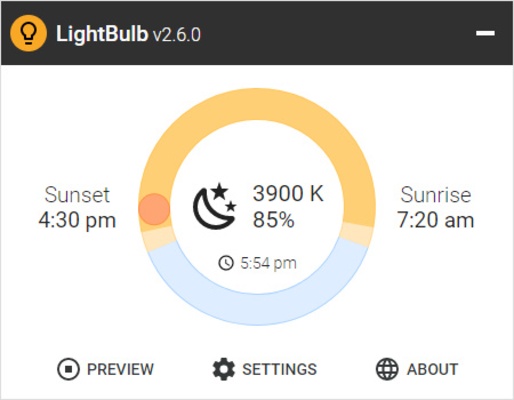
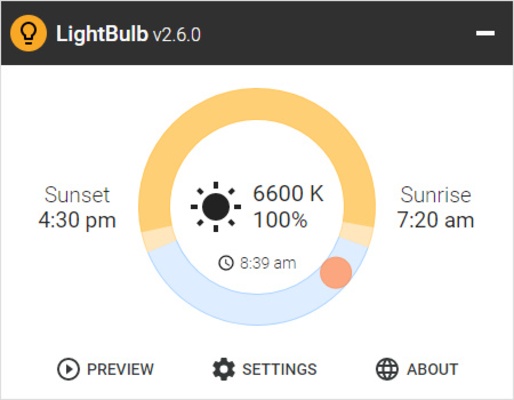
LightBulb is a very light software that will help you to reduce eye fatigue when staring at your PC screen during the afternoon and evening hours. The program will adjust your monitor's color temperature progressively as the day goes on, going from cooler colors in the morning to much warmer colors in the evening.

It is very easy to set up and use

Getting started with LightBulb is very easy. All you have to do is unzip the entire contents of the compressed file into a new folder and double-click on the executable. And that's it. After this first step, you will have to accept the terms of use, which are also listed on the author's website. Finally, you can configure some aspects of the app to customize it to your liking.

Find a range of configuration options

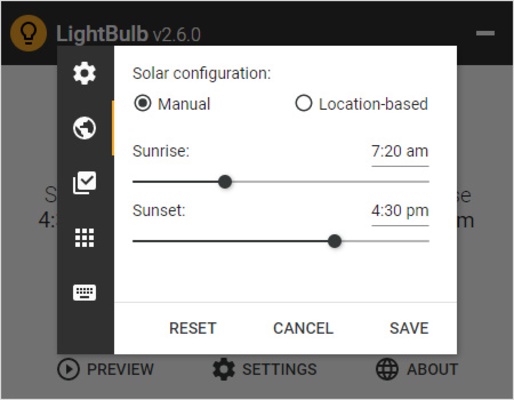
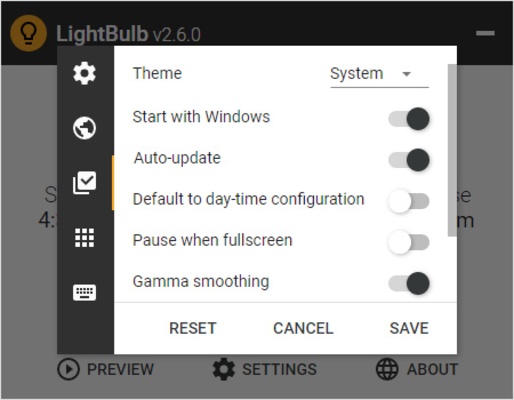
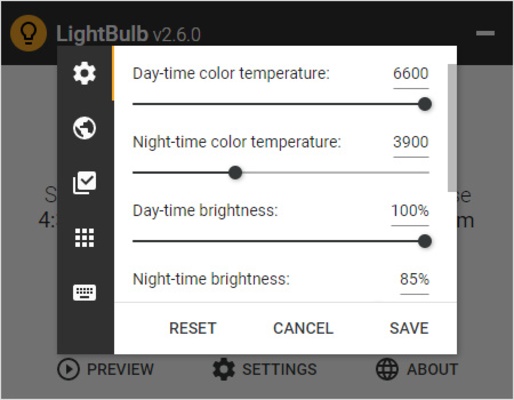
Although it is not strictly necessary, it is highly recommended that you look at the configuration options. From this tab, you can adjust the color temperature for day and night and set the value of your choice. You can also adjust the day and night screen brightness and even choose how long you want this transition to last. The longer the transition, the more gradual the change will be.

Create your own exceptions

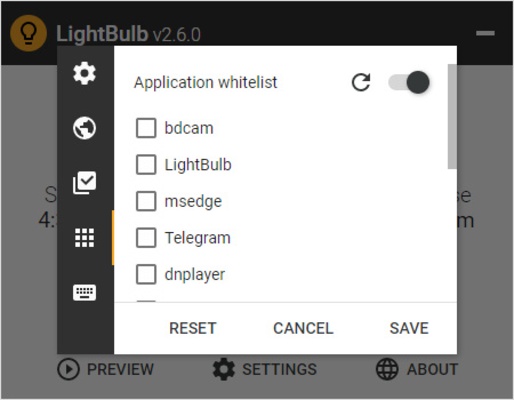
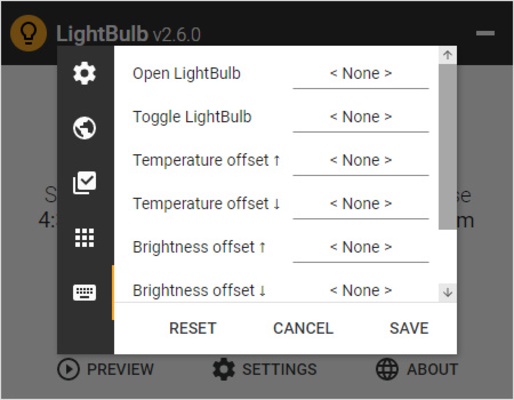
Another interesting feature in LightBulb allows you to create exceptions whitelist. Any program you add to this list won't be affected by the change in color temperature. This way, if you don't want your video player or a specific video game to be affected, you just have to add them to the list. In any case, you can also set keyboard shortcuts to turn the app on and off.

Improve your health and let your eyes rest

Download LightBulb if you spend a lot of time in front of your computer, especially during the evening. This app lets you care for your eye health by letting them rest. This is very common on mobile devices but, for some reason, is often overlooked on the PC. And many people spend more than eight hours a day in front of a monitor.

Information about LightBulb

License Free
Op. System Windows
Category Desktop
Language English 47 more
Author Tyrrrz
permission icon Permissions Not applicable
Date 2026-06-02
Size 16.38 MB
File type EXE

Apps recommended for you

Logi Options+ 2.7.961922 icon
It enables even more customization of all your supported devices
Animated Screensaver Maker icon
Create a screensaver using a photo and adding water reflections
Prototype 2 Screensaver icon
The most savage screensaver
Epic Pen icon
Draw or write on any program
God Of War Logon Screen icon
Kratos, Spartan general, son of Zeus, fighting against the Gods
Windows 8 Light Windows Theme icon
Windows 8's design on your desktop
ClearLock icon
Lock your computer, not the sceeen
CareUEyes 2.6.3.0 icon
Blue light filter for PC, screen dimmer for Desktop and break reminder!
Windows Subsystem for Linux 2.7.13 icon
It lets developers run a GNU/Linux environment on Windows PC
Logi Options+ 2.7.961922 icon
It enables even more customization of all your supported devices
CalendarTask 3.30.303.9245 icon
Desktop Calendar app on your Windows desktop
StartAllBack 3.9.25 icon
It restores taskbar, start menu, context menus, explorer and style!
DesktopOK 12.77 (64-bit) icon
Save and restore the positions of the Windows Desktop Icon
Fences 6.5.4.1 icon
Automatically organize your desktop shortcuts and icons with Fences
MyRadar 26.1715.193 icon
The most powerful and accurate radar + weather prediction app
God Of War Windows Theme icon
Kratos fights the gods on your desktop
Burning Hearts Screensaver icon
Hearts in flames, that's what you need for your screen
3D Dinosaurs Screensaver icon
Travel to prehistoric times with this spectacular screensaver
Prototype 2 Screensaver icon
The most savage screensaver
Spotlight Desktop icon
RAX Computer Technologies
Harry Potter Windows Theme icon
The magic of Harry Potter on your desktop
The Simpsons Christmas Theme icon
It’s Christmas in Springfield
DisplayFusion icon
Power up and configure the use of several screens