
Go to Windows platform Display platforms icon
Go to Windows platform Go to Mac platform Go to Android platform
Quick CPU icon

Quick CPU

5.0.9.0
CoderBag
5
33.77 MB size

Get all the data about the performance of your processor

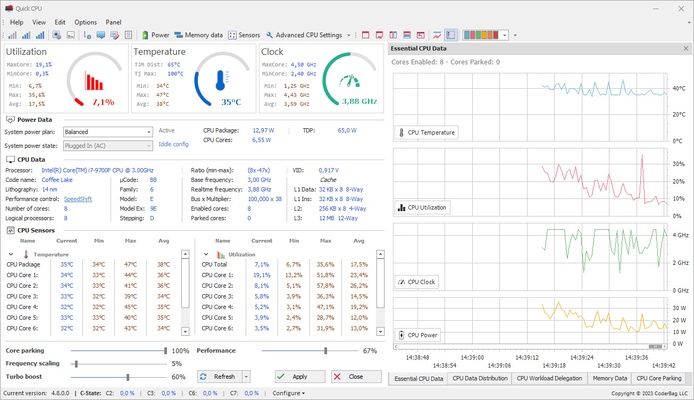
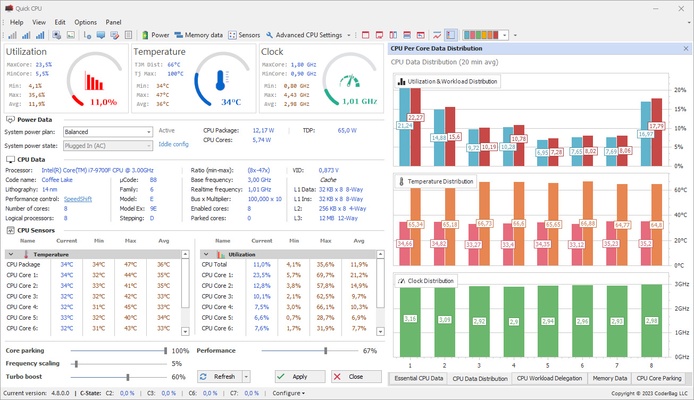
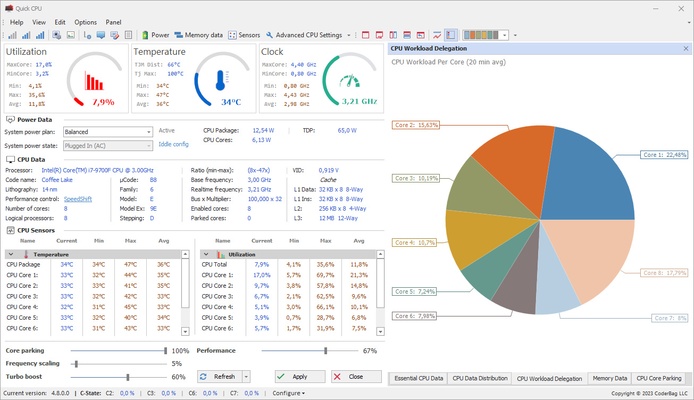
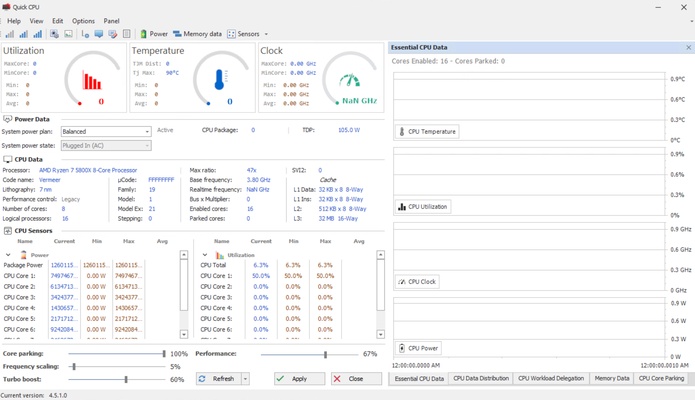
Quick CPU is a program that will allow you to analyze the performance of your PC down to the smallest detail. From the app's comprehensive interface, you can see the CPU temperature, the clock rate, the usage of each PC's cores, the percentage of memory used, and much more. All of this information is easily accessible and very well presented.

An overwhelmingly comprehensive interface

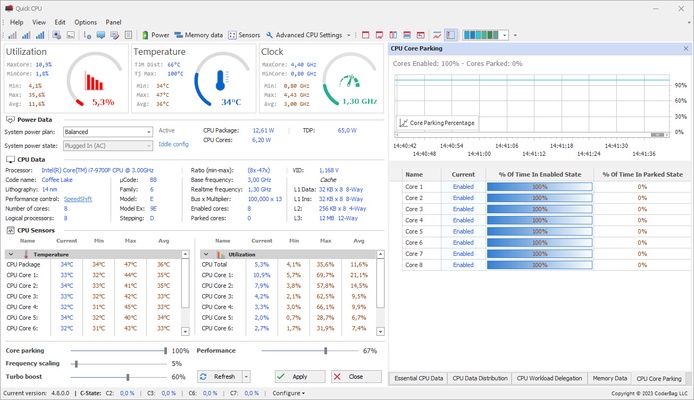
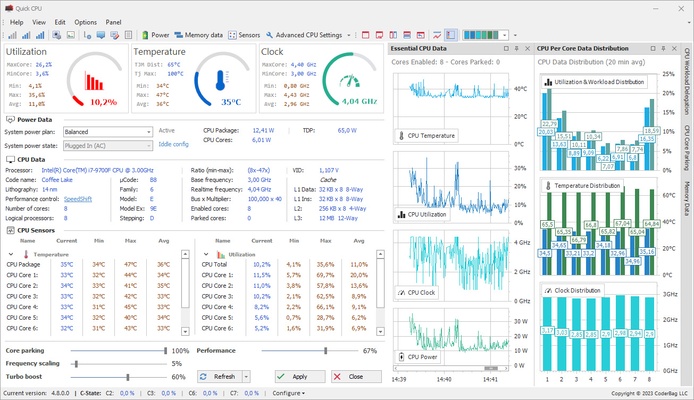
The first time you open Quick CPU, it may feel a bit overwhelming, as you will see lots of numbers, graphs, and parameters everywhere you look. However, everything is much easier to read than it might look. At the top, you will find the three most important measurements: Usage, Temperature, and Clock. Ideally, none of these meters should ever reach the maximum, as this would mean that your PC is overexerting itself, which may lead to future problems.

Customizable interface

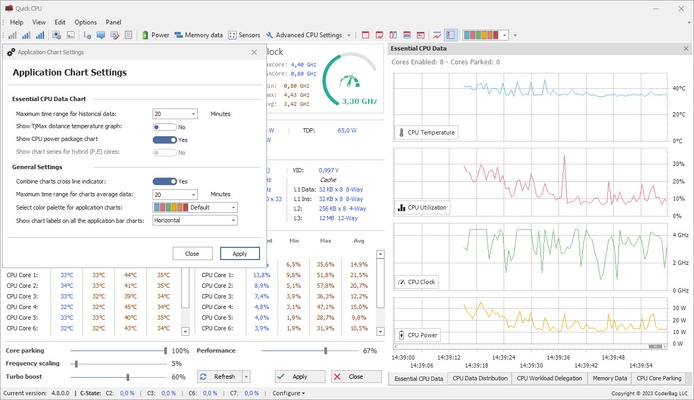
One of the great advantages of Quick CPU is that it allows you to customize the interface as you wish. At the bottom right, you will find different tabs, enabling you to switch the view between many different parameters: essential CPU information, RAM data, CPU data distribution, or CPU Core Parking. You can even choose from more than thirty different color palettes for all the graphics and visual aids so that the program matches perfectly with the aesthetics of your PC.

Several options to improve your daily life

You will find some very interesting settings within the Quick CPU options menu. First of all, you can choose whether you want to see the temperature information in Fahrenheit degrees or Celsius degrees. You can also decide if you will keep the program minimized in the taskbar or if you prefer to close it down each time. Keeping the program minimized allows you to receive instant notifications when there are large variations in temperature or clock rate. Finally, you can also choose whether you want the app to open each time you start Windows.

Advanced CPU options

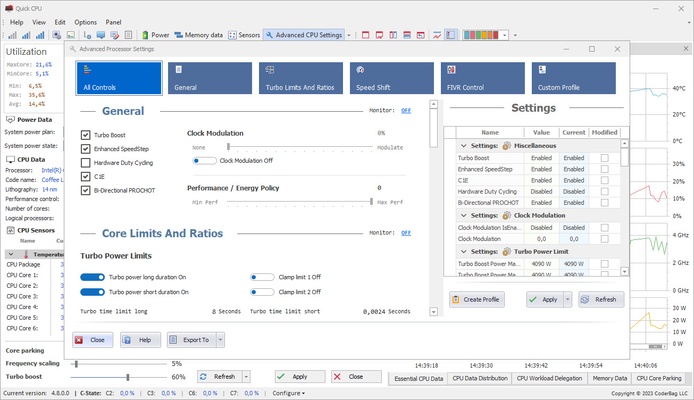
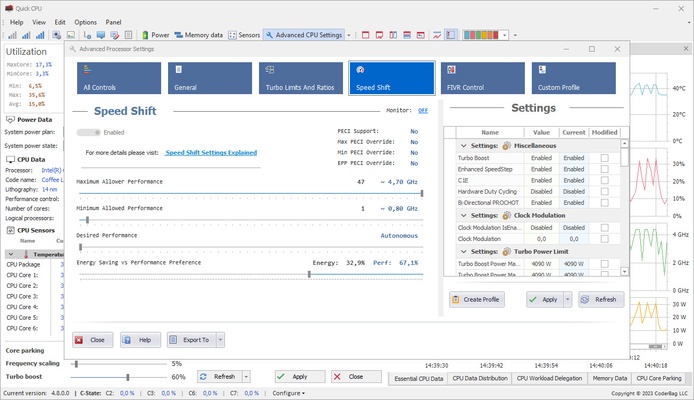
Some users, those with an Intel CPU, for example, will find that they can access a special panel called "Advanced Options". Within this panel, you will find several additional features that allow you to alter the internal values of your PC. It is important not to change any of these values if you are not completely sure what you are doing because you can directly modify some parameters of the BIOS of your PC here, something that can cause permanent damage to your computer.

Download Quick CPU if you are looking for a powerful and versatile program capable of providing all the information you could need about the performance of your PC. Thanks to this app, you can better understand your computer's current standing and, hopefully, fix any possible errors in time. And, of course, controlling the temperature of each and every computer component can come in very handy.

Information about Quick CPU

License Free
Op. System Windows
Category Utilities
Language English 15 more
Author CoderBag
permission icon Permissions Not applicable
Date 2026-06-02
Size 33.77 MB
File type ZIP

Apps recommended for you

App Installer icon
Install apps from the Microsoft Store manually
NewFileTime icon
Modify file and folder timestamps easily with NewFileTime for Windows, the lightweight utility for changing creation, modification, and access dates.
WhatPulse icon
WhatPulse for Windows is a monitoring tool that tracks keyboard, mouse, and network usage to help users analyze their computer activity.
Sandboxie icon
Sandboxie for Windows is a tool that isolates programs in a secure environment, preventing unwanted changes and protecting your system from malware.
MailConverterTools MBOX Converter icon
Install MBOX Converter to convert MBOX files to multiple file formats
Cisdem PDF Converter OCR icon
Convert and OCR PDFs to Office, images formats and more.
Display Driver Uninstaller (DDU) icon
Display Driver Uninstaller (DDU) for Windows is a utility that completely removes graphics drivers and related files for a clean reinstall.
Cisdem PDF Password Remover icon
Remove password from any PDFs with ease.
ASUS GPU Tweak III 2.1.3.3 icon
Enjoy maximum performance of your ASUS video card!
MiniTool ShadowMaker 4.8.1 icon
Free Backup Software and Professional Backup Solution!
Autoruns 14.3 icon
Shows you what programs are configured to run during system bootup or login
O&O ShutUp10++ 3.1.1104 icon
Disable telemetry, localization detection, Cortana, app access. Free antispy tool!
SignalRGB 2.5.70 icon
Control and sync your favorite RGB devices from any brand!
Universal USB Installer icon
Create bootable USB drives easily with Universal USB Installer for Windows, the powerful tool for installing Linux distributions, Windows systems, and recovery utilities from USB.
SignalRGB icon
Synchronize and control RGB lighting across all your devices with SignalRGB for Windows, the versatile software for gaming and PC customization.
HWMonitor icon
Monitor your PC’s hardware temperatures, voltages, and fan speeds in real time with HWMonitor for Windows, the reliable system health monitoring tool.
Argente Duplicate Finder icon
Argente Duplicate Finder for Windows is a tool that helps users find and remove duplicate files to free up disk space and improve system performance.
Rclone icon
Rclone for Windows is a command-line tool that allows users to manage and synchronize files across cloud storage services and local storage.
OCCT: OverClock Checking Tool icon
Easily detect any overclock and/or hardware problems
CoolTerm icon
Sends and receives data through any serial port
ExpanDrive icon
Access and manage cloud storage like local drives with ExpanDrive for Windows, the powerful cloud file management and remote storage software.
Mindomo Desktop icon
Mindomo Desktop for Windows is a mind mapping tool that helps users visually organize ideas, tasks, and projects with interactive diagrams.
PDF Metamorphosis .NET icon
PDF Metamorphosis .NET for Windows is a .NET library that allows developers to convert HTML content into PDF documents programmatically.
USB Safely Remove icon
USB Safely Remove for Windows is a tool that helps users safely and quickly eject USB drives and manage connected devices.