


Huawei HiSuite is a desktop management tool for Huawei smartphones and tablets. It allows users to connect a Huawei device to a Windows PC and manage personal data, transfer files, create backups, restore data, and check for system updates.
HiSuite is designed specifically for Huawei devices and connects primarily through a USB cable.
Key Features
-
Data Management: Manage contacts, messages, photos, videos, and other device data from a PC.
-
Backup and Restore: Back up supported phone data to a computer and restore it when needed.
-
File Transfer: Import and export photos, videos, and other supported files between the device and PC.
-
Contact Management: Add, edit, delete, import, and export contacts.
-
Message Management: View, send, delete, and export supported messages.
-
App Management: View, install, and uninstall supported applications.
-
System Updates: Check for and install available system updates when supported.
-
Screen Capture: Capture screenshots of a connected Huawei device from the computer.
User Interface
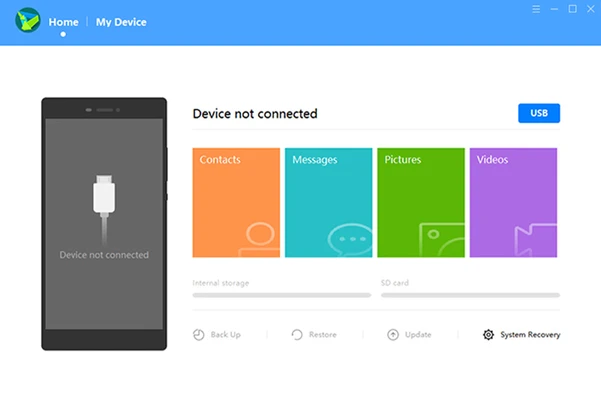
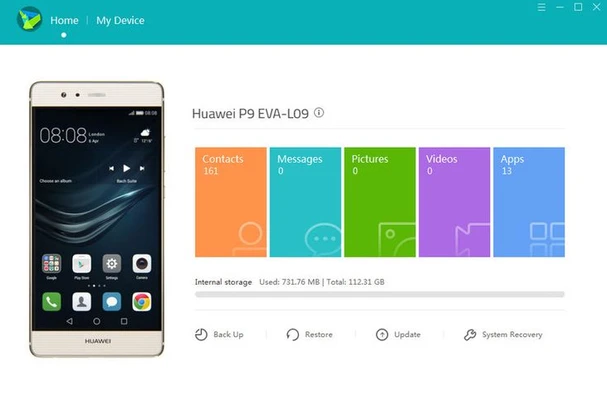
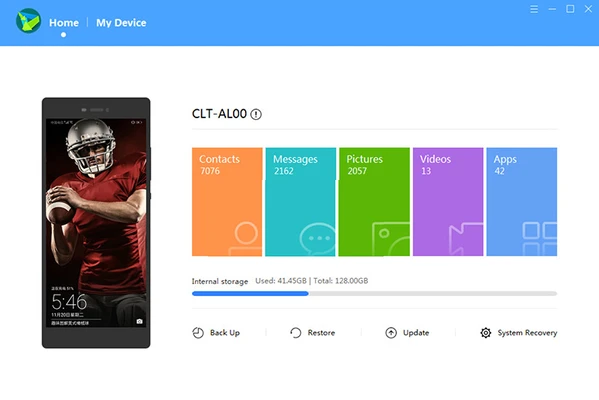
The HiSuite interface provides access to device data and management tools from a central dashboard. Main functions such as backup, restore, contacts, messages, photos, videos, and system updates are organized for easy access.
Installation and Setup
-
Install Huawei HiSuite on your Windows PC.
-
Connect the Huawei device using a USB data cable.
-
Enable HDB on the phone if required.
-
Accept the connection and permission prompts on the device.
-
Enter the verification code displayed by HiSuite if requested.
-
Once connected, the device data can be managed from the PC.
How to Use
After connecting the device, select the required function from the HiSuite interface. Use Backup & Restore to back up or restore data, the media sections to transfer files, and the system update option to check for supported updates.
System Requirements
-
Operating System: Windows 7, 8.1, 10, or 11
-
Architecture: 32-bit or 64-bit
-
RAM: 1 GB minimum
-
Storage: Approximately 500 MB
-
Display: 1024 × 768 resolution or higher
-
Connection: USB cable and compatible Huawei device
Pros
-
Free to use
-
Simple device management
-
Backup and restore support
-
File transfer
-
Contact and message management
-
Supports Huawei system updates
Cons
-
Designed specifically for Huawei devices
-
USB connection and HDB configuration may be required
-
Some functions depend on the connected device and software version
Conclusion
Huawei HiSuite is a practical desktop utility for Huawei device owners who want to manage phone data from a Windows PC. Its backup, restore, file transfer, contact management, and system update features make it useful for routine Huawei device management.