

ownCloud Desktop Client is a free and open-source desktop application that connects your computer to an ownCloud server, allowing you to sync files between your local folders and private cloud storage. It is designed for users and organizations that want to access, manage, and share files while keeping control over their own infrastructure.
The desktop client works with an ownCloud server hosted on a home server, private VPS, company infrastructure, or a supported hosting provider. Once connected, selected folders can be synchronized automatically so files remain available across computers and other connected devices.
What’s New
Recent versions of the ownCloud Desktop Client focus on improving synchronization reliability, performance, compatibility, and the overall desktop experience. Updates may also include bug fixes, security improvements, and better support for current operating systems and ownCloud server versions.
For the latest changes, users should check the release notes for their specific client version.
Key Features
-
File Synchronization – Automatically synchronize selected local folders with an ownCloud server.
-
Cross-Platform Access – Use ownCloud across supported desktop and mobile platforms.
-
File Sharing – Share files and folders with other users or through public links.
-
Access Control – Configure sharing permissions and control who can access your files.
-
Server-Side Storage – Keep files on your own server instead of relying entirely on third-party cloud storage.
-
WebDAV Support – Access files through WebDAV-compatible applications and services.
-
File Preview – View supported documents, images, PDFs, and other files through the ownCloud platform.
-
Search and Favorites – Quickly locate frequently used files and folders.
-
Bandwidth Controls – Configure synchronization behavior to better manage network usage.
-
External Storage Integration – Connect supported external storage services and devices through the ownCloud platform.
-
Enterprise Integration – ownCloud supports features such as LDAP and Active Directory integration for organizational environments.
-
Open-Source Architecture – The ownCloud platform can be extended through applications, APIs, and integrations.
User Interface
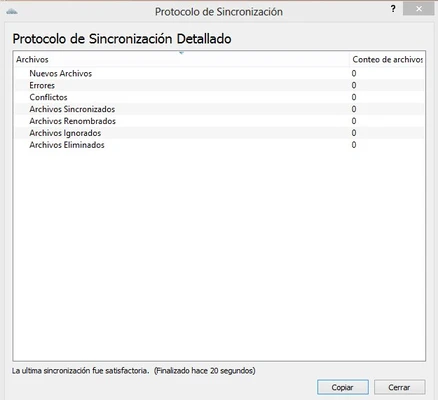
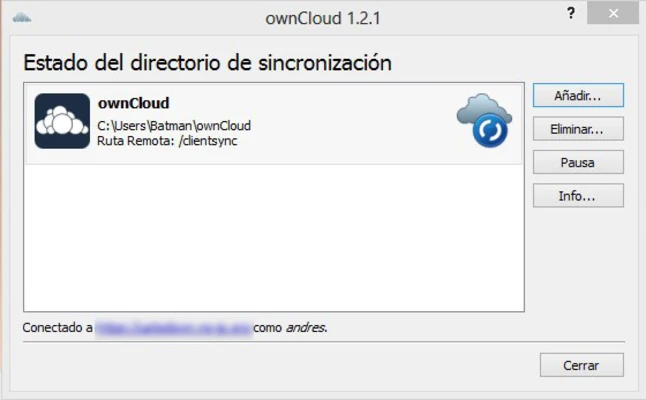
The desktop client runs in the system tray and provides quick access to connected ownCloud accounts, synchronization status, and settings. Users can view synchronization activity, check for errors, manage accounts, and configure which folders should be synchronized.
The interface is relatively simple, making it suitable for both personal and business file synchronization.
Installation and Setup
-
Download and install the ownCloud Desktop Client for your operating system.
-
Launch the application after installation.
-
Enter the address of your ownCloud server.
-
Sign in using your ownCloud account credentials.
-
Select the local folder used for synchronization.
-
Choose which remote folders should be synchronized.
-
Complete the setup and allow the client to synchronize your files.
The desktop client requires access to an existing ownCloud server. Installing the desktop client alone does not create a complete self-hosted cloud server.
How to Use
After connecting an account, files placed in the configured local synchronization folder are synchronized with the ownCloud server. Changes made on another connected device can also be downloaded automatically.
You can use the client to:
-
Monitor synchronization status
-
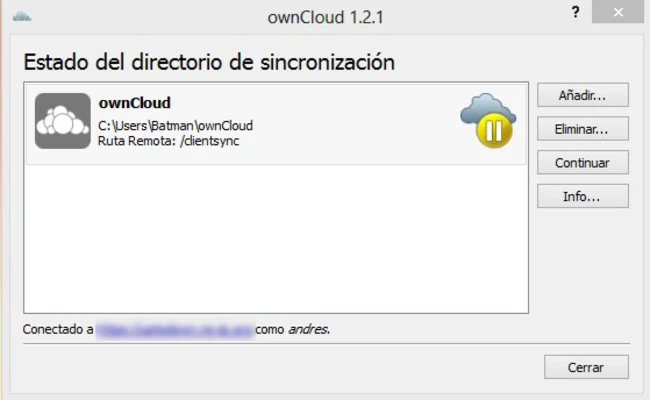
Pause or resume synchronization
-
Select folders for synchronization
-
Manage connected ownCloud accounts
-
Adjust bandwidth and synchronization settings
-
Open synchronized files directly from your computer
-
Review synchronization errors and notifications
File sharing, permissions, user management, and many server-side features are generally managed through the ownCloud web interface rather than the desktop client.
FAQ
Is ownCloud Desktop Client free?
Yes. The desktop client is open-source software and can be used to connect to an ownCloud server.
Does the desktop client include cloud storage?
No. The desktop client is a synchronization application. You need access to an ownCloud server or a compatible ownCloud hosting provider for cloud storage.
Can I use ownCloud on my own server?
Yes. ownCloud is designed to support self-hosted deployments on infrastructure controlled by the user or organization.
Does ownCloud sync files automatically?
Yes. Once an account and synchronization folders are configured, the client can automatically synchronize changes between the computer and the connected server.
Is ownCloud the same as Dropbox or Google Drive?
The basic purpose is similar, but ownCloud is primarily focused on self-hosted and privately controlled cloud file storage and synchronization.
Alternatives
-
Nextcloud – A popular open-source platform for self-hosted file synchronization, sharing, and collaboration.
-
Seafile – A self-hosted file synchronization and sharing platform focused on performance and efficient file management.
-
Syncthing – A decentralized file synchronization tool that synchronizes folders directly between devices without requiring a central cloud server.
Pricing
The ownCloud Desktop Client is available as open-source software. Costs may apply for ownCloud server hosting, enterprise features, support, or third-party hosting services depending on the deployment.
System Requirements
-
Operating System: Supported versions of Windows, macOS, or Linux
-
Processor: 64-bit processor recommended
-
RAM: 2 GB or more recommended
-
Storage: Sufficient free space for synchronized files
-
Internet: Internet connection required for synchronization with a remote server
Exact requirements may vary depending on the operating system and ownCloud Desktop Client version.
PROS
-
Free and open-source desktop client
-
Automatic file synchronization
-
Strong control over self-hosted data
-
Cross-platform support
-
File and folder sharing
-
Supports private and enterprise deployments
-
Extensible ownCloud ecosystem
CONS
-
Requires an ownCloud server or compatible hosting service
-
Self-hosted deployment can require technical knowledge
-
Performance depends on server and network configuration
-
Some advanced features are server-side rather than part of the desktop client
Conclusion
ownCloud Desktop Client is a practical solution for synchronizing files between a computer and an ownCloud server. Its main advantage is that users can combine automatic desktop synchronization with a self-hosted cloud environment, giving them greater control over where their data is stored and how it is shared.
It is a good choice for individuals, businesses, and organizations that want an alternative to traditional cloud storage services and are comfortable managing or using an ownCloud server.