

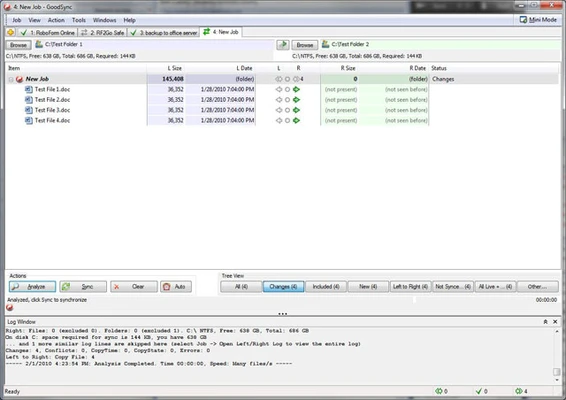
GoodSync is an easy, secure, and reliable file synchronization and backup software for Windows designed to automatically sync and back up photos, music, and important files.
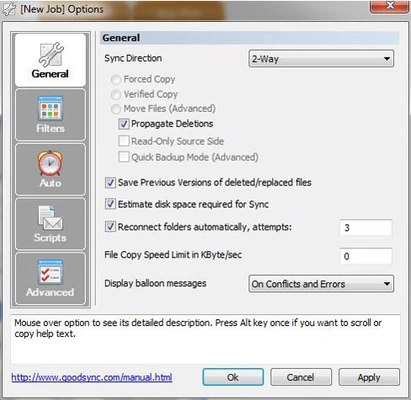
It supports both one-way backup and true bi-directional synchronization, helping ensure files stay consistent across devices and preventing data loss. Backups and sync tasks can be run manually with one click or scheduled to run automatically.
GoodSync works across local devices, external drives, LAN networks, and cloud storage services such as Google Drive, Dropbox, and OneDrive. It also supports FTP, SFTP, and WebDAV connections for remote file access and transfers.
A key feature is its unified account system. Once devices are linked to a GoodSync account, sync jobs, settings, and server connections can be shared across all devices for easier management.
The software also includes GoodSync Explorer, which allows users to browse and access files across connected devices and cloud storage from a single interface.
Key Features
- File synchronization (one-way and two-way)
- Automatic and scheduled backups
- Cloud storage support (Google Drive, Dropbox, OneDrive)
- FTP / SFTP / WebDAV support
- AES-256 encryption for secure transfers
- File versioning and conflict handling
- Cross-platform support (Windows, macOS, Linux, mobile)
- Command-line automation support
Key Benefits
- Unified device management with one account
- Automatic sync of jobs across devices
- Secure cloud backup and restore
- Remote file access via GoodSync Explorer
- Flexible automation and scheduling options
Installation
Download the installer, run the setup wizard, and sign in with a GoodSync account. After setup, create a new sync or backup task by selecting source and destination folders, then choose sync rules and execution mode.
Best for
Users who need reliable file synchronization, automatic backups, and cross-device data management across local storage, networks, and cloud platforms.