


O&O ShutUp10++ is a free Windows privacy management tool that allows users to control and customize privacy-related settings in Windows 10 and Windows 11.
The software provides a simple interface where users can disable unwanted telemetry, tracking features, and data-sharing options without manually changing complex Windows settings.
It is portable, requires no installation, and can be used directly on any compatible Windows PC.
Key Features
Privacy Settings Control
- Manage Windows privacy options from one place.
- Disable unnecessary tracking and data collection features.
- Control diagnostic data sharing with Microsoft.
Telemetry Management
- Reduce the amount of usage data sent to Microsoft.
- Adjust Windows feedback and diagnostic settings.
- Improve privacy without affecting normal system usage.
Security Controls
- Manage location services.
- Control app permissions.
- Adjust Windows security-related options.
Windows Update Settings
- Customize update-related privacy and notification settings.
- Control optional Windows features.
Backup and Restore
- Create backups before applying changes.
- Restore previous settings whenever needed.
Portable Application
- No installation required.
- Run directly from a USB drive or local folder.
- Lightweight and easy to use.
User Interface
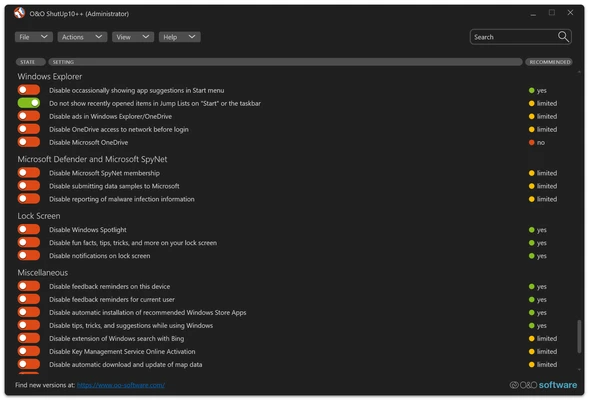
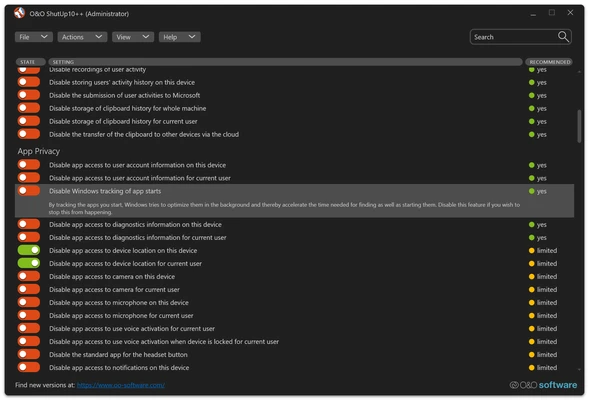
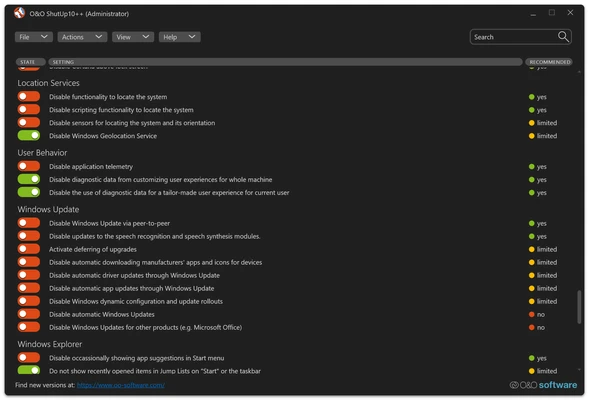
O&O ShutUp10++ features a clean and straightforward interface.
All available privacy options are organized into categories, with recommendations that help users choose settings based on privacy impact and system compatibility.
Installation and Setup
- Download O&O ShutUp10++.
- Run the executable file.
- Review available privacy settings.
- Apply recommended or customized changes.
- Create a backup before making major modifications.
No installation or additional software is required.
How to Use
Adjust Privacy Settings
- Launch the application.
- Browse through privacy categories.
- Enable or disable individual options.
Apply Recommended Settings
- Use the recommended configuration to quickly improve privacy.
- Review changes before applying.
Restore Previous Settings
- Open the backup option.
- Restore saved Windows privacy configurations if necessary.
System Requirements
- Operating System: Windows 10 / Windows 11 (32-bit and 64-bit)
- Processor: 1 GHz or faster
- RAM: 1 GB minimum
- Storage: 50 MB free disk space
PROS
- Free for personal and business use
- No installation required
- Easy-to-use interface
- Extensive privacy controls
- Backup and restore support
- Lightweight and portable
CONS
- Only supports Windows 10 and Windows 11
- Incorrect settings may affect some Windows features
- Requires basic knowledge of privacy options
Alternatives
- Ashampoo AntiSpy – Windows privacy configuration tool with similar features.
- W10Privacy – Advanced Windows privacy and telemetry control utility.
- Privatezilla – Open-source Windows privacy management tool.
Conclusion
O&O ShutUp10++ is a useful privacy optimization tool for Windows 10 and Windows 11 users who want more control over system settings.
With its portable design, simple interface, and wide range of privacy options, it provides an easy way to reduce unwanted data collection and customize Windows behavior.
Note: Freeware. No installation required.