

DVDFab is a powerful DVD and Blu-ray multimedia software suite that allows users to copy, convert, create, and manage their digital media collections on Windows PCs.
Developed by Fengtao Software Inc., DVDFab provides professional tools for DVD copying, Blu-ray backup, video conversion, disc creation, and media processing.
With support for modern video formats, 4K UHD content, GPU acceleration, and an intuitive interface, DVDFab is designed for users who want an all-in-one solution for managing physical and digital media.
Features
DVD and Blu-ray Copy
DVDFab allows users to copy and back up DVD and Blu-ray content to:
- ISO files
- Video folders
- Blank discs
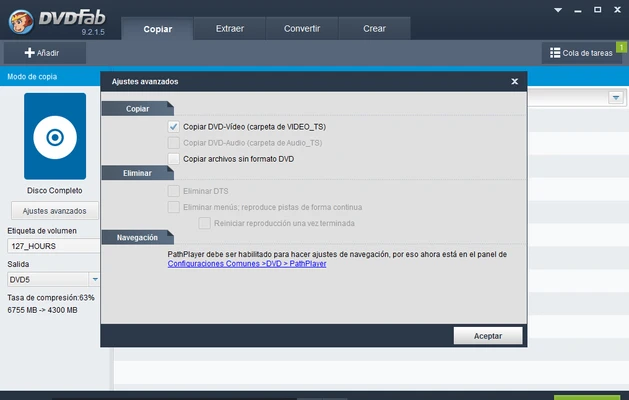
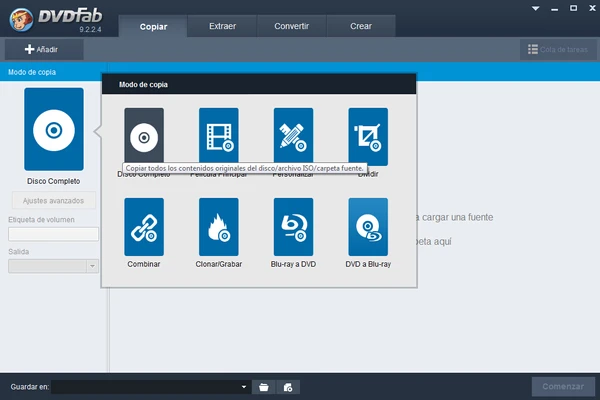
Multiple copy modes are available, including:
- Full Disc
- Main Movie
- Customize
- Split
- Merge
- Clone
DVD and Blu-ray Ripping
Convert physical discs into popular digital formats such as:
- MP4
- MKV
- AVI
- MOV
Users can customize video quality, audio tracks, subtitles, and output settings.
Video Conversion
The built-in converter supports a wide range of video and audio formats, making it easy to prepare media files for computers, smartphones, tablets, and home theater systems.
4K UHD Support
DVDFab supports modern high-resolution media, including:
- 4K UHD videos
- Blu-ray formats
- HDR content
It provides tools for converting and managing high-quality video collections.
DVD and Blu-ray Creator
Create professional-looking DVDs and Blu-ray discs with:
- Custom menus
- Multiple audio tracks
- Subtitle support
- Personalized layouts
Hardware Acceleration
DVDFab uses GPU acceleration technologies from NVIDIA, AMD, and Intel to improve conversion and processing speed.
Built-in Media Player
Preview videos and check media files before conversion, burning, or exporting.
Metadata Management
Automatically organize media libraries with information such as:
- Movie titles
- Posters
- Descriptions
- Cast details
User Interface
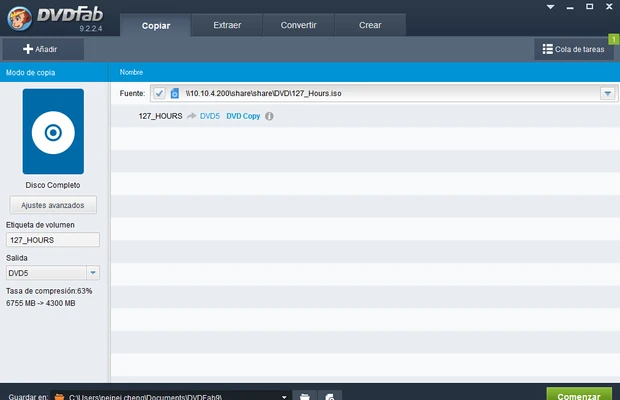
DVDFab features a modern and easy-to-use interface with separate modules for copying, ripping, converting, and creating discs.
The workflow is designed for both beginners and advanced users, with guided settings and automatic configuration options.
How to Use
- Launch DVDFab and select a module.
- Insert a DVD or Blu-ray disc.
- Choose the desired output format or copy mode.
- Adjust video, audio, and subtitle settings.
- Select the destination folder or disc.
- Start the conversion or backup process.
FAQ
Is DVDFab free?
DVDFab offers a free trial version with limited functionality. Full features require purchasing a license.
Does DVDFab support Windows 11?
Yes. DVDFab works with Windows 11 and Windows 10 systems.
Can DVDFab convert DVDs to MP4?
Yes. The DVD Ripper module can convert DVDs into MP4, MKV, and other popular formats.
Does DVDFab support Blu-ray and 4K UHD?
Yes. It supports Blu-ray and 4K UHD media processing with compatible hardware.
Is DVDFab suitable for beginners?
Yes. The interface provides automated settings while also offering advanced customization options.
Alternatives
HandBrake – Free and open-source video transcoding software.
WinX DVD Ripper Platinum – DVD ripping and video conversion tool.
Nero Platinum – Multimedia suite with disc burning and video editing features.
Roxio Creator NXT Pro – Professional media creation software.
System Requirements
- Operating System:
- Windows 11
- Windows 10
- Windows 8.1
- Windows 7
- Processor: Intel or AMD processor
- RAM: 2GB minimum
- Storage: 20GB free space recommended
- DVD/Blu-ray drive required for disc operations
- Internet connection required for activation
Pros
- Complete DVD and Blu-ray toolkit
- Supports 4K UHD media
- Powerful video conversion features
- GPU acceleration support
- Easy-to-use interface
- Regular updates
Cons
- Full version is expensive
- Many advanced features require separate licenses
- Some functions may require technical knowledge
Conclusion
DVDFab is a comprehensive DVD and Blu-ray software solution for Windows users who need powerful media conversion, backup, and creation tools.
With support for modern video formats, high-quality output, hardware acceleration, and a simple workflow, DVDFab is a reliable choice for managing personal media collections.
Although the complete package can be costly, its wide range of features makes it one of the most capable multimedia tools available.