

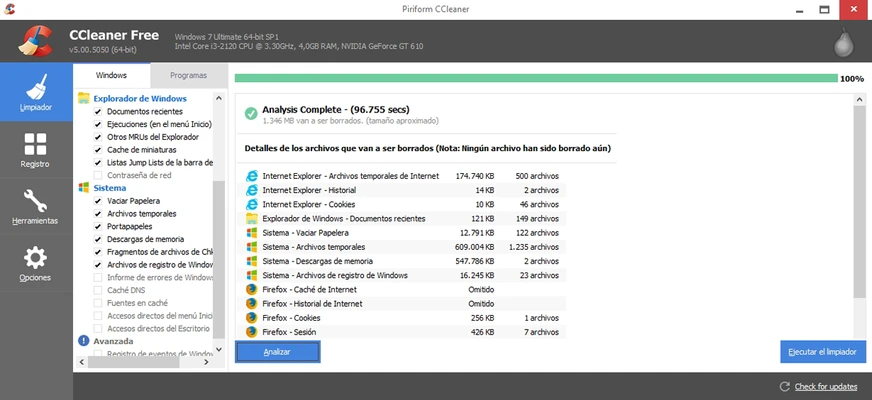
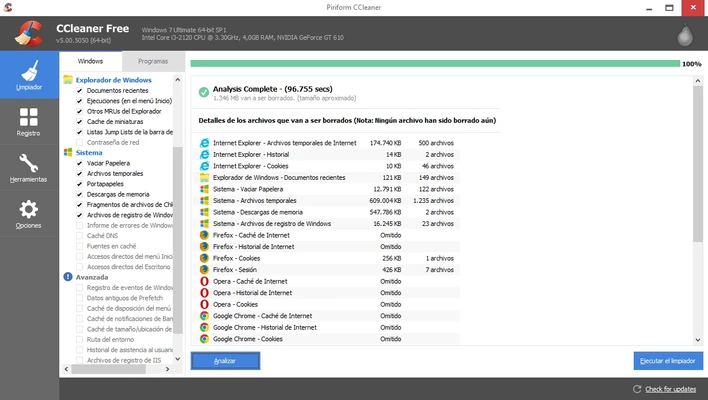
CCleaner Free is a popular Windows system optimization and PC cleaning tool designed to remove junk files, protect privacy, and improve computer performance.
Developed by Gen Digital Inc. (formerly Piriform), CCleaner helps users clean temporary files, browser history, cookies, unused data, and other unnecessary files that take up disk space.
The software also includes tools for managing startup programs, uninstalling applications, analyzing disk usage, and optimizing Windows performance.
With a simple interface and powerful cleaning features, CCleaner is widely used for maintaining Windows PCs and keeping systems running smoothly.
Features
Junk File Cleaner
CCleaner scans and removes unnecessary files, including:
- Temporary Windows files
- Browser cache
- Internet history
- Cookies
- Recycle Bin data
- Application leftovers
This helps recover storage space and improve system performance.
Privacy Protection
The built-in privacy cleaner removes traces of online activity from popular browsers, helping users manage cookies, browsing history, and tracking data.
PC Health Check
The Health Check feature analyzes your computer and recommends improvements related to:
- Performance
- Privacy
- Storage
- Security settings
Software Updater
CCleaner can check installed applications and help users keep supported software updated with the latest versions and security fixes.
Driver Updater
The Driver Updater feature scans hardware drivers and helps identify outdated components that may affect system stability.
Startup Manager
Manage programs that automatically launch when Windows starts to improve boot speed and system responsiveness.
Registry Cleaner
CCleaner includes a Windows Registry cleaner that can detect and remove invalid or unused registry entries.
Users should review detected items before making changes.
Duplicate File Finder
The duplicate finder helps locate unnecessary duplicate files and allows users to remove them to save disk space.
Uninstaller
The built-in uninstaller allows users to remove applications and clean leftover files after uninstalling software.
Cloud Drive Cleaner
The latest versions include cloud storage analysis tools that help identify large or duplicate files in services such as Google Drive and OneDrive.
User Interface
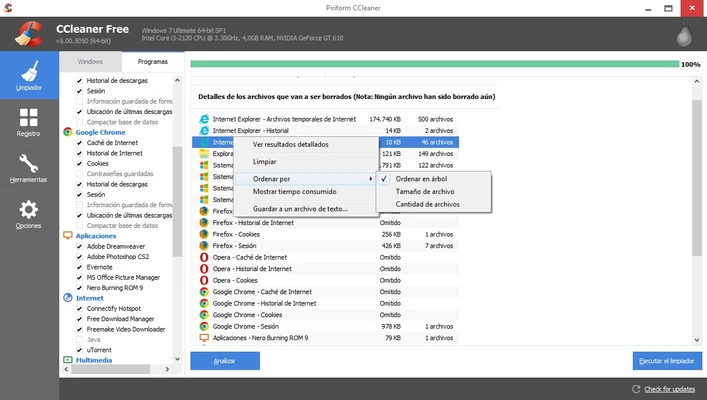
CCleaner features a clean and beginner-friendly interface with clearly organized sections.
Users can quickly access cleaning tools, optimization options, privacy settings, and system utilities from the main dashboard.
FAQ
Is CCleaner free?
Yes. CCleaner offers a free edition with basic cleaning and optimization features. Additional tools are available in the Professional version.
Is CCleaner safe to use?
Yes. CCleaner is a legitimate Windows maintenance tool. Users should review cleaning options before deleting files or registry entries.
Can CCleaner speed up my PC?
CCleaner can help improve performance by removing unnecessary files, managing startup applications, and freeing disk space. However, it cannot replace hardware upgrades or solve all performance problems.
Does CCleaner remove viruses?
No. CCleaner is not an antivirus program and cannot remove malware infections.
Does CCleaner delete important files?
CCleaner is designed to remove unnecessary data, but users should always check selected items before cleaning.
System Requirements
- Operating System: Windows 7, 8.1, 10, 11 (32-bit and 64-bit)
- Processor: Intel Pentium 4 or equivalent AMD processor
- RAM: 1 GB minimum
- Storage: Around 50 MB free space
- Internet connection for updates and activation
- Administrator privileges required
Pros
- Easy-to-use interface
- Effective junk file cleaning
- Privacy protection tools
- Startup management
- Application uninstaller
- Lightweight and fast
Cons
- Some advanced features require the Professional version
- Registry cleaning is not always necessary
- Limited advanced system repair capabilities
Conclusion
CCleaner Free remains one of the most recognized PC cleaning and optimization tools for Windows.
With features for removing junk files, protecting privacy, managing startup programs, and maintaining system performance, it provides a simple solution for everyday Windows maintenance.
While it should be used carefully when cleaning registry entries or system files, CCleaner is still a useful utility for users who want to keep their computers organized and running efficiently.