Go to Windows platform Display platforms icon
Go to Windows platform Go to Mac platform Go to Android platform
PC Fresh 1.0.0.0 icon

PC Fresh 1.0.0.0

1.0.0.0
Abelssoft
5.0
8.68 MB size

Optimize your computer in seconds

PC Fresh is a system optimization tool designed to help improve computer performance without requiring advanced technical knowledge. It provides a collection of settings for managing background processes and Windows startup behavior.

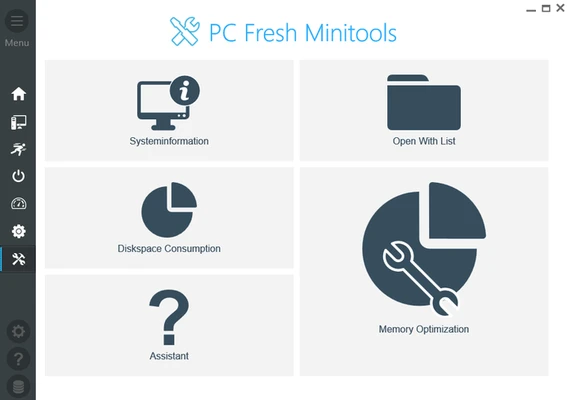
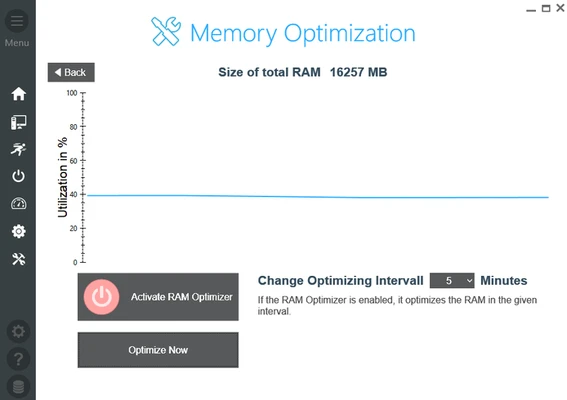
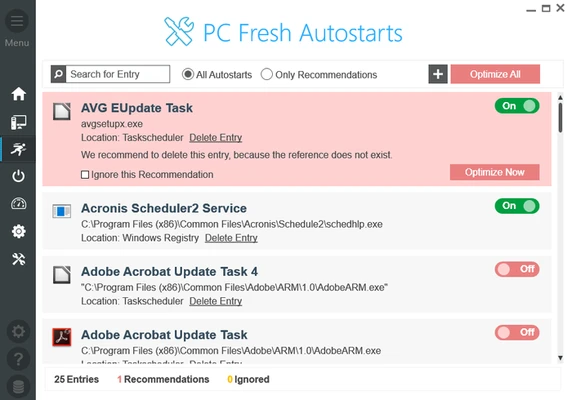
The program's main window provides access to its available optimization options. You can manage services running in the background, choose which services start with Windows, adjust certain performance-related settings, and configure general options.

Using the available tools is straightforward. PC Fresh can detect certain configuration issues and provides options for addressing them, allowing users to make system adjustments without manually changing multiple Windows settings.

PC Fresh can be useful for optimizing system performance, particularly on computers used for gaming. However, its results depend on the system configuration and the changes being made, so it should be considered a system optimization utility rather than a guaranteed performance boost.

Information about PC Fresh 1.0.0.0

License Freeware
Op. System Windows
Category Utilities
Language English + more
Author Abelssoft
permission icon Permissions Not applicable
Date 2026-10-07
Size 8.68 MB
File type Official Website

Apps recommended for you

XYplorer icon
Analyze each detail of your files
TightVNC 2.8.89 icon
Remotely control a computer via web browser
Multicommander icon
Multi-tab file manager
QuickLook icon
Take a look at any file's content instantly
PrivaZer 4.0.126 icon
Free PC cleaner & Privacy software that cleans unwanted traces
Grammarly icon
Grammarly is a powerful AI writing assistant for grammar checking, spell correction, and improving English writing.
Easy System Utility 1.1.70 icon
An All-in-one Windows PC Solution for All Your Needs
Windows Terminal 3001.24.12741.0 icon
Run any application from the command line
Fixyfier 9.4.0.0 icon
Fix common Windows problems with just one click
WinScript 2.26.0 icon
Automation and advanced customization for Windows
TightVNC 2.8.89 icon
Remotely control a computer via web browser
FixBuff 1.0.0.190 icon
Repair Windows system errors, missing DLLs, and optimize PC gaming.
Advanced Renamer 4.26 icon
Rename massive files and folders with ID3 and EXIF support
Hasleo Disk Clone 5.9.2.0 icon
Easily migrate your Windows operating system
Evernote 11.36.3 icon
Notes organize your life, Evernote organizes your notes
PrusaSlicer icon
Export files to print on your 3D printer
HWMonitor 1.67 icon
A hardware monitoring tool that will read the system`s main health sensors
CoolTerm icon
Sends and receives data through any serial port
iTop Data Recovery icon
iTop Data Recovery for Windows is a tool that helps users quickly recover deleted or lost files from various storage devices.
Tablacus Explorer icon
Not just your average, run-of-the-mill file explorer
Eraser 6.2.0.2998 icon
Completely remove sensitive data from your hard drive by overwriting it
CCleaner icon
Remove all the junk that Windows accumulates
Adobe Acrobat Reader icon
Adobe Acrobat Reader is a free PDF viewer that allows users to open, read, and annotate PDF documents with ease.