
Go to Windows platform Display platforms icon
Go to Windows platform Go to Mac platform Go to Android platform
CoolTerm icon

CoolTerm

2.3.0
Roger Meier
0
24.35 MB size

Sends and receives data through any serial port

CoolTerm is a completely free app that will allow you to send and receive information through any serial port. This is especially useful for users (usually professionals or electronics hobbyists) who need to exchange data between various devices that need to be connected through serial ports, such as development kits, servo controllers, or various transmitters.

Simply unzip and run

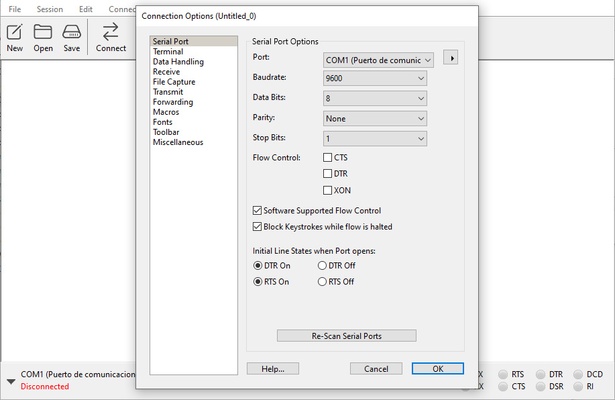
In order to use CoolTerm you will not need to install the program. You will only have to unzip all the files inside the same folder and that's it. The first time you run the program you will be able to adjust the Configuration Options, but if you prefer (or do not know how to do it very well) you can also leave all the options by default. Once you have completed this first boot, you will be able to use the software at ease.

Sends information to serial ports in seconds

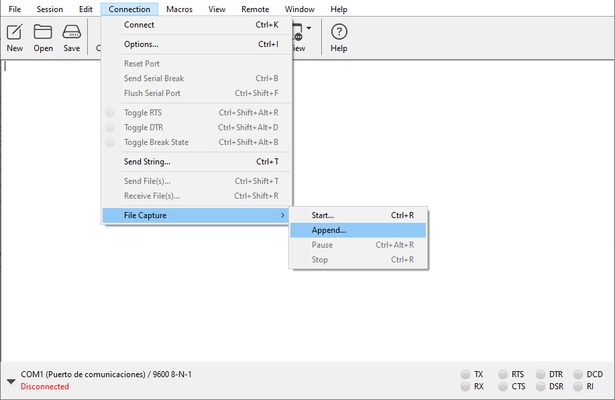
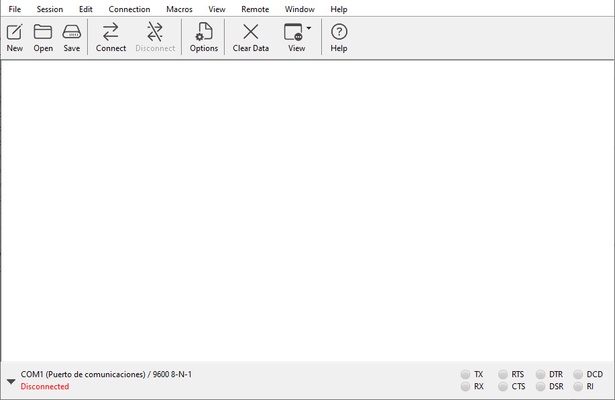
The first thing you will see when you open CoolTerm will be a terminal where you can enter all the information you want to send to the serial port. The program is compatible with both .CoolTermSettings files and .STC files, so you can create and save your own macros for later use as many times as you want. You can also choose between three different views: standard, hexadecimal and graphical.

Convenient sending of information through serial ports

Download CoolTerm if you usually work with this type of ports, which are becoming less and less common in most PCs. Thanks to this program you will be able to work with any external device that uses serial ports and send information and data between them.

Information about CoolTerm

License Free
Op. System Windows
Category Utilities
Language English 47 more
Author Roger Meier
permission icon Permissions Not applicable
Date 2026-06-02
Size 24.35 MB
File type ZIP

Apps recommended for you

Syncovery 12.0.7 (64-bit) icon
Syncovery will copy your files the way you need it!
Fort Firewall icon
An alternative to the Windows Firewall
Microsoft OneDrive icon
Store, sync, and access your files anywhere with Microsoft OneDrive for Windows, the secure cloud storage and file backup solution.
Readest 0.12.10 icon
A lightweight, powerful and elegant e-book reader
ChrisPC CPU Booster icon
Optimize your system in seconds
Argente Utilities icon
Argente Utilities for Windows is a system optimization tool that helps clean, speed up, and maintain your PC by fixing errors and managing files.
Zotero 10.0.8 icon
Your own personal research assistant
Wise Disk Cleaner 11.3.9 icon
Clean junks of Browsers, remove junk and useless files of Windows
KCleaner 4.0.5.0 icon
A quick way to Free space in your Hard Drive
Intel Extreme Tuning Utility (XTU) 10.0.1.248 icon
Monitor your processor's performance and overclock it
iDrive 7.0.1.22 icon
Get 10GB of free storage space for your backups
Argente Utilities 3.1.1.0 icon
Complete tools to maintain and optimize your PC
PhraseExpress 18.0.86 icon
Finally! Autotext completion for your desktop
Privacy Eraser 6.32.0.5620 icon
Protect your privacy by erasing all traces of your activity
Evernote 11.42.3 icon
Notes organize your life, Evernote organizes your notes
Zotero 10.0.8 icon
Your own personal research assistant
Argente System Manager icon
Argente System Manager for Windows is a comprehensive system optimization tool that helps users manage and improve their PC’s performance, security, and stability.
WinDirStat icon
WinDirStat for Windows is a disk usage analyzer that visually shows how space is used and helps users clean up their drives efficiently.
Argente StartUp Manager icon
Argente StartUp Manager for Windows is a tool that helps users manage and optimize startup programs to improve system boot time and performance.
FileZilla icon
FileZilla is a free, open-source FTP client that allows users to transfer files between local and remote servers with ease.
Synchredible 9.1.2.0 icon
Synchronize folders in an easy and simple way
WinNc icon
File manager for Windows 11
Sandboxie icon
Sandboxie for Windows is a tool that isolates programs in a secure environment, preventing unwanted changes and protecting your system from malware.
SystemInfo icon
View detailed hardware and system information with SystemInfo for Windows, the lightweight diagnostic tool for monitoring PC specifications and performance.