


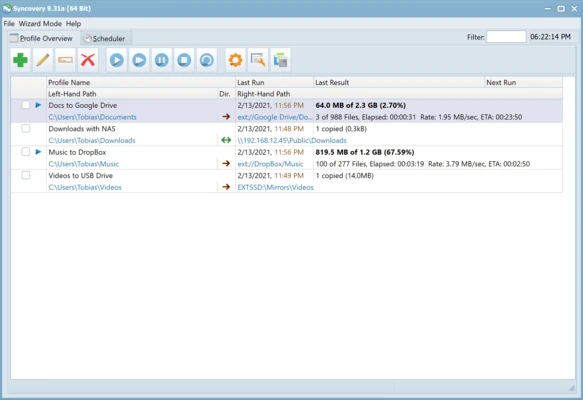
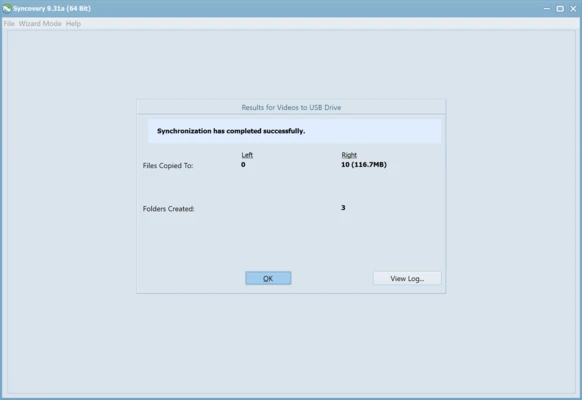
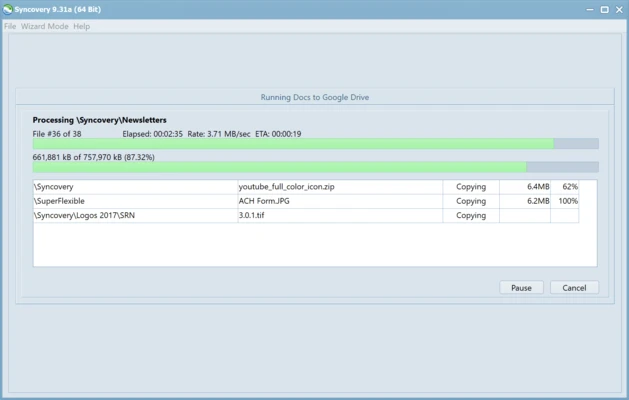
Syncovery is a professional file synchronization and backup software for Windows that helps users securely synchronize, copy, and back up files across local drives, network locations, cloud storage services, servers, and external devices.
Designed for both personal and business use, Syncovery supports advanced synchronization methods, automated scheduling, file versioning, and cloud integration. It can efficiently handle large datasets, database files, and complex backup tasks while maintaining data integrity and reliability.
Key Features
Advanced File Synchronization
Synchronize files and folders between multiple locations, including local drives, network shares, NAS devices, servers, and cloud storage platforms.
Flexible Backup Profiles
Create and save multiple synchronization and backup profiles with customized settings for different tasks and environments.
Automated Scheduling
Run backup and synchronization jobs automatically at specified times, intervals, or system events.
File Versioning
Keep multiple backup versions of files to protect against accidental modifications, overwrites, or deletions.
Moved File Detection
Detect relocated files and replicate folder reorganizations without unnecessary file transfers.
Cloud Storage Support
Connect and synchronize data with various cloud storage providers and remote servers.
Database-Aware Backup
Safely back up database files while minimizing the risk of data corruption during transfer operations.
Exact Mirror Synchronization
Create mirror copies of source data and maintain identical folder structures between locations.
Advanced Filtering
Use inclusion and exclusion rules to precisely control which files and folders are processed.
Detailed Logging
Generate comprehensive logs and reports for monitoring synchronization and backup activities.
Why Choose Syncovery
Syncovery offers a powerful combination of file synchronization, backup automation, and cloud connectivity in a single solution. Its flexible profile system, advanced scheduling options, and support for large-scale environments make it suitable for both home users and IT professionals who require reliable data protection and synchronization workflows.
Best For
- File synchronization across multiple devices
- Automated backup management
- Cloud storage synchronization
- Business and enterprise data protection
- Server and network backup tasks
- Users requiring advanced scheduling and version control
Pros
- Fast and reliable synchronization engine
- Supports cloud, network, and local storage
- Extensive scheduling and automation options
- Advanced file versioning capabilities
- Flexible profile-based configuration
- Suitable for personal and business environments
Cons
- Interface may feel complex for beginners
- Some advanced functions require configuration experience
- Resource usage can increase during large synchronization tasks
- Commercial license required for long-term use
System Requirements
- Operating System: Windows 7, Windows 8, Windows 10, Windows 11
- Processor: 1 GHz or faster
- Memory: 2 GB RAM minimum
- Storage: 50 MB available disk space
- Internet connection required for updates and cloud services
Conclusion
Syncovery is a feature-rich synchronization and backup solution that provides reliable data protection for local, network, and cloud environments. With advanced automation, versioning, and synchronization capabilities, it is an excellent choice for users who need greater flexibility and control than standard backup software offers.