
Go to Windows platform Display platforms icon
Go to Windows platform Go to Mac platform Go to Android platform
QuickLook icon

QuickLook

4.0.0
Paddy Xu
5
60.14 MB size

Take a look at any file's content instantly

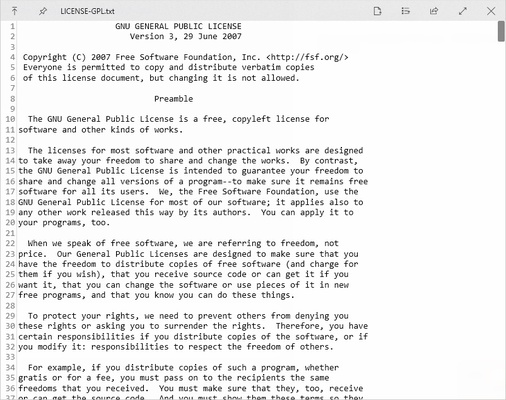
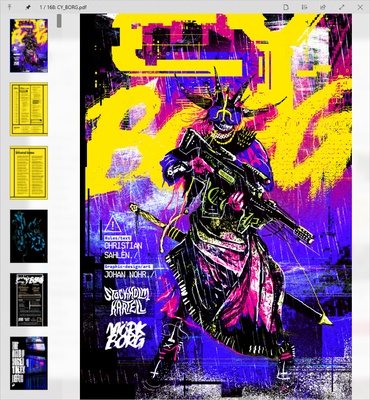
QuickLook is an app that lets you use the Mac feature of the same name on Windows devices. This feature, for those who have never used it, lets you quickly view the content of any file you have selected, without needing to open it. You can open text or PDF documents, photos, videos, compressed files, and much more.

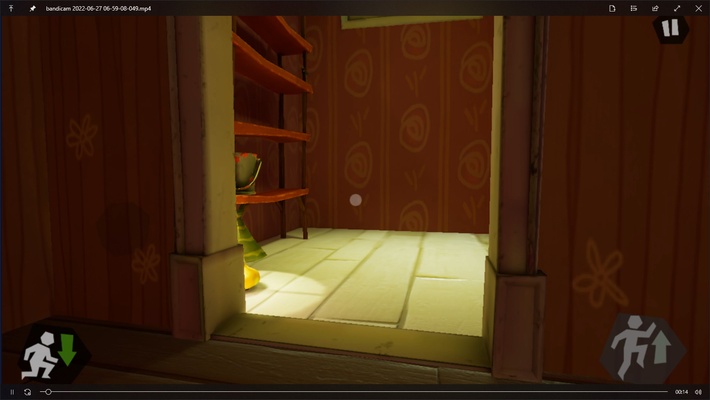
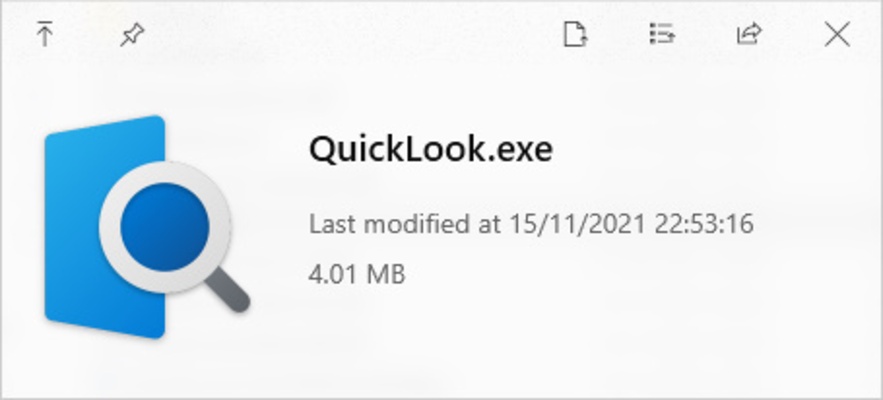
The way QuickLook works is quite simple. Once the program is running in the background, simply tapping the spacebar will cause a pop-up window to appear, showing you all the content of the selected file. If it is an .exe file, you can see its size and last modification date whereas, if it is a video, you can start watching it immediately, without needing to open a player.

The full list of formats that QuickLook supports is huge: .png, .apng, .jpg, .bmp, .gif, .psd, .zip, .rar, .tar.gz, .7z, .mp4, .mkv, .m2ts, .ogg, .mp3, .m4a, .htm, .html, .pdf, .ai, .csv, .eml, .msg, .md, .markdown, all text formats, and even some additional formats if you install plugins. In short, you can see a preview of practically any file on your PC.

QuickLook is a very simple program, thanks to which one of Mac's most interesting features is brought straight to your Windows computer. The program is 100% portable and does not require installation. You just need to leave it running in the background and sit back and enjoy.

Information about QuickLook

License Free
Op. System Windows
Category Utilities
Language English
Author Paddy Xu
permission icon Permissions Not applicable
Date 2026-06-02
Size 60.14 MB
File type EXE

Apps recommended for you

O&O ShutUp10++ 3.3.1119 icon
Disable telemetry, localization detection, Cortana, app access. Free antispy tool!
FinePrint icon
Save ink and paper when printing
Sandboxie icon
Sandboxie for Windows is a tool that isolates programs in a secure environment, preventing unwanted changes and protecting your system from malware.
Files App icon
Files App for Windows is a modern file manager that lets users browse, organize, and manage files with a clean and intuitive interface.
Zotero 10.0.8 icon
Your own personal research assistant
GPU-Z icon
Monitors your graphic card's key features
GoodSync 12.11.4 icon
GoodSync is a backup and file synchronization program for Windows
Print.Test.Page.OK icon
Nenad Hrg
KCleaner 4.0.5.0 icon
A quick way to Free space in your Hard Drive
Intel Extreme Tuning Utility (XTU) 10.0.1.248 icon
Monitor your processor's performance and overclock it
iDrive 7.0.1.22 icon
Get 10GB of free storage space for your backups
Argente Utilities 3.1.1.0 icon
Complete tools to maintain and optimize your PC
PhraseExpress 18.0.86 icon
Finally! Autotext completion for your desktop
Privacy Eraser 6.32.0.5620 icon
Protect your privacy by erasing all traces of your activity
Evernote 11.42.3 icon
Notes organize your life, Evernote organizes your notes
Zotero 10.0.8 icon
Your own personal research assistant
UniFi Network Server icon
UniFi Network Server is a centralized management software for configuring and monitoring UniFi network devices, ensuring seamless and efficient network performance.
Adlice Diag icon
Adlice Software
Citrix Workspace 26.10.0.31 icon
Access other desktops remotely
AOMEI Partition Assistant Standard Edition 10.11.0 icon
Safely partition your hard drive without data loss
Synchredible 9.1.2.0 icon
Synchronize folders in an easy and simple way
NewFileTime icon
Modify file and folder timestamps easily with NewFileTime for Windows, the lightweight utility for changing creation, modification, and access dates.
Duet Display 4.0.443 icon
Ex-Apple Engineers turn your iPad into an extra display!
OCCT 17.1.3 icon
Let you benchmark and overclock your PC system components