Fixyfier is a free Windows maintenance and repair toolkit that brings built-in Windows utilities such as DISM, SFC, CHKDSK, troubleshooting tools, network commands, service and package managers, and system settings into a single interface. It provides more than 140 tasks across twelve sections, allowing users to perform common maintenance and repair operations without manually entering commands or searching through Windows Settings.
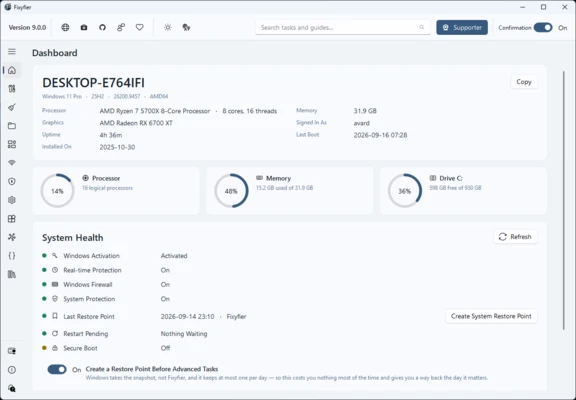
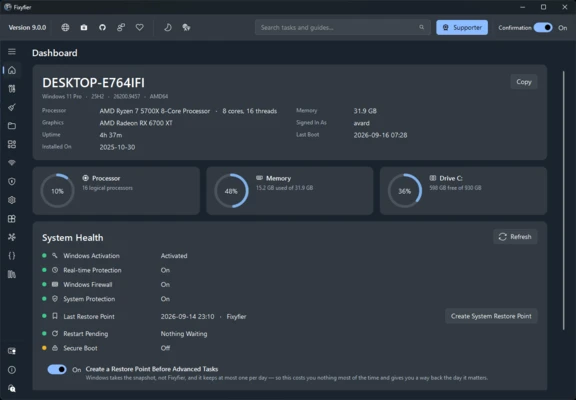
Fixyfier's main Fix task can run several maintenance operations in one pass, including temporary-file cleanup, DNS flushing, Disk Cleanup, DISM, SFC, and disk checking. Each operation can also be enabled or disabled individually. The dashboard provides information about the system and current resource usage.
The program also includes tools for uninstalling Microsoft Store apps and desktop programs in bulk, managing preinstalled Windows applications, and changing advertising and diagnostic-data settings. It provides information about Windows services and their dependencies, and allows users to save a series of tasks as reusable routines.
Fixyfier is designed as a convenience layer for existing Windows tools rather than a replacement for them. Advanced tasks display the corresponding command before execution and can request a Windows restore point before making changes. The program does not require an account and does not include advertising, telemetry, or analytics. It supports 39 languages and includes an optional one-time unlock for running custom scripts.