


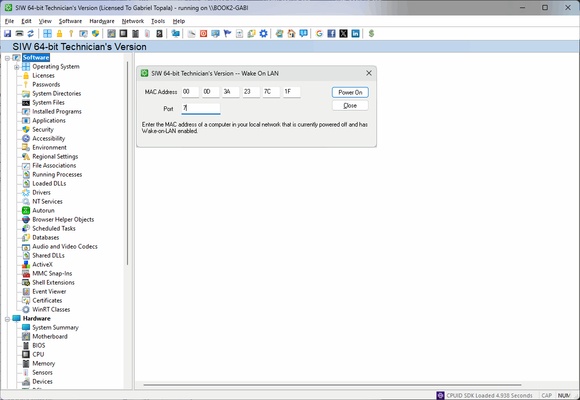
SIW – Advanced System Information Tool for Windows PC
SIW (System Information for Windows) is a professional system information and diagnostic tool for Windows PCs. It provides detailed insights into your computer's hardware, software, network, and security configuration, helping IT professionals, technicians, and advanced users monitor, analyze, and report system data efficiently.
Comprehensive System Analysis
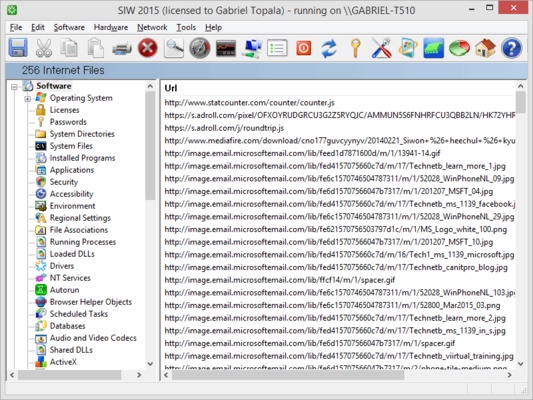
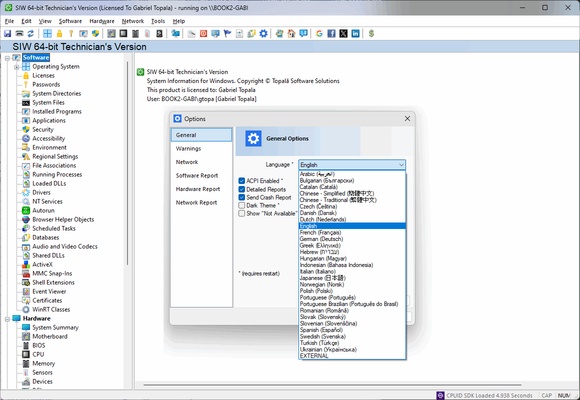
SIW gathers extensive information about your computer, including installed software, product keys, running processes, hardware components, network settings, and security configurations. Its intuitive interface presents data in a clear and organized manner, making it easy to understand even complex system details.
Key Features
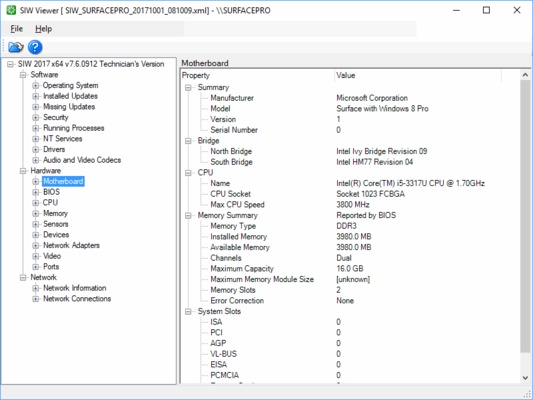
- Hardware Information: Motherboard, CPU, RAM, GPU, disk drives, S.M.A.R.T. status, sensors, and peripherals.
- Software Information: Installed programs, Windows OS details, hotfixes, running processes, services, product keys, and password recovery.
- Network Information: Active network connections, IP configuration, open ports, network shares, and Active Directory details.
- Real-Time Monitoring: CPU, memory, page file usage, and network traffic monitoring.
- Diagnostic Tools: MAC address changer, Wake-On-LAN, URL explorer, ping, trace, and file monitoring.
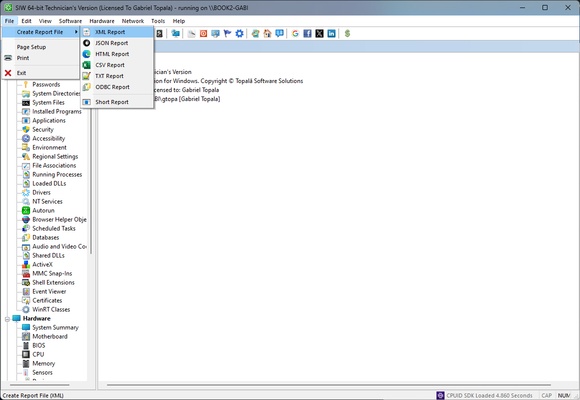
- Report Generation: Export detailed system reports in HTML, CSV, TXT, or XML for audits, diagnostics, or inventory management.
- Portable Version: Technician edition runs from USB without installation, ideal for multi-system diagnostics.
How to Use SIW
- Download SIW for Windows from the official website or FileHorse.
- Install or run the portable version on your PC.
- Launch the application and browse system information categories.
- Generate detailed reports for hardware, software, and network analysis.
- Use real-time monitoring tools to track CPU, memory, and network performance.
System Requirements
- Operating System: Windows 10 / 11 (32-bit or 64-bit)
- Processor: 1 GHz or faster
- RAM: 512 MB minimum
- Storage: 50 MB free disk space
- Internet: Required for updates and license activation
Pros
- Detailed and comprehensive system information
- Real-time hardware and network monitoring
- Portable Technician edition available
- Customizable report export in multiple formats
- Supports software inventory and password recovery
Cons
- No permanent free version available
- Interface may appear outdated
- Limited support for non-Windows operating systems
- Does not support mobile device monitoring
Why Choose SIW?
SIW is an essential tool for IT technicians, system administrators, and power users who need in-depth PC diagnostics and system reporting. It is ideal for hardware audits, software license management, network analysis, and troubleshooting.
SEO Keywords:
SIW download, system information tool, Windows system info, PC diagnostic software, hardware monitor, software inventory, IT audit tool, Windows PC report
Conclusion
SIW offers a powerful solution for Windows system analysis, hardware monitoring, and software inventory. Its portable edition, real-time monitoring, and customizable reports make it a versatile tool for IT professionals and advanced users. Whether you need a detailed system overview or want to track performance and network activity, SIW is a reliable choice.
Note: 15-day trial version available. Some report values may be replaced with "TRIAL" during evaluation.