


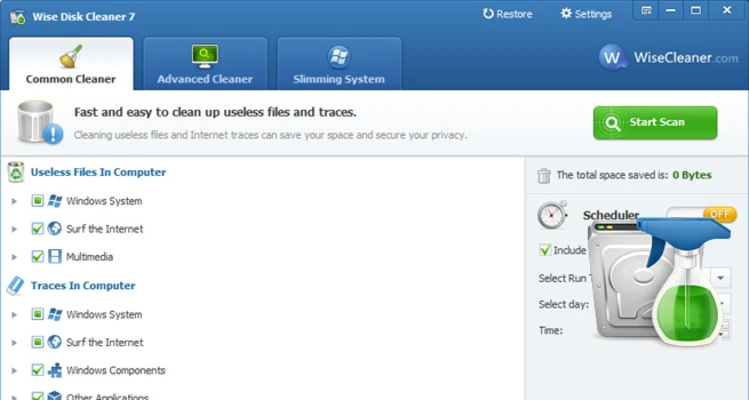
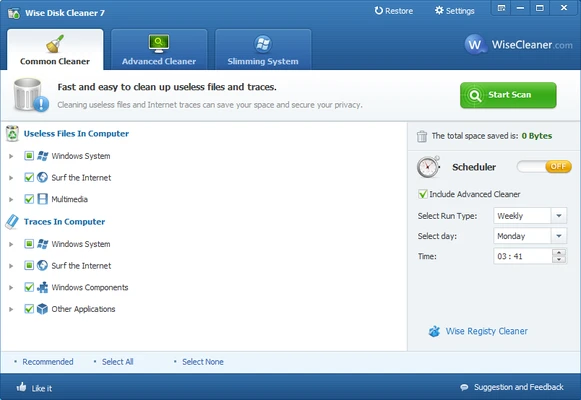
Wise Disk Cleaner is a lightweight system cleaning utility designed to help users remove unnecessary files and free up disk space on Windows computers.
It can clean temporary files, browser cache, cookies, system logs, recycle bin files, and other unwanted data that may accumulate over time.
With powerful scanning technology, privacy cleaning features, and built-in disk defragmentation tools, Wise Disk Cleaner provides an efficient solution for maintaining system performance and managing storage space.
Features of Wise Disk Cleaner
Junk File Cleaning
Wise Disk Cleaner can detect and remove unnecessary files from your computer, including:
- Temporary files
- System cache files
- Log files
- Recycle Bin data
- Recent document history
- Unused Windows files
Removing these files helps recover disk space and keep the system organized.
Browser Privacy Cleaning
The software can clean browsing traces from popular web browsers, including:
- Google Chrome
- Microsoft Edge
- Mozilla Firefox
- Safari
It removes browser cache, cookies, history, and other temporary data to help protect user privacy.
Advanced System Cleaning
Wise Disk Cleaner provides advanced scanning options for finding additional unnecessary files.
Advanced users can customize cleaning rules and select specific items to remove according to their needs.
Disk Defragmentation
The built-in Disk Defrag feature helps organize fragmented files on hard drives.
By rearranging stored data, it can improve disk efficiency and provide a clearer view of drive usage.
Automatic Scheduled Cleaning
Users can configure automatic cleaning schedules to remove unwanted files regularly.
The program can run cleaning tasks daily, weekly, or monthly according to user preferences.
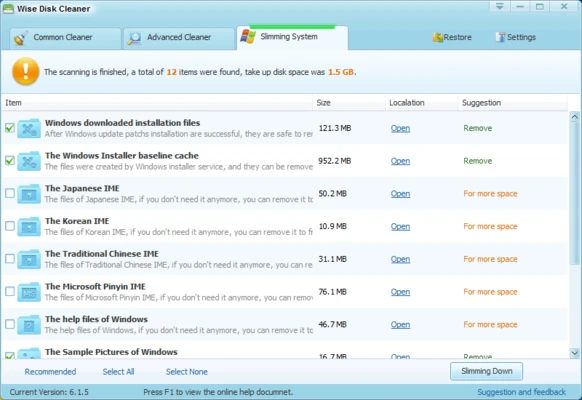
Slimming System Feature
Wise Disk Cleaner includes a system slimming feature that helps remove unnecessary Windows components and unused files.
This can help reduce storage usage and create additional free disk space.
Lightweight and Easy to Use
Wise Disk Cleaner features a simple interface and low resource consumption.
It runs efficiently in the background and provides a fast way to maintain Windows storage and system cleanliness.