
Go to Windows platform Display platforms icon
Go to Windows platform Go to Mac platform Go to Android platform
Typing Guru icon

Typing Guru

0.0.32
Typing Guru
5
21.68 MB size

Improve your typing skills

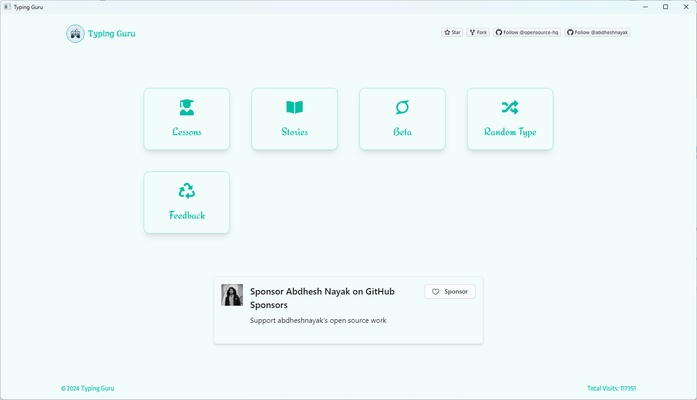
Typing Guru is a typing tool for learning how to type quickly on your keyboard while also having fun. This educational program will help you learn how to position your fingers on the keyboard and type much faster and with better accuracy. If you want to learn to type for free, download Typing Guru now.

Learn touch typing

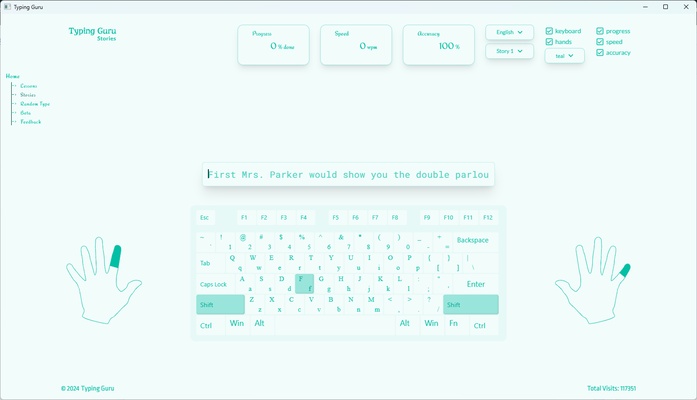
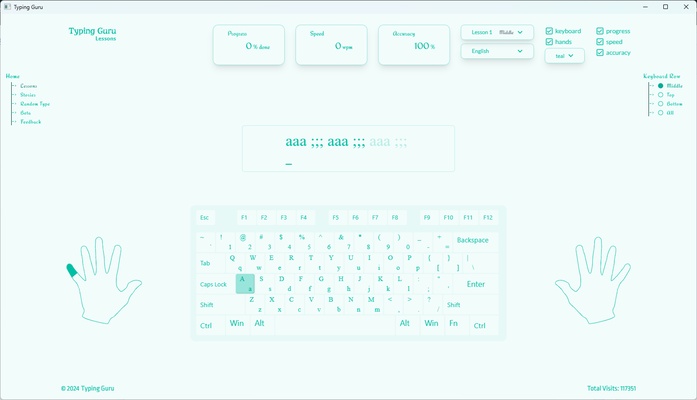
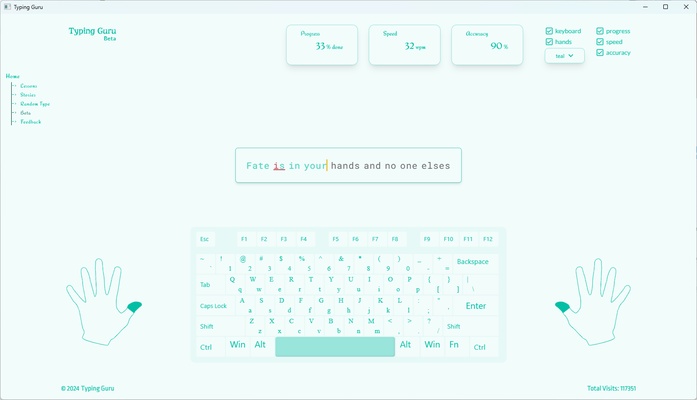
Master the touch typing technique to type quickly and accurately by using all your fingers without looking at the keyboard. This tool helps you learn how the letters are arranged and how to hit each key, i.e., with which finger and in what direction. This information is presented through a visual guide created to help you type without looking at your hands.

Prepare for typing tests

Prepare for typing tests with paragraphs and exercises designed to increase your speed and accuracy. With this tool, you'll have the chance to practice typing as many texts as you want. At the top of the screen, you can check your typing speed and how many mistakes you've made. Thanks to this helpful data, you can efficiently prepare for any typing test.

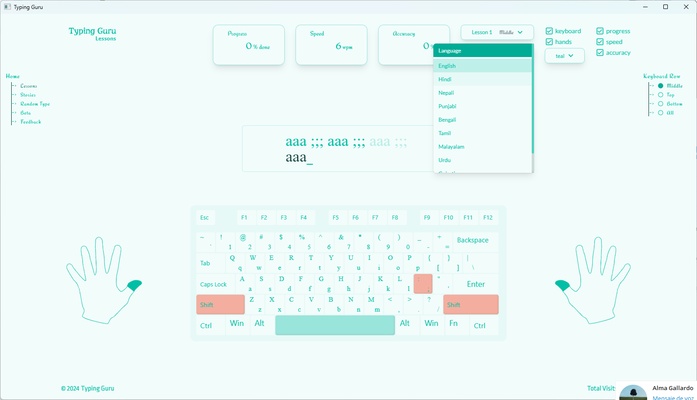
In short, with Typing Guru, you'll be able to learn how to type and practice your skills in an effective and fun way, either at home or anywhere with Internet access. Improve your typing skills in multiple languages and track your progress over time with this all-in-one tool for Windows.

Information about Typing Guru

License Free
Op. System Windows
Category Education
Language English
Author Typing Guru
permission icon Permissions Not applicable
Date 2026-06-02
Size 21.68 MB
File type EXE

Apps recommended for you

iToolab UnlockGo (Android) icon
Unlock your Samsung without losing any data
Mechvibes 3.5.6 icon
Enjoy the sound of a mechanical keyboard without disturbing others
ChemMaths icon
A collection of essential tools for any engineer
CAB Maker icon
Create Cabinet files quickly
Kindle Previewer icon
Preview your ebooks before publishing them
MecaNet icon
Improve your speed with this typing course
OkMap icon
Organize your trips with this map app
FET icon
FET
Automatic school scheduling timetable generator
GeoGebra 6.0.9360 icon
A tool to study algebra, geometry and calculus
Mechvibes 3.5.6 icon
Enjoy the sound of a mechanical keyboard without disturbing others
TypeMaster - Typing Practice with Stories 0.1.2 icon
Practice Typing Offline with Classic Stories, not just random words.
Academia System (Server) 3.10.0 icon
Academic management tool to manage academics
ProfiCAD 14.1.1 icon
ProfiCAD is a simple electrical schematic drawing tool.
Stellarium icon
Explore the night sky with Stellarium for Windows, the free planetarium software for viewing stars, planets, constellations, and deep-sky objects.
MedCalc icon
Perform advanced statistical analysis and medical research calculations with MedCalc for Windows, the comprehensive biostatistics and data analysis software.
CiteSpace icon
Generate interactive visualizations of patterns and trends
PDNob Image Translator icon
Free AI Image Translator to Extract and Translate Text from Any Images
Freeplane icon
Design mind maps with all kinds of possibilities
Wordweb icon
Complete dictionary of English terms
HakuNeko icon
Download as much manga and anime as you want
FBReader icon
E-Book reader that supports several devices and formats
English icon
English is an English dictionary app for the Windows Operating System
FX Draw icon
FX Draw for Windows is a powerful graphing and diagramming tool that helps users create mathematical graphs, charts, and geometric drawings easily.
Anki icon
Learn languages with Anki